 Excellent PLC


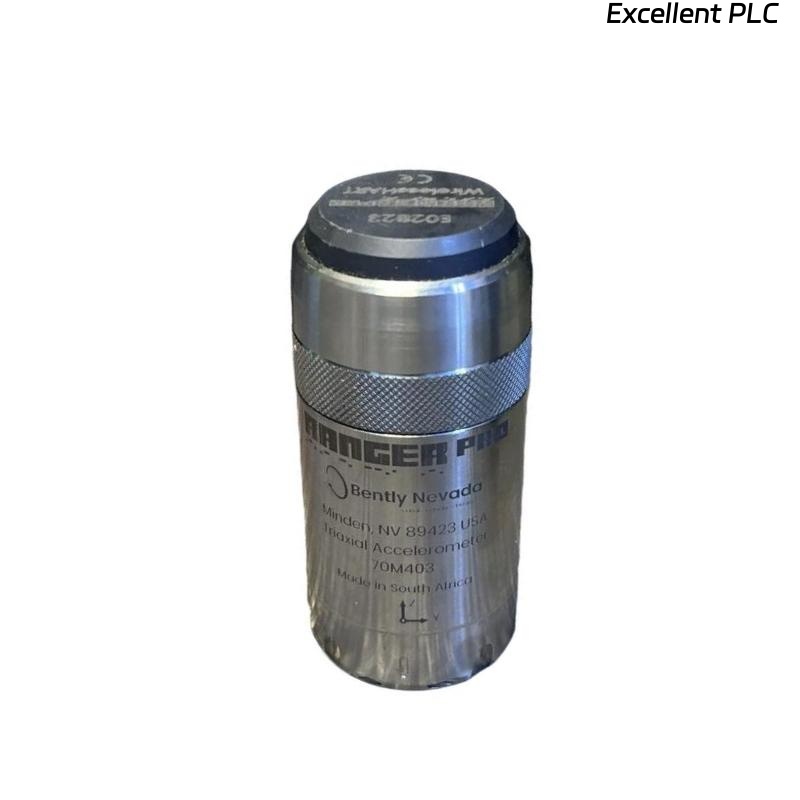
Recently, I was commissioned to install a Bently Nevada 70M403 Ranger Pro wireless vibration sensor on a centrifugal compressor for online monitoring. These sensors are designed to provide real-time vibration data without the need for cumbersome cabling, but proper linking and configuration are crucial for reliable operation. Here’s my step-by-step field experience.
Step 1: Initial Preparation
Before linking the sensor:
-
Confirm that the turbine or machine is powered down if you’ll be installing the sensor close to moving parts.
-
Inspect the sensor packaging and verify the model number: 70M403 Ranger Pro.
-
Charge the sensor battery fully — Ranger Pro units typically have removable lithium-ion cells; check voltage and status LEDs.
-
Prepare the gateway or receiver module (e.g., Ranger Pro Gateway) that will collect wireless data.
Step 2: Physical Mounting
-
Choose a stable location on the bearing housing or shaft proximity area where the sensor can accurately measure vibration.
-
Clean the surface thoroughly. Any dirt or oil may affect magnetic mounting or adhesion.
-
Use the supplied magnetic base or threaded mount. I prefer threaded mounts in high-vibration areas because they reduce the risk of signal noise caused by sensor movement.
-
Align the sensor per OEM instructions — the measurement axis must match the vibration axis for accurate readings.
Step 3: Powering and Wake-Up
-
Once mounted, press the wake-up button to activate the sensor. The LED sequence typically indicates:
-
Blinking Green: Searching for network
-
Solid Green: Sensor awake and ready to pair
-
-
If the sensor doesn’t respond, check battery connections or try a brief reset (press and hold the button for 5–7 seconds).
Step 4: Linking to the Wireless Network
-
Gateway Setup: Ensure the Ranger Pro Gateway is powered and connected to your monitoring network.
-
Network Discovery: In the Control or Asset Condition Monitoring (ACM) software, start a new sensor discovery session.
-
Sensor Pairing:
-
Press the link button on the Ranger Pro sensor once.
-
The sensor should appear in the software as “Unpaired Device.”
-
Assign it a unique ID and configure sampling rate (usually 256 Hz for high-speed machinery).
-
-
Signal Verification: After pairing, check the sensor status:
-
RSSI (Received Signal Strength Indicator) should be > –80 dBm.
-
Battery level > 80% is recommended.
-
Step 5: Calibration and Testing
-
Use the Ranger Pro test mode in the ACM software.
-
Rotate the machine shaft slowly if possible, or simulate vibration using a handheld shaker.
-
Confirm that the sensor outputs accurate vibration amplitude and frequency.
-
Compare readings against nearby wired sensors if available to verify consistency.
Step 6: Troubleshooting Common Link Issues
-
Sensor not appearing in software:
-
Ensure the sensor is within 100 m line-of-sight of the gateway.
-
Check for wireless interference from other devices.
-
-
Low RSSI or intermittent readings:
-
Adjust the sensor location for better line-of-sight.
-
Ensure magnetic mount is solid; avoid mounting near steel barriers.
-
-
Battery issues:
-
Ranger Pro batteries can drain faster in extreme temperatures.
-
Keep spare batteries or a charging plan in place for long-term monitoring.
-
Step 7: Best Practices
-
Document sensor ID, mounting location, orientation, and sampling configuration for future maintenance.
-
Schedule periodic health checks — Ranger Pro software allows for battery and link diagnostics.
-
For critical machinery, maintain at least one wired sensor as a reference to validate wireless readings.
Key Takeaways
-
Wireless sensors like Bently Nevada 70M403 Ranger Pro simplify installation but require precise mounting, battery management, and proper pairing.
-
Linking involves activating the sensor, using the gateway for discovery, and confirming reliable signal strength.
-
Always validate readings with a secondary source if possible, particularly for machinery protection decisions.
“Wireless convenience doesn’t replace engineering rigor — accurate alignment, good signal, and battery health are the foundation of reliable vibration monitoring.”