 Excellent PLC


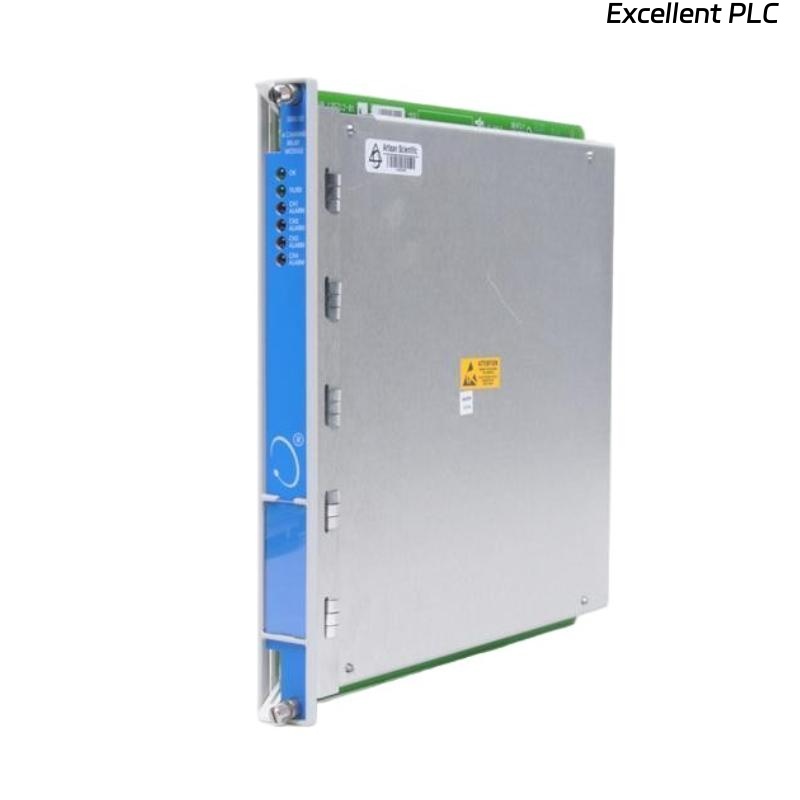
Recently, I installed a Bently Nevada 3500/32-01-01 4-channel relay module (part numbers 149986-02 + 125720-01) in a turbine control panel for protection relay purposes. This module interfaces with 3500 series vibration and process monitoring channels, and proper installation is crucial for safe and reliable operation. Here’s a step-by-step guide based on real field experience.
Step 1: Safety and Pre-Installation Checks
-
Power down the 3500 rack completely before beginning installation.
-
Confirm the module part numbers: 3500/32-01-01, 149986-02 + 125720-01.
-
Inspect the module for any physical damage or contamination.
-
Ensure all tools are ESD safe and that an ESD wrist strap is worn.
Safety first: Relay modules contain sensitive electronic contacts; static or accidental shorts can damage the unit.
Step 2: Rack Slot Identification and Mounting
-
Identify the appropriate slot in the 3500 rack for the 4-channel relay module.
-
Slide the module into the DIN rail guides carefully.
-
Lock the module firmly in place — you should feel it click.
-
Verify that all front LEDs are off before powering the rack.
Field tip: Installing in the wrong slot can cause misassignment of alarms or relay outputs.
Step 3: Wiring the Module
The 3500/32-01-01 relay module has 4 independent relay channels, each capable of controlling external devices like trip circuits or alarm annunciators.
Typical Terminal Connections:
| Terminal | Function | Notes |
|---|---|---|
| IN+ | Positive input from monitoring channel | Connect to 3500 module output (e.g., vibration trip) |
| IN– | Return / common | Connect to system common or channel reference |
| RELAY COM | Common contact for relay | To be wired to control circuits |
| RELAY NO | Normally open contact | For energizing external devices on alarm |
| RELAY NC | Normally closed contact | For fail-safe applications |
| PE | Protective Earth | Optional, connects to chassis |
Wiring Steps:
-
Strip wires to proper length (~8–10 mm).
-
Connect input from the 3500 channel to IN+ and IN–.
-
Connect the relay outputs (COM, NO, NC) to the external device following your control diagram.
-
Ensure PE is connected if required.
-
Tighten all screws to 0.4–0.5 Nm torque.
Field tip: Always label each wire according to the channel number to avoid confusion during maintenance.
Step 4: Power-Up and LED Verification
-
Apply power to the 3500 rack.
-
Check LED indicators:
-
Green PWR – Module powered correctly.
-
Yellow WARN – Input channel abnormal.
-
Red FAULT – Relay fault or wiring issue.
-
If any LED shows abnormal status, verify wiring and connections first.
Step 5: Relay Output Testing
Before connecting to the machine’s trip or alarm circuits:
-
Use a multimeter to verify continuity across the COM/NO/NC contacts.
-
Trigger a test alarm in the 3500 software or simulate input signals.
-
Observe relay switching — the contacts should open/close as expected.
Field tip: Never connect live control circuits before confirming relay function; false energization can trip critical machinery.
Step 6: Software Configuration
-
Assign each channel in the 3500 system software.
-
Define alarm thresholds or trip points corresponding to the input channels.
-
Test that the software recognizes relay output correctly during simulated events.
Step 7: Common Field Issues
-
Incorrect channel wiring → relays may energize wrong devices.
-
Loose terminals → intermittent operation, false alarms.
-
Misconfigured trip thresholds → relay may fail to activate at the correct vibration level.
-
Skipping COM/NO/NC verification → external devices may not function safely.
Step 8: Best Practices
-
Keep a record of module serial numbers, channel mapping, and external device wiring.
-
Label all wires for future maintenance.
-
Perform initial relay test and baseline signal verification before leaving the site.
-
Use strain relief for wires to prevent mechanical stress on relay terminals.
Final Field Insights
The 3500/32-01-01 relay module is reliable if wired and installed carefully. Proper attention to input wiring, relay output verification, and channel assignment prevents the majority of field failures.
“A relay module may seem simple, but its proper installation is critical — it’s the final control link between sensing and protection.”