 Excellent PLC


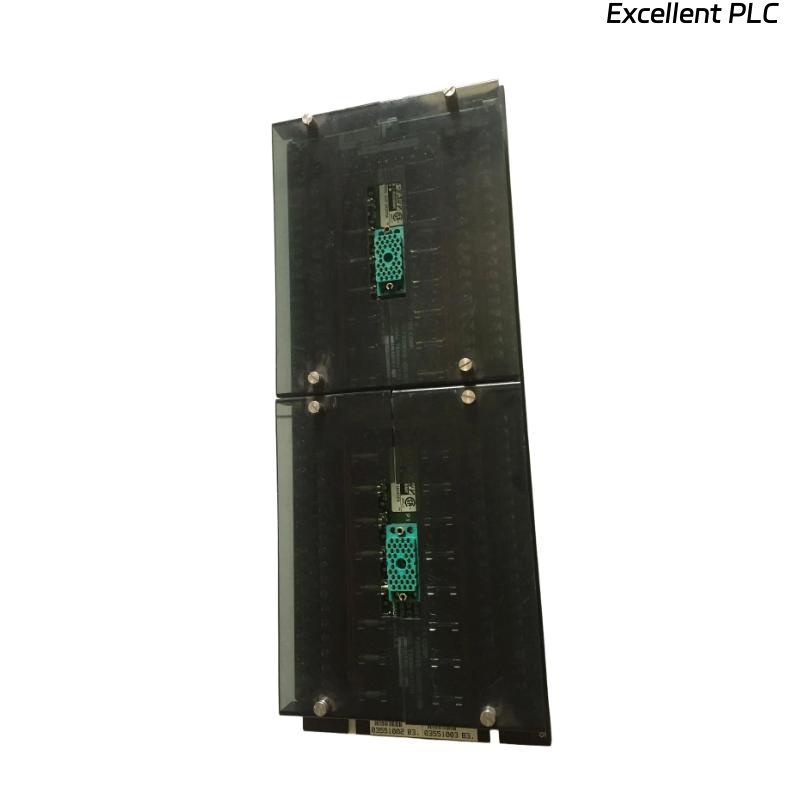
The Triconex 3000110-360 is a central processing module for TMR (Triple Modular Redundant) systems. When the CPU fails to run or execute code, it can halt the control system. The following guidance is based on field experience from engineers who maintain Triconex systems in industrial plants.
Power and Initialization Checks
Before assuming the CPU is dead, ensure that the rack is powered correctly. Check all input voltages and power rails feeding the module. One field engineer emphasizes:
“If the CPU isn’t getting stable power, nothing else matters.”
Also, observe the CPU’s status LEDs. A consistent “off” or error state often points to power supply, backplane, or firmware initialization issues.
Inspecting the Backplane and Connectors
Remove the CPU carefully and check the backplane connector. Dust, oxidation, or bent pins can prevent the CPU from initializing. Many engineers have found that cleaning the connector with contact cleaner solves what initially seemed like a catastrophic CPU failure.
Firmware and Configuration Verification
CPU failure to run code may be due to firmware mismatch or corrupted configuration. Using Triconex software tools, verify that the CPU firmware is compatible with the system’s I/O and redundancy configuration. If needed, reload the firmware. A technician’s note:
“I’ve revived CPUs by just reflashing firmware—never underestimate a corrupt code image.”
Component-Level Inspection
If power and firmware are correct, check the CPU board for visible damage. Look for burnt regulators, leaking capacitors, or damaged ICs. Field engineers often measure key voltages at onboard regulators and buses to confirm stability. Minor component replacements can restore operation without full module replacement.
Redundancy and System Integration
TMR systems rely on multiple CPUs for fail-safe operation. If the CPU is part of a redundant loop, ensure other CPUs are running and that bus communication is intact. Sometimes a CPU won’t run because the system detects a mismatch or conflict with its redundant partners.
Test Before Deployment
Once suspected issues are corrected:
-
Reinsert the CPU into a test rack or isolated environment.
-
Observe initialization and code execution.
-
Run diagnostics to confirm communication with I/O modules and redundancy partners.
-
Burn-in testing for a few hours is recommended to ensure stable operation.
Pro tip: never reinstall a CPU into production without a test run; intermittent faults are easier to catch in a controlled environment.
Lessons Learned from Field Engineers
-
Always check power and backplane first—these are the most common causes of “dead” CPUs.
-
Firmware and configuration mismatches can mimic hardware failure.
-
Minor component issues often masquerade as total CPU failure.
-
Redundancy conflicts in TMR systems must be verified before declaring the CPU unusable.