 Excellent PLC


Author: Marcus Lee – Senior Maintenance Engineer, 15 years in power generation and rotating machinery
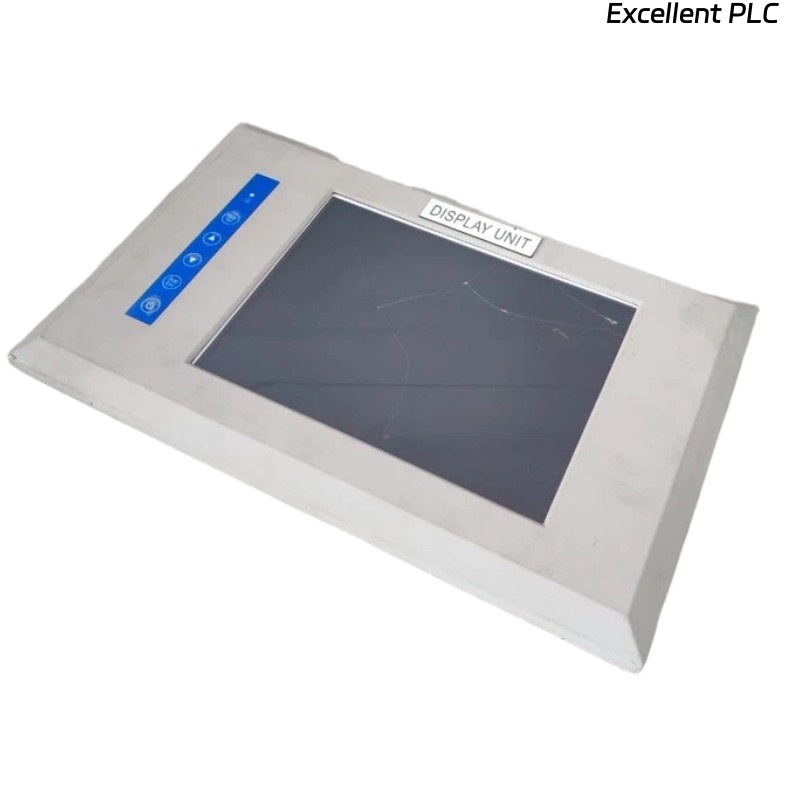
Over the past month, our team noticed intermittent touch failures on a Bently Nevada 120M8155-01 HMI panel installed on a turbine control cabinet. The screen would display all operational data correctly, but the touch interface occasionally became completely unresponsive for a few seconds, sometimes up to 10–15 seconds.
These glitches caused operator frustration during critical alarm acknowledgments.
Symptoms Observed
-
Touch input lagging or ignored entirely
-
Random “dead zones” in the lower-right quadrant
-
No display corruption, backlight normal
-
System data updates continued; PLC communication unaffected
-
Issue occurred sporadically, more frequent during high ambient cabinet temperature
Field Analysis
Initial inspection focused on:
-
Software/firmware – No errors, firmware up-to-date
-
Power supply – 24VDC steady, no brownouts
-
Physical damage – Screen intact, no cracks
-
Environmental conditions – Cabinet temp 40–48°C, moderate humidity
The breakthrough came when isolating the touch panel from surrounding noise sources. Once disconnected from nearby VFDs and high-current contactors, the dead zones disappeared.
Root Cause
The problem was traced to electromagnetic interference (EMI) affecting the capacitive touch controller, compounded by:
-
Proximity to VFD power cables
-
Cabinet grounding inconsistencies
-
Elevated ambient temperature accelerating controller latency
The display itself and the underlying software were not at fault.
Corrective Measures
-
Re-route touch controller cabling away from VFD and motor power lines
-
Install ferrite cores at both ends of the touch harness
-
Improve cabinet grounding and bonding
-
Add passive cooling to reduce temperature spikes inside the cabinet
Post-adjustment, the touch panel operated normally with no lag or dead zones for over three weeks of monitoring.
Lessons Learned
-
EMI is a silent culprit for touch interface issues, even if the display appears fine
-
Proper grounding and cable management are critical for HMI reliability
-
Temperature spikes accelerate touch controller issues, so cooling or ventilation is important
-
Dead zones or intermittent freezes usually do not indicate hardware failure; investigate environmental factors first
The 120M8155-01 remains reliable if installed with attention to EMI, grounding, and thermal management. For plant operators, these simple measures prevent downtime and frustration.
— Marcus