 Excellent PLC


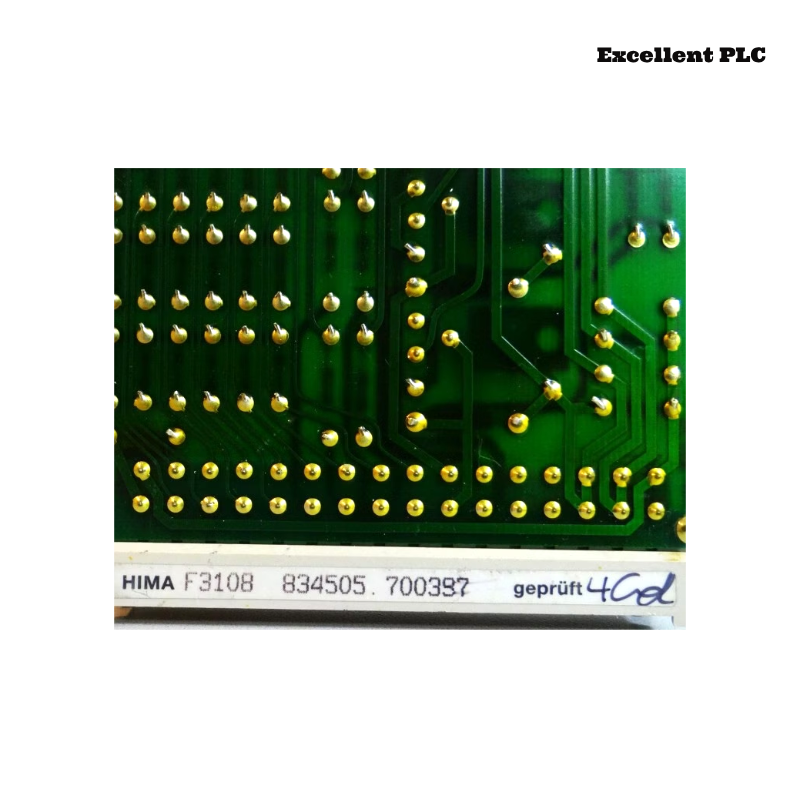
Comprehensive troubleshooting guide for HIMA F3108 relay amplifier modules (Planar F system) experiencing intermittent signal loss due to relay contact degradation and software timing conflicts. Includes field inspection, firmware adjustment, and preventive measures.
Incident Background
During routine monitoring in a petrochemical plant, operators observed intermittent loss of relay output signals on the HIMA F3108 module. Certain relay channels, such as RLY-01 and RLY-04, failed to switch correctly during automated batch operations.
The HMI displayed sporadic “relay output error” warnings, while module power and status LEDs remained green. The problem appeared more frequently during high-speed sequential switching, making it difficult to reproduce during manual testing.
Fault Phenomena Observed
-
Relay Outputs: RLY-01 and RLY-04 intermittently failed to actuate, or actuated with a delay of 100–250 ms.
-
Module Diagnostics: Logged “relay contact resistance high” and “output timing mismatch” events.
-
HMI Display: Warnings occurred irregularly and were often correlated with simultaneous high-load operations.
-
Environmental Observations: Module cabinet temperature occasionally rose above 48°C, and minor condensation was observed during high-humidity periods.
Soft resets temporarily restored functionality, but the intermittent faults recurred during normal operations.
Root Cause Analysis
Investigation identified multiple contributing factors:
-
Relay Contact Degradation: Prolonged operation and repeated switching had caused minor pitting and oxidation on the relay contacts, increasing resistance and leading to delayed or failed output activation.
-
Software Timing Conflict: The Planar F system firmware scheduled relay actuation sequences that sometimes overlapped with input polling intervals, resulting in timing mismatches and temporary misinterpretation of relay states.
-
Terminal Micro-Contact Issues: Slight oxidation and loose screw terminals contributed to intermittent high-resistance paths, amplifying the effect of degraded contacts.
-
Environmental Influence: Elevated temperature and humidity accelerated contact degradation and increased the likelihood of intermittent relay failure.
The fault was therefore a combination of hardware wear, software timing conflicts, terminal integrity, and environmental stress.
Step-by-Step Troubleshooting and Repair
1. Power Isolation and Terminal Inspection
-
Shut down module power and isolate affected relay channels.
-
Inspect all relay terminals for discoloration, oxidation, or loose screws.
-
Clean with isopropyl alcohol and retighten to manufacturer-recommended torque.
2. Relay Contact Verification and Replacement
-
Check relay contacts with a low-resistance meter.
-
If contact resistance exceeds specified limits, replace the affected relay(s).
-
For minor oxidation, clean contacts carefully using approved contact-cleaning tools and solutions.
3. Software Timing Adjustment
-
Connect to the module using Planar F configuration software.
-
Check output timing schedules:
OUTPUT>CHANNELS=RLY-01, RLY-04
SHOW_TIMING
-
Adjust actuation intervals to avoid overlap with input polling:
ACTUATION_DELAY=150ms
SAVE
RESET_MODULE
-
Verify that relay outputs now actuate correctly under sequential test conditions.
4. Environmental Mitigation
-
Ensure cabinet ventilation is adequate and operational.
-
Maintain temperature below 45°C and relative humidity below 55%.
-
Consider localized shields to reduce heat and moisture impact on relay terminals.
5. Validation and Monitoring
-
Restore module power and monitor relay outputs over multiple batch cycles.
-
Confirm HMI warnings are eliminated and diagnostic logs show no further “relay contact resistance high” events.
-
Document terminal inspection, relay replacement, timing adjustment, and environmental observations.
Following these corrective actions, relay outputs stabilized, and intermittent signal loss was eliminated.
Preventive Recommendations
-
Periodic Relay Inspection: Check contacts for oxidation, pitting, and wear during preventive maintenance.
-
Terminal Integrity Audits: Inspect and tighten terminals regularly to prevent high-resistance connections.
-
Firmware Alignment: Verify that relay timing sequences align with module capabilities and PLC polling schedules.
-
Environmental Controls: Maintain cabinet temperature and humidity within recommended ranges to reduce contact degradation.
-
Detailed Records: Keep logs of relay replacements, software adjustments, and environmental conditions for traceability.
This case demonstrates that intermittent relay signal loss often arises from the interaction of hardware wear, software timing, terminal micro-contacts, and environmental factors, highlighting the need for systematic maintenance, configuration review, and environmental monitoring.