 Excellent PLC


Overview
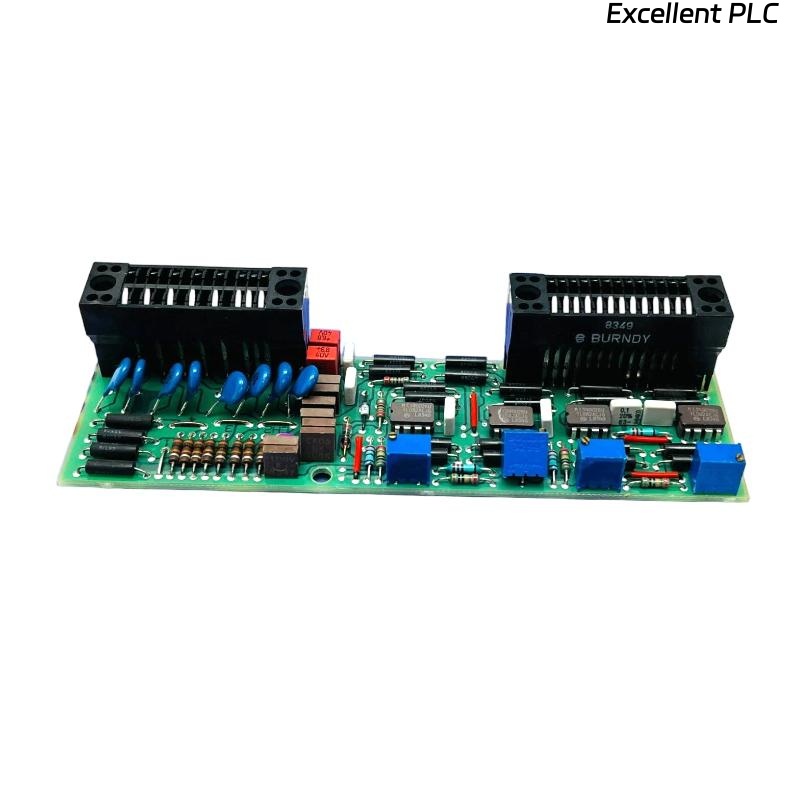
The ABB 07 BV 60 R1 Bus Coupler (Part No. GJV3074370R1) serves as the communication interface between the ABB i-bus® KNX installation bus and the ABB i-bus® KNX devices in your building automation system. This guide provides step-by-step installation instructions compliant with safety standards.
Prerequisites
-
KNX EIB certified installer training
-
KNX commissioning tool (ETS software)
-
Basic electrical installation tools
-
Safety equipment (insulated gloves, goggles)
-
Verify system voltage: 21-30V DC KNX bus voltage
Safety Instructions
⚠️ Warning: Always follow electrical safety regulations
-
Disconnect all power sources before installation
-
Verify bus voltage before connecting devices
-
Ensure proper grounding of installation
-
Use only ABB-certified components
-
Follow local electrical codes and regulations
Installation Steps
1. Mounting Preparation
-
Select appropriate location in control cabinet or wall box
-
Ensure adequate ventilation around device
-
Maintain minimum clearance of 10mm on all sides
-
Verify ambient temperature: -5°C to +45°C
-
Confirm relative humidity: <93% (non-condensing)
2. Physical Installation
-
Mounting: Secure bus coupler on DIN rail (35mm) with clip mechanism
-
Bus Connection: Connect KNX bus cable to terminal X1 (red/black wires)
-
Terminal 1 (red): KNX+
-
Terminal 2 (black): KNX-
-
Ensure proper polarity
-
-
Device Connection: Connect KNX devices to terminals X2-X5
-
Voltage Check: Verify bus voltage (21-30V DC) before powering devices
3. Wiring Specifications
-
Cable Type: J-Y(St)Y 2x2x0.8mm KNX bus cable
-
Maximum Length: 1000m per line
-
Device Capacity: Up to 64 devices per line
-
Termination: Install bus termination plugs at line ends
-
Shielding: Ground shield at one point only
4. Configuration with ETS Software
-
Download latest database from ABB Professional
-
Import device database into ETS
-
Connect programming interface to bus coupler
-
Set physical address according to system design
-
Configure parameters for connected devices
-
Download application program to bus coupler
-
Verify communication with all connected devices
5. Testing & Commissioning
-
Visual Inspection: Check all connections
-
Continuity Test: Verify bus cable integrity
-
Voltage Test: Confirm stable bus voltage
-
Communication Test: Ping all devices via ETS
-
Function Test: Verify all configured functions
-
Documentation: Update system documentation
Troubleshooting
Common Issues & Solutions
| Symptom | Possible Cause | Solution |
|---|---|---|
| No LED indication | No bus power | Check bus voltage |
| Red LED flashing | Communication error | Verify bus wiring |
| Device not found | Incorrect address | Reassign physical address |
| Intermittent communication | Cable issues | Check terminations and shielding |
LED Status Indicators
-
Green steady: Normal operation
-
Red flashing: Bus error or programming mode
-
Off: No bus voltage
Maintenance
-
Regular visual inspections
-
Periodic bus voltage checks
-
Update ETS database annually
-
Keep firmware updated
-
Maintain system documentation
Technical Specifications
-
Article Number: GJV3074370R1
-
Type: 07 BV 60 R1
-
Operating Voltage: 21-30V DC (KNX)
-
Current Consumption: <15mA
-
Communication: KNX TP1 (Twisted Pair)
-
Dimensions: 4 modules (72mm) on DIN rail
-
Protection Class: IP20
-
Standards: EN 50090, KNX Association