 Excellent PLC


Guide Overview
- Module Background
- Role in ABB Automation Systems
- Pre-Installation Requirements
- Hardware Mounting Procedure
- Connection and Terminal Setup
- Commissioning and System Recognition
- Deployment Advice for Engineers
Module Background
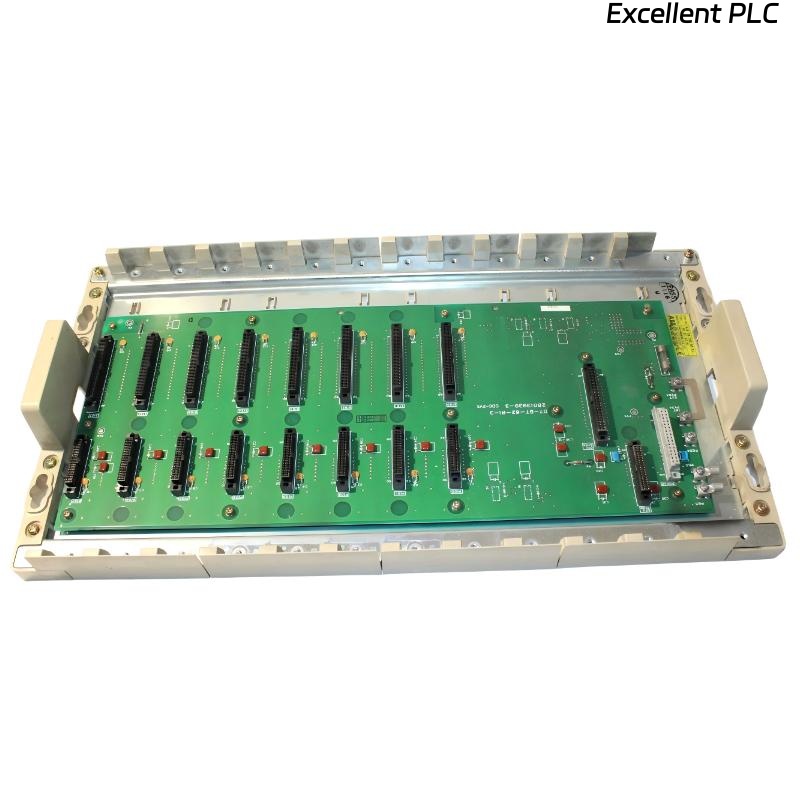
The ABB 07BT62R1 module (GJV3074303R1) is designed for integration within ABB industrial control platforms. The module works as part of the automation system infrastructure, supporting reliable communication and signal interaction between hardware components.
Industrial environments require stable hardware installation to ensure uninterrupted system performance and accurate control operations.
Role in ABB Automation Systems
ABB automation platforms are built using modular architecture, where each hardware component performs a dedicated operational role.
The 07BT62R1 module typically contributes to:
- Signal processing inside the control rack
- Communication between control modules
- Industrial process monitoring systems
- Integration with distributed automation networks
Proper installation ensures reliable system communication and operational stability.
Pre-Installation Requirements
Before installing the module, confirm that the control cabinet meets the recommended environmental conditions.
- Operating temperature between 0°C and 50°C
- Relative humidity below 85%
- No condensation present inside the cabinet
- Stable cabinet grounding
Recommended installation tools:
- Insulated screwdriver
- Digital multimeter
- Industrial wire stripper
- Anti-static protection strap
Hardware Mounting Procedure
Cabinet Preparation
- Disconnect power from the control cabinet.
- Verify that the rack is fully de-energized.
- Inspect the rack slot for dust or damage.
Module Installation
- Align the module with the rack guide rails.
- Slide the module slowly into the designated slot.
- Ensure the backplane connector engages firmly.
- Secure the module using the rack retention mechanism.
Correct seating is required to maintain stable electrical contact with the rack backplane.
Connection and Terminal Setup
All wiring must follow the official system wiring diagram.
- Confirm proper signal polarity before connection.
- Ensure terminals are tightened securely.
- Avoid routing signal cables alongside high-voltage power cables.
- Use proper cable shielding where necessary.
These measures help prevent electrical interference and signal loss.
Commissioning and System Recognition
After installation, power up the control system and verify that the module is detected correctly.
SYSTEM_BOOT
SCAN_SYSTEM_MODULES
DISPLAY_MODULE_STATUS
CHECK_MODULE 07BT62R1
If the module appears in the system hardware list without faults, the installation is considered successful.
Deployment Advice for Engineers
- Clearly label all wiring connections during installation.
- Record module slot positions for maintenance documentation.
- Maintain cabinet airflow to prevent overheating.
- Inspect connectors periodically during scheduled maintenance.
Following these practices ensures stable long-term operation of ABB automation hardware such as the 07BT62R1 module.