 Excellent PLC


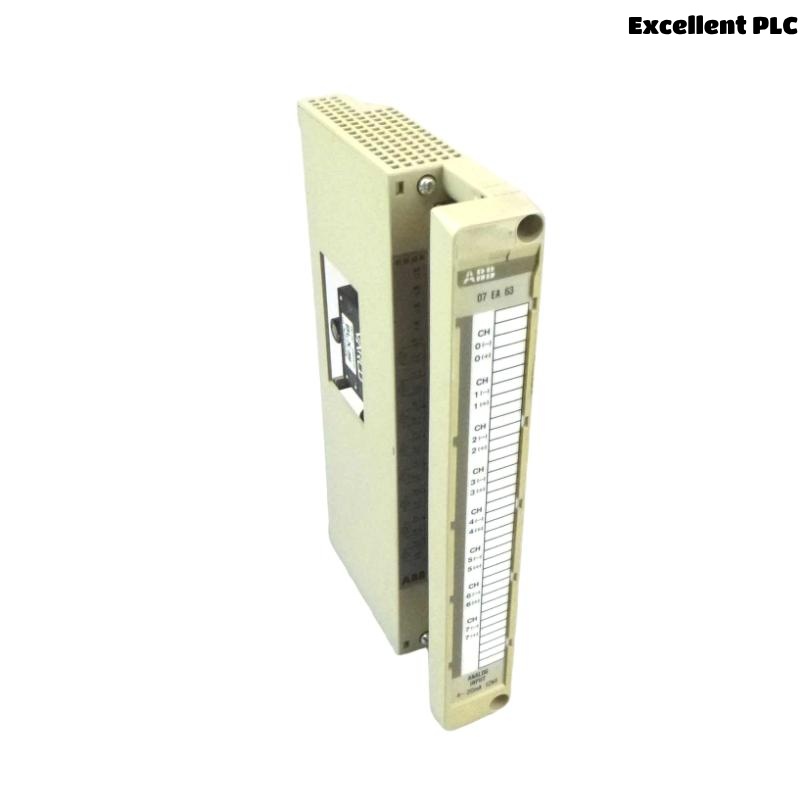
ABB 07EA63R1 (GJV3074353R1) Installation & Setup Guide for Industrial Control Systems
Table of Contents
- Module Introduction
- ABB Control System Overview
- Pre-Installation Checklist
- Mounting & Wiring Steps
- Software Configuration & Verification
- Field Installation Tips
- Safety Guidelines
Module Introduction
The ABB 07EA63R1 module (GJV3074353R1) is a key I/O processing component designed for ABB industrial automation platforms. It ensures reliable signal management and integration between field devices and the main control system.
This guide provides step-by-step instructions for proper installation, wiring, and software configuration to ensure optimal module performance.
ABB Control System Overview
ABB control systems rely on a distributed architecture consisting of multiple modules. The 07EA63R1 module communicates with other I/O modules and controllers to maintain process safety and system reliability.
Typical applications include:
- Power generation
- Petrochemical processes
- Industrial manufacturing automation
- Critical process monitoring
Pre-Installation Checklist
- Disconnect all power sources and apply ESD protection.
- Check ambient temperature (0–50°C) and humidity (below 85%).
- Prepare tools: torque driver (0.5–0.6 Nm), multimeter, wire stripper, and lint-free cloth.
- Ensure ABB control system software is installed and updated.
- Review wiring diagrams and note slot assignments for the module.
Mounting & Wiring Steps
Mounting the Module
- Identify the assigned rack slot for the 07EA63R1 module.
- Align module rails with cabinet guides and insert fully until backplane connector engages.
- Secure the module with locking mechanism or screws, ensuring proper engagement.
Wiring Connections
- Connect input/output wires according to the system wiring diagram.
- Ensure correct polarity and proper insulation.
- Tighten all terminal screws to 0.5–0.6 Nm.
- Avoid tension or sharp bends on cables.
- Check that grounding is properly applied to reduce EMI.
Software Configuration & Verification
Once hardware installation is complete, verify the module in the ABB control software environment.
SYSTEM_SCAN
LIST_MODULES
CHECK MODULE 07EA63R1
VERIFY STATUS
Confirm the module is recognized by the system and all channels respond correctly. Perform signal tests for critical I/O points.
Field Installation Tips
- Label field wiring clearly to prevent confusion during future maintenance.
- Document module slot and serial numbers.
- Install modules away from high-vibration areas.
- Use cable management to avoid interference with adjacent components.
Safety Guidelines
- Always disconnect system power before installation or maintenance.
- Use ESD protection when handling modules.
- Follow local electrical regulations and plant safety procedures.
- Maintain proper cabinet grounding and ventilation.