 Excellent PLC


Article Overview
- Module Introduction
- Role in ABB PLC Systems
- Pre-Installation Checks
- Physical Mounting Procedure
- Wiring and Communication Connection
- Startup Verification
- Field Engineer Tips
Module Introduction
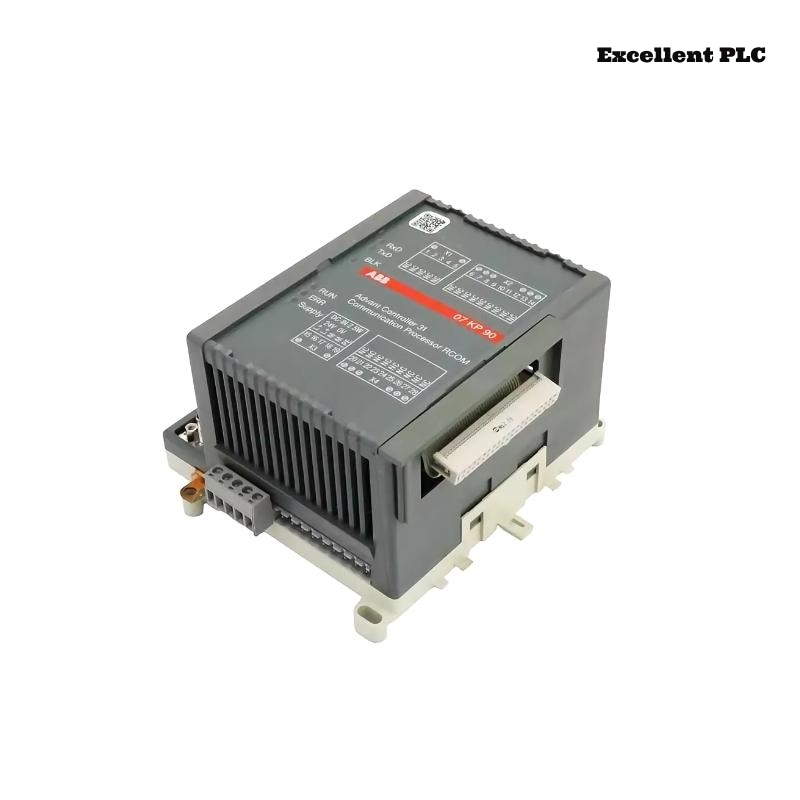
The ABB 07KP90 keypad module (GJR5251000R0303/GJR5251000R0202) is an operator interface used in ABB PLC systems. It provides tactile key input, status indicators, and allows local operation or parameter input directly on the machine.
This module is widely used in industrial control panels where manual operation or overrides are required.
Role in ABB PLC Systems
The 07KP90 module acts as a human-machine interface (HMI) that communicates with the PLC CPU. Its primary functions include:
- Manual control of machinery functions
- Local parameter setting
- Monitoring system status via LED indicators
- Sending key input signals to the PLC for automation or safety functions
Pre-Installation Checks
Before installation, ensure the environment is suitable and tools are ready.
- Operating temperature: 0–50°C
- Humidity below 85%
- Control cabinet free of dust and moisture
- Proper grounding of cabinet and rack
Tools required:
- Insulated screwdriver
- Wire stripper
- Multimeter
- Anti-static protection strap
Physical Mounting Procedure
Step 1 – Power Isolation
- Turn off the PLC rack and control cabinet power supply.
- Ensure adjacent modules are properly seated.
- Confirm no residual voltage is present at the backplane connector.
Step 2 – Module Insertion
- Identify the correct mounting slot for the 07KP90 module.
- Align the module with the rack guide rails.
- Slide the module until the backplane connector engages fully.
- Secure using the mounting screws or locking clamps.
Proper mechanical mounting ensures reliable communication and stable operation.
Wiring and Communication Connection
- Connect the module to the PLC backplane or fieldbus as per ABB wiring diagram.
- Verify correct voltage supply and polarity.
- Use shielded cables for communication lines near high-power devices.
- Ensure terminal screws are properly tightened for secure connection.
Startup Verification
After installation and wiring, power up the PLC system and verify module functionality.
SYSTEM_POWER_ON
SCAN_RACK_MODULES
DETECT_MODULE 07KP90
CHECK_KEY_INPUTS
VERIFY_LED_INDICATORS
Confirm all keys and indicators operate correctly to complete installation.
Field Engineer Tips
- Label all keypad modules and cables for future maintenance.
- Keep detailed documentation of wiring and slot location.
- Periodically check terminal connections and key functionality.
- Monitor PLC diagnostics for unusual key or LED behavior.
- Ensure cabinet environmental conditions are maintained (temperature, dust, humidity).
Following these best practices ensures reliable operation of the ABB 07KP90 operator keypad module in industrial automation systems.