 Excellent PLC


Quick Navigation
- Issue Overview
- Typical Field Symptoms
- Root Cause Analysis
- Diagnostic Workflow
- Repair and Recovery Actions
- Long-Term Prevention Tips
Issue Overview
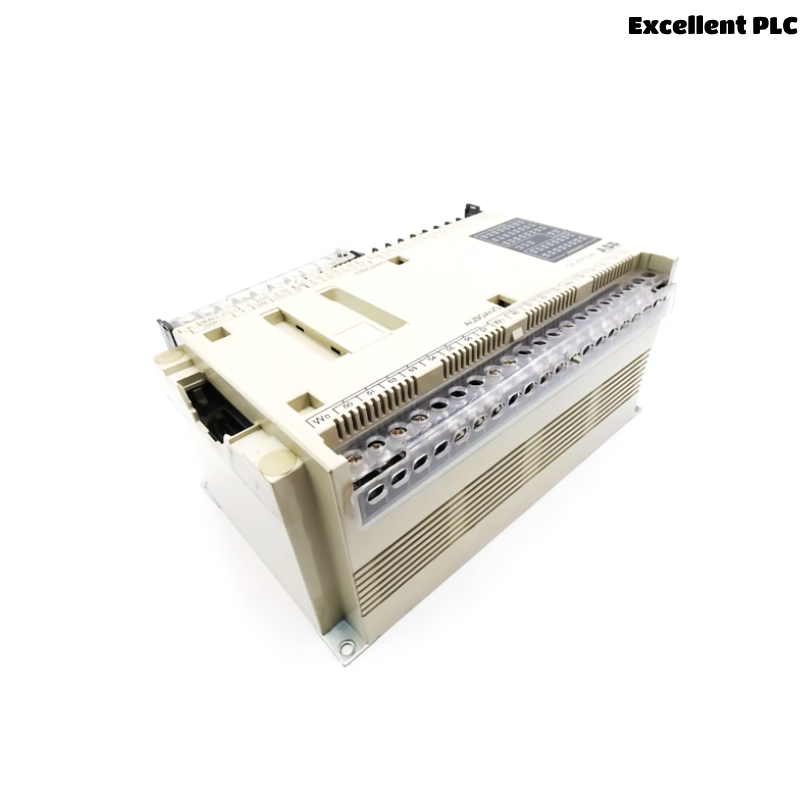
The ABB 07KR240 / 07KR240dR1 PLC CPU module acts as the central controller within ABB Procontic automation systems. If the CPU fails to start or enter RUN mode, the entire control system may stop responding to field inputs and outputs.
This type of issue typically appears after power interruptions, incorrect wiring modifications, or long-term hardware aging.
Typical Field Symptoms
During troubleshooting, maintenance engineers may observe several abnormal conditions:
- The CPU RUN indicator remains off after power-up.
- The PLC remains stuck in STOP mode.
- I/O modules appear inactive even though power is available.
- The programming tool cannot establish communication with the controller.
- The CPU resets repeatedly or fails to complete initialization.
These symptoms indicate that the controller may be experiencing a hardware fault or configuration error.
Root Cause Analysis
Several factors can prevent the CPU from starting normally:
- Insufficient or unstable power supply to the PLC rack
- Corrosion or poor contact on the backplane connector
- Firmware corruption or incomplete program loading
- Internal memory faults caused by aging components
- Electrical disturbances or voltage spikes in the control cabinet
- Incorrect module configuration within the PLC system
Accurate identification of the root cause is essential before replacing hardware.
Diagnostic Workflow
The following diagnostic process helps determine the source of the CPU startup failure.
Power Supply Verification
- Measure the PLC rack input voltage using a multimeter.
- Confirm that voltage levels remain stable during startup.
- Inspect power terminals for loose or oxidized connections.
Backplane and Module Inspection
- Remove and reinsert the CPU module to ensure proper seating.
- Inspect the backplane connectors for contamination or damage.
- Check that adjacent modules are properly aligned.
Controller Diagnostic Commands
SYSTEM_STATUS
READ_CPU_STATE
CHECK_MEMORY_STATUS
SCAN_IO_MODULES
RESET_CONTROLLER
These commands help determine whether the controller hardware is operational and whether the firmware has loaded correctly.
Repair and Recovery Actions
Once the root cause is identified, apply the appropriate corrective measures:
- Stabilize the PLC power supply or replace faulty power modules.
- Clean and reseat the CPU module to restore proper backplane contact.
- Reload the PLC firmware or control program.
- Replace damaged communication or I/O modules causing system conflicts.
- If the CPU memory or internal circuitry is defective, replace the controller module.
After repair, confirm that the CPU enters RUN mode and that all connected I/O modules respond correctly.
Long-Term Prevention Tips
Preventive maintenance can reduce the risk of CPU startup failures.
- Maintain stable cabinet power supply and grounding.
- Install surge protection for sensitive control electronics.
- Perform regular inspection of PLC connectors and wiring.
- Back up PLC programs and configuration files regularly.
- Monitor CPU diagnostic indicators for early warning signs.
Following these practices helps maintain reliable operation of the ABB 07KR240 PLC controller in demanding industrial environments.