 Excellent PLC


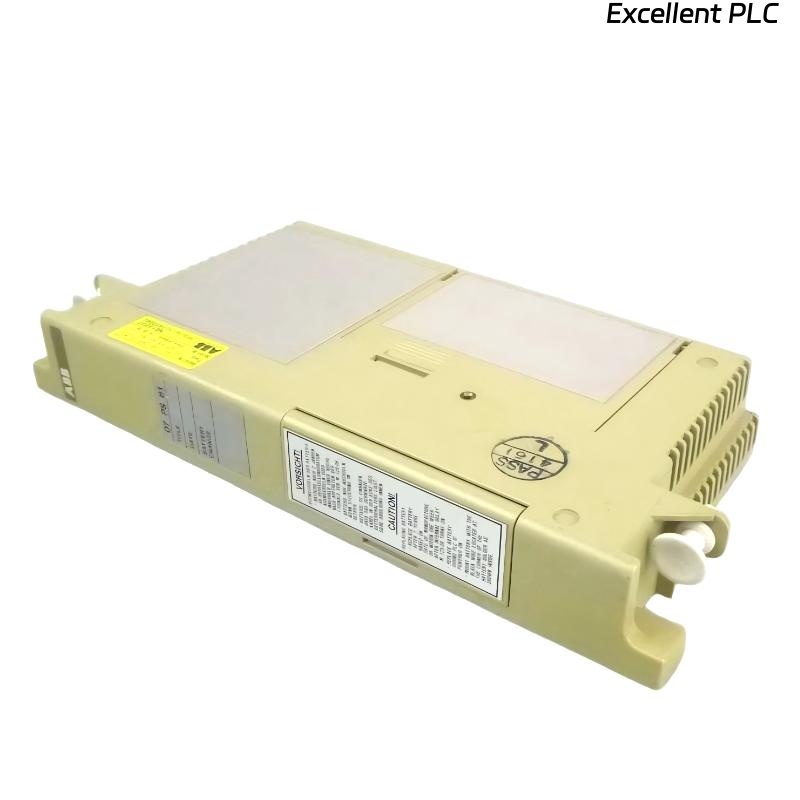
ABB 07PS60R2 (GJV3074330R2) Module Installation & Setup for ABB Control Systems
Contents
- Introduction to 07PS60R2
- ABB Control System Overview
- Pre-Installation Preparation
- Mounting and Wiring Procedures
- Software Configuration & Verification
- Tips for Field Installation
- Safety Recommendations
Introduction to 07PS60R2
The ABB 07PS60R2 module (GJV3074330R2) is a vital component for industrial automation control systems. It manages critical signal processing tasks and ensures robust communication between field devices and the central control unit.
Proper installation guarantees stable system operation and minimizes potential downtime.
ABB Control System Overview
ABB systems integrate multiple hardware modules to provide distributed control. The 07PS60R2 module functions as a communication and I/O interface within this architecture, supporting signal exchange and diagnostics.
Typical deployment scenarios include:
- Process automation in chemical plants
- Power generation monitoring
- Oil & gas pipeline control
- Industrial manufacturing lines
Pre-Installation Preparation
- Disconnect all power sources and use anti-static protection.
- Confirm ambient temperature (0–50°C) and humidity (<85%).
- Prepare tools: torque driver, multimeter, wire stripper, and lint-free cloth.
- Review wiring diagrams and slot assignments.
- Ensure ABB control software is installed and up-to-date.
Mounting and Wiring Procedures
Mounting the Module
- Identify the assigned slot in the ABB control cabinet.
- Align the module rails with the cabinet guide.
- Slide the 07PS60R2 module into position until the backplane connector engages.
- Secure the module with the rack locking mechanism or screws.
Wiring Connections
- Connect I/O lines according to the ABB wiring diagram.
- Verify correct polarity and proper insulation.
- Tighten terminal screws to 0.5–0.6 Nm.
- Avoid excessive bending or tension on cables.
- Ensure proper grounding to reduce EMI.
Software Configuration & Verification
After physical installation, verify the module within ABB control software:
SYSTEM_SCAN
LIST_MODULES
CHECK MODULE 07PS60R2
VERIFY STATUS
Confirm that the module is recognized and all channels operate correctly. Perform signal tests for critical I/O points to validate installation.
Tips for Field Installation
- Label all field wiring for easy identification.
- Document module serial number and slot location.
- Install modules away from vibration-prone areas.
- Use cable management to avoid interference and strain on wires.
Safety Recommendations
- Always disconnect power before installation or maintenance.
- Use ESD protection when handling the module.
- Follow plant electrical safety regulations.
- Maintain proper cabinet grounding and ventilation.