 Excellent PLC


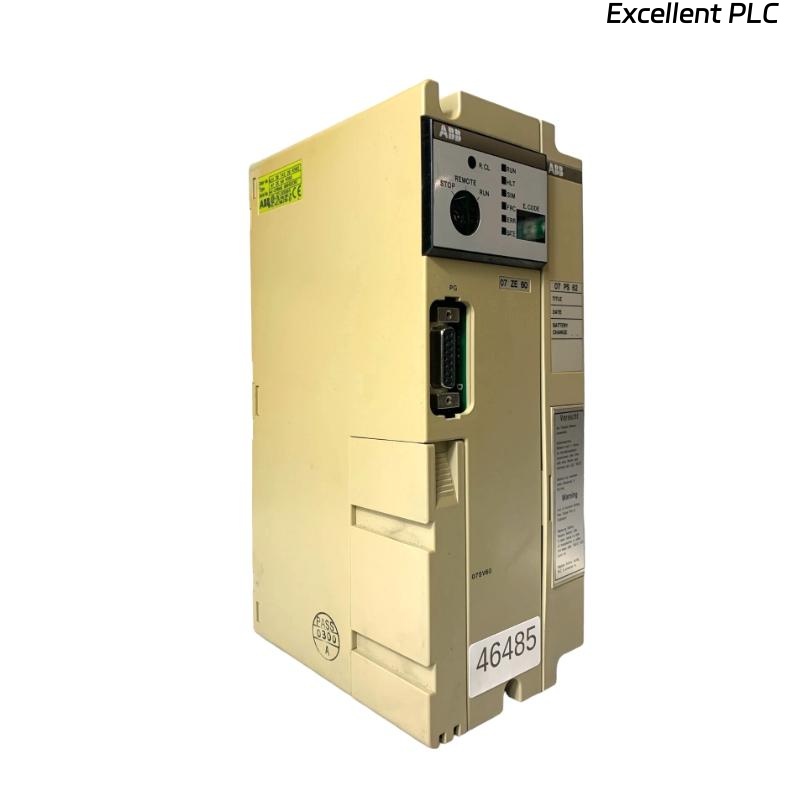
ABB 07ZE60R302 (GJV3074320R302) Installation & Setup Guide for ABB Control Modules
Contents
- Module Introduction
- ABB System Overview
- Pre-Installation Checklist
- Mounting & Wiring Procedures
- Software Configuration & Testing
- Installation Tips
- Safety Instructions
Module Introduction
The ABB 07ZE60R302 module (GJV3074320R302) is designed for industrial automation systems, handling signal processing, I/O management, and system communication tasks. Proper installation is crucial for maintaining system stability and reliability.
ABB System Overview
ABB automation systems utilize modular hardware to support distributed control. The 07ZE60R302 module functions as a communication and I/O interface, coordinating signals between field devices and central controllers.
Common applications:
- Power generation control systems
- Petrochemical plant automation
- Manufacturing and production lines
- Process safety and monitoring systems
Pre-Installation Checklist
- Disconnect all system power and use ESD protection.
- Verify ambient conditions: temperature 0–50°C, humidity <85%.
- Prepare necessary tools: torque driver, multimeter, wire stripper, lint-free cloth.
- Check wiring diagrams and note slot assignment.
- Ensure ABB automation software is installed and updated.
Mounting & Wiring Procedures
Module Mounting
- Identify the assigned slot in the ABB control rack.
- Align the module rails with rack guides and insert fully.
- Ensure the backplane connector is properly engaged.
- Secure the module using the cabinet locking mechanism.
Wiring Connections
- Connect all I/O wires according to the system wiring diagram.
- Verify correct polarity and proper insulation.
- Tighten all terminal screws to 0.5–0.6 Nm.
- Route cables to avoid sharp bends or tension.
- Check grounding and EMI protection.
Software Configuration & Testing
After physical installation, verify the module in ABB automation software:
SYSTEM_SCAN
LIST_MODULES
CHECK MODULE 07ZE60R302
VERIFY STATUS
Ensure the module is recognized and all I/O channels respond correctly. Conduct functional tests to confirm signal integrity.
Installation Tips
- Label all field wiring for clear identification.
- Document module serial number and slot location.
- Install modules away from high vibration areas.
- Use cable management to organize wiring and prevent interference.
Safety Instructions
- Disconnect all system power before installation or maintenance.
- Use ESD protection when handling the module.
- Follow local safety regulations and plant procedures.
- Maintain proper cabinet grounding and ventilation.