 Excellent PLC


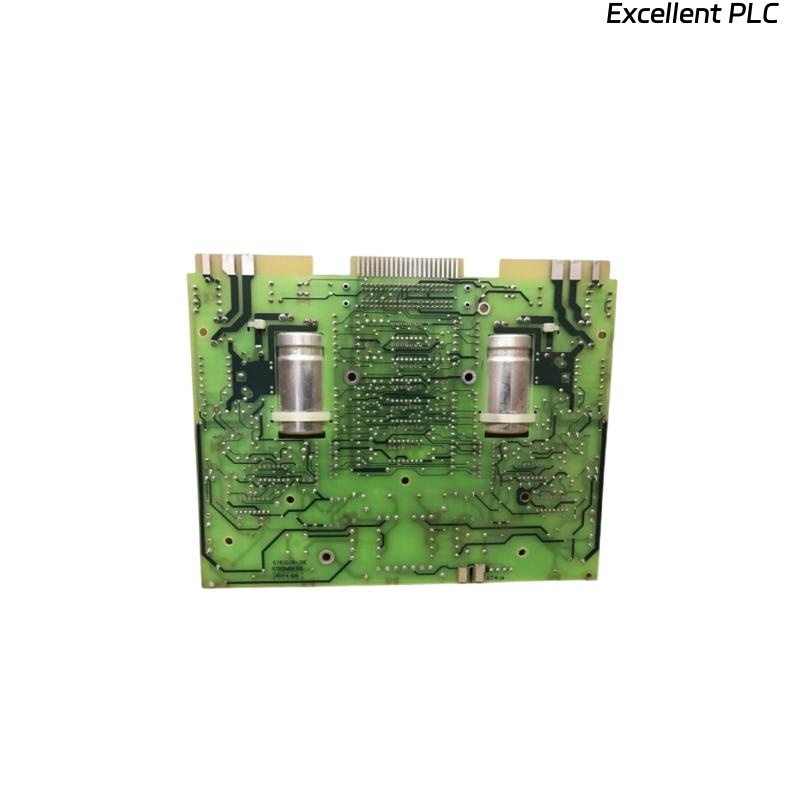
Installing the ABB SAFT120PAC Power Supply Module can seem straightforward, but achieving a stable and noise-free DC supply for control systems requires attention to detail. I’ve installed and commissioned this module many times, both in S800 I/O racks and standalone applications, and here’s the complete step-by-step process that always delivers reliable results.
Step 1: Safety and Pre-Installation Checks
Before beginning, always disconnect the cabinet’s main DC power source. Even though the SAFT120PAC is designed for robustness, live insertion can cause contact arcing or board damage.
Then verify the following:
-
Input voltage rating: 24 VDC ±10%.
-
Ambient temperature: 0–55°C, humidity <95% non-condensing.
-
Proper grounding of DIN rail (continuity <0.1 Ω to PE).
-
Use an anti-static wrist strap and avoid touching circuit components directly.
Once verified, check the model label to ensure the correct type — “SAFT120PAC R1” or higher revision — is being installed for your DCS version.
Step 2: Mounting the Module
The SAFT120PAC mounts on a 35 mm DIN rail.
Here’s how I do it to avoid mechanical stress:
-
Hook the bottom edge of the module onto the rail.
-
Press the upper side until you hear a click.
-
Gently pull forward to confirm it’s locked.
-
Maintain at least 25 mm clearance on top and bottom for heat dissipation.
Never stack it directly above high-heat devices such as contactors or relays. ABB modules rely on convection cooling, and insufficient spacing can shorten lifespan.
Step 3: Power Input Wiring
The input terminals are located at the bottom and typically labeled:
| Terminal | Function | Wire size | Note |
|---|---|---|---|
| 1 (+24V) | Positive input | 2.5 mm² Cu | Fused, polarity-protected |
| 2 (0V) | Negative input | 2.5 mm² Cu | Common return |
| PE | Protective earth | 2.5 mm² Cu | Connect first |
Wiring tips:
-
Use ferrule-crimped wire ends for a secure connection.
-
Tighten terminal screws to 0.5 Nm.
-
Avoid routing input power lines in the same duct as signal cables.
After wiring, measure the input voltage with a multimeter — it should read between 23.5 V and 25 V DC.
Step 4: Output Connection
The SAFT120PAC provides a regulated 24 VDC output to downstream devices or I/O modules.
Typical connection layout:
| Output Terminal | Description |
|---|---|
| OUT+ | Regulated +24V |
| OUT– | 0V reference |
| PG | Protective ground |
When connecting multiple loads, distribute power using separate terminal blocks rather than daisy-chaining wires directly from the module — this prevents uneven voltage drops.
Step 5: Initial Power-Up and LED Check
After confirming polarity and connections, apply DC power.
Observe the front LED indicators:
-
Green (PWR) – Normal operation
-
Yellow (WARN) – Undervoltage or overload
-
Red (FAULT) – Output short circuit or internal error
If the red LED appears immediately, disconnect the output load and measure terminal voltage.
If output returns to 24 V, the issue lies in the external wiring or load.
Step 6: System Verification with Code Example
Once powered, it’s a good practice to monitor the SAFT120PAC’s health through your control system.
Below is a simple IEC 61131-3 Structured Text (ST) example I often use in ABB AC 800M or Control Builder M systems to verify stable voltage supply:
This simple logic checks both input and output levels and raises an alarm if voltage drops below safe thresholds.
You can modify it to log data or trigger redundancy switching.
Step 7: Common Installation Mistakes to Avoid
Over the years, I’ve seen engineers make the same few mistakes:
-
Polarity reversal — connecting +24 V and 0 V incorrectly, blowing fuses.
-
Ground omission — skipping PE causes signal noise and module resets.
-
Parallel output linking without diode isolation in redundant systems.
-
Mounting too close to hot components, leading to thermal trips.
Avoiding these simple issues ensures stable operation and extends module life.
Step 8: Post-Installation Maintenance
After installation, I always recommend:
-
Recording module serial number and firmware version.
-
Checking temperature after 30 minutes (should be <45 °C).
-
Verifying system diagnostic logs show “Power Supply OK.”
-
Testing redundancy (if two SAFT120PAC units are used).
Keeping this data helps future troubleshooting and replacement planning.
Final Thoughts
The ABB SAFT120PAC Power Supply Module is reliable and robust when installed correctly.
A careful approach — from grounding to configuration verification — prevents 90% of startup issues.
Adding a small monitoring script like the one above makes maintenance predictive rather than reactive.
In industrial automation, the power module is the foundation — if that’s stable, everything else follows.