 Excellent PLC


Article Navigation
- Typical Problem Indicators
- Frequent Causes of Module Failure
- Hardware Inspection Process
- Control System Diagnostic Checks
- Corrective Actions and Repair
- Maintenance Advice for Long-Term Reliability
Typical Problem Indicators
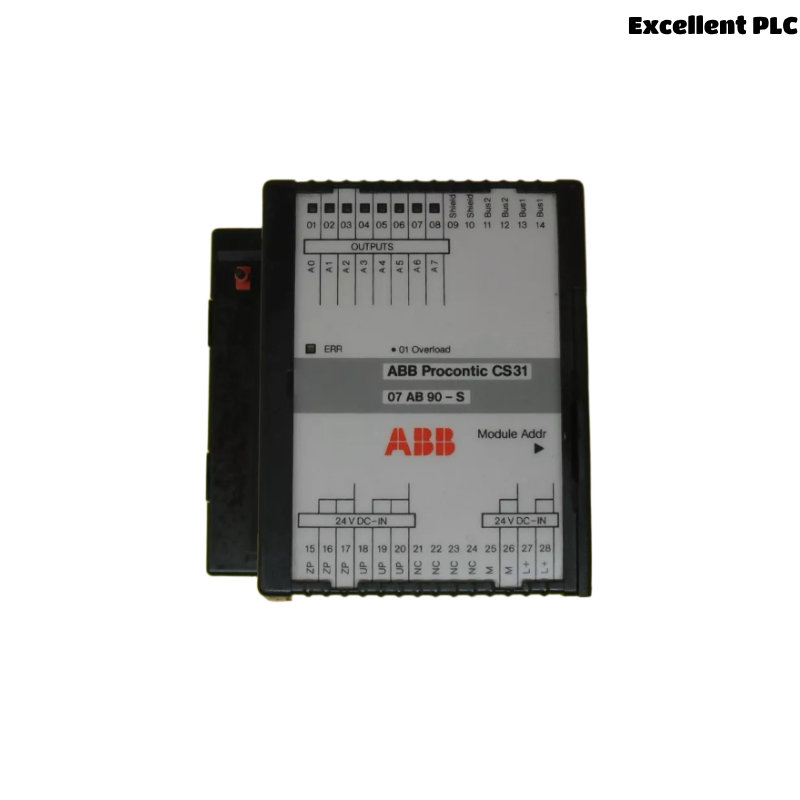
During operation of ABB industrial automation systems, the 07AB90-S / 07AB90-SD module may occasionally experience operational faults. These problems can disrupt signal processing and reduce overall system stability.
Common symptoms observed by field engineers include:
- The control system fails to recognize the module during startup.
- Analog or digital signals remain frozen even when field conditions change.
- Unexpected communication interruptions between modules.
- Status LEDs displaying irregular blinking patterns.
- System logs reporting hardware or I/O channel errors.
When any of these symptoms appear, a structured diagnostic process should be followed.
Frequent Causes of Module Failure
Several environmental and electrical factors may cause malfunction of the ABB 07AB90 module.
- Short circuits in connected field devices.
- Loose or oxidized terminal connections.
- Electromagnetic interference from nearby equipment.
- Moisture entering the cabinet due to poor sealing.
- Incorrect system configuration or parameter settings.
- Component aging after long periods of operation.
Understanding the root cause helps engineers determine the correct repair method.
Hardware Inspection Process
Visual Check
- Inspect the module for physical damage or overheating marks.
- Check the cabinet for moisture, dust, or condensation.
- Confirm that the module is fully inserted into the rack.
Terminal and Cable Examination
- Tighten terminal screws if necessary.
- Look for damaged cable insulation.
- Verify correct wiring according to the system diagram.
Power Supply Verification
- Measure supply voltage using a digital multimeter.
- Ensure voltage levels match system specifications.
- Confirm that cabinet grounding is intact.
Control System Diagnostic Checks
Many ABB control systems include built-in tools for module diagnostics.
Engineers may perform commands such as:
SYSTEM_STATUS
SCAN_HARDWARE
DISPLAY_MODULE_LIST
CHECK_MODULE 07AB90
READ_ERROR_LOG
If the module does not appear in the system hardware list, the rack connection or module hardware should be inspected again.
Corrective Actions and Repair
After identifying the cause of failure, appropriate corrective actions can be applied.
- Reseat the module to restore proper backplane contact.
- Replace damaged cables or field devices causing short circuits.
- Clean terminals affected by oxidation or dust.
- Reload configuration parameters in the control software.
- Install a replacement module if internal electronic damage is confirmed.
When replacing the unit, ensure the part number matches GJR5250800R0101.
Maintenance Advice for Long-Term Reliability
Preventive maintenance can significantly reduce the likelihood of module failures.
- Inspect control cabinets periodically.
- Monitor system diagnostic logs for early warnings.
- Maintain stable temperature and humidity conditions.
- Ensure cabinet ventilation remains unobstructed.
- Schedule routine testing of signal channels.
Following these maintenance practices improves the long-term reliability of ABB automation hardware such as the 07AB90-S / 07AB90-SD module.