 Excellent PLC


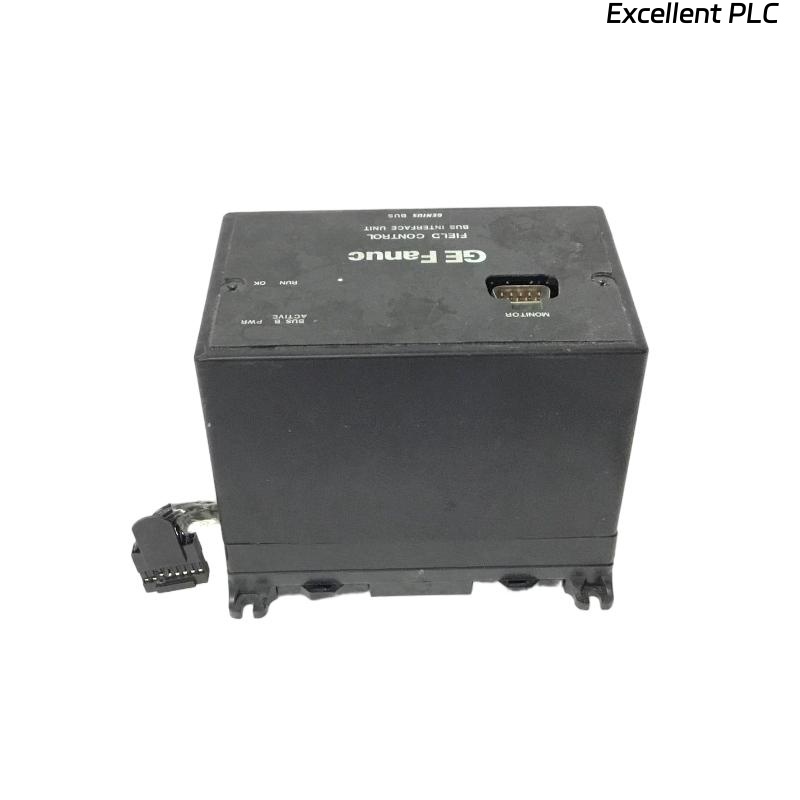
The GE IC670GBI002 is a general bus interface module used in Mark VIe or Mark V+ control systems to connect I/O modules or other system components to the main bus. Proper installation ensures reliable communication across the control system.
Step 1: Safety and Preparation
Always power down the control system and isolate all field devices before installation. Handling live modules can damage electronics or cause unsafe conditions.
Inspect the module for physical damage and verify it is the correct part number. Keep ESD precautions in mind: use grounded wrist straps or ESD-safe mats when handling the module.
Step 2: Mounting the Module
-
Insert the IC670GBI002 into the designated I/O rack slot.
-
Ensure the module is firmly seated on the backplane connector. Loose seating can cause intermittent communication failures.
-
Confirm any retaining clips or screws are properly engaged to secure the module.
Field tip: Never force the module into the rack; backplane pins are delicate. Align carefully to avoid bending pins.
Step 3: Wiring Connections
-
Connect the bus interface cables according to the system wiring diagram.
-
Use shielded twisted-pair cables for long runs to prevent noise.
-
Verify proper termination if the module is at the end of a bus chain, as termination resistors may be required.
Step 4: Power Up and Test
-
Restore power to the rack and observe the module LEDs.
-
The “OK” and “COMM” indicators should light, confirming successful communication.
-
Verify connectivity to other modules or controllers on the same bus using the system diagnostics.
Step 5: Troubleshooting Tips
-
If the module does not power on, check rack power supply and fuses.
-
If communication fails, inspect cable integrity, bus termination, and module configuration in the control system software.
-
Always document the slot number and wiring connections for future maintenance.
Practical insight: Most issues with the IC670GBI002 are due to improper backplane seating or wiring errors, not internal module defects.
References:
-
GE Digital. IC670GBI002 General Bus Interface Module Installation Manual, 2018.
-
GE Digital. Mark VIe Control System Hardware Manual, 2019.