 Excellent PLC


📘 1. Background
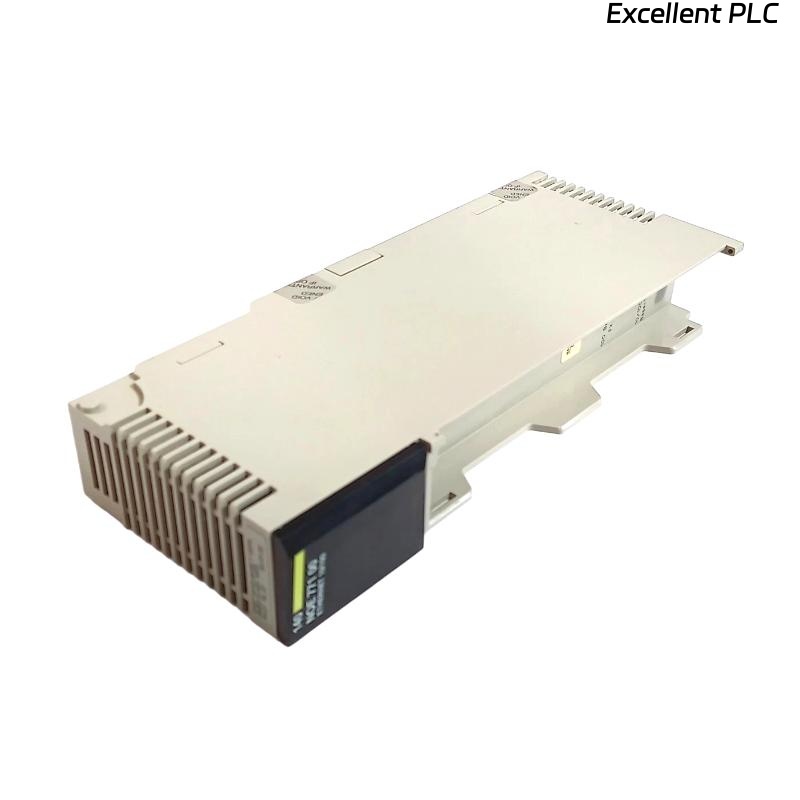
The Schneider 140NOE35100C is an Ethernet SY/MAX fiber optic communication module for Modicon Quantum PLC systems.
It is used for high-speed, noise-immune communication in industrial environments.
A recent field case reported:
-
Upon inserting the Ethernet cable into the module, LINK LED did not light up.
-
No communication established in EcoStruxure Control Expert.
-
Other modules in the same rack were functioning normally.
This report details diagnostic steps, root cause analysis, and corrective actions.
🔍 2. Observed Symptoms
| Symptom | Observation |
|---|---|
| LINK LED | Off after cable insertion |
| ACT LED | No flashing activity |
| PLC scan | Module not recognized in configuration |
| Physical check | No visible damage to RJ-45 connector or module port |
🧠 3. Initial Diagnostic Steps
Step 1 — Check Cable & Connection
-
Verify Ethernet/SY/MAX fiber cable integrity with multimeter or optical continuity tester.
-
Ensure correct connector type (ST or SC depending on system) and proper termination.
Result: Cable verified OK.
Step 2 — Swap Rack Slot
-
Move the module to a different rack slot.
Result: No change, LINK LED remains off.
Step 3 — Verify Network Configuration
-
Check IP address, subnet mask, and project configuration in EcoStruxure.
Result: Module configuration correct, compatible with PLC project.
⚡ 4. Power & Backplane Check
-
Measure backplane voltage at module slot: 5.05 VDC, stable.
-
No fluctuations or ripples detected.
-
Confirms backplane supply is stable; power issue ruled out.
🧩 5. Root Cause Analysis
Potential causes identified:
| Cause | Description | Probability |
|---|---|---|
| Faulty module port | Internal PHY damaged | High |
| Fiber cable polarity or type mismatch | Transmit/receive swapped | Medium |
| Firmware mismatch | Module version incompatible with PLC | Medium |
| ESD damage | Handling without wrist strap | Low |
🔍 In similar past cases, the LINK LED off after cable insertion was often due to incorrect fiber polarity or module internal port failure.
🛠️ 6. Corrective Actions
Action 1 — Check Fiber Polarity
-
Confirm TX/RX pairs of SY/MAX fiber cable are correct.
-
Swap pairs if necessary.
Outcome: No improvement.
Action 2 — Firmware Verification
-
Check module firmware version vs. PLC project requirements.
-
Update firmware via Control Expert → Tools → Module Firmware Update.
Outcome: Module recognized by software but LINK still off.
Action 3 — Module Replacement
-
Replace 140NOE35100C module with a known-good spare.
Outcome: LINK LED lit immediately upon cable insertion, communication restored.
✅ Root cause confirmed: Internal hardware fault in module’s network interface port.
🔧 7. Lessons Learned & Preventive Tips
-
Always verify fiber cable polarity before installation.
-
Use ESD protection when handling communication modules.
-
Keep firmware updated to ensure compatibility.
-
Maintain spare modules for critical network links in production systems.
-
Document module serial numbers and versions to track faulty batches.
📌 8. Field Verification Checklist
-
[✔] Module physically secured in rack
-
[✔] Fiber cable properly terminated and connected
-
[✔] LINK LED active
-
[✔] ACT LED flashing with network activity
-
[✔] Module recognized in Control Expert / EcoStruxure software
-
[✔] Communication tests (ping, Modbus TCP read/write) successful
🔑 Engineer Note
“In industrial Ethernet SY/MAX fiber systems, most ‘no response on cable insertion’ cases are either fiber polarity issues or internal PHY faults. Correct wiring and module validation before commissioning are critical.”