 Excellent PLC


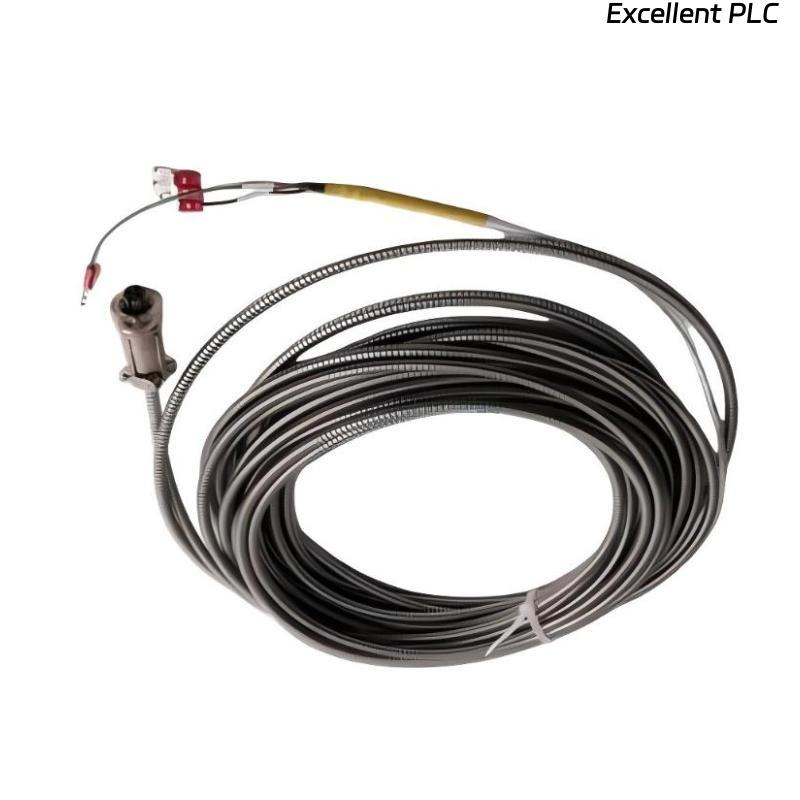
When the Bently Nevada 16710-60 interconnect cable is replaced and contact issues arise, it’s easy to assume that the problem lies in the new cable itself. However, the root cause can often be traced to installation practices, environmental conditions, or the quality of the connection.
This article will explore the potential causes behind contact failure after replacing the interconnect cable and provide step-by-step troubleshooting methods.
Understanding Contact Failure in Bently Nevada Systems
In vibration monitoring systems, such as those using the Bently Nevada 16710-60 interconnect cable, signal integrity is paramount. The cable is responsible for transmitting high-frequency vibration data between sensors and data acquisition units. Even a small interruption in the signal path can cause inaccurate readings or complete system failure.
Contact failure typically manifests as:
-
Intermittent data or no signal at all.
-
System errors or alerts regarding communication loss.
-
Inconsistent sensor readings that don’t align with expected values.
Why Contact Issues Happen After Cable Replacement
1. Poor Termination of the New Cable
Replacing an interconnect cable may seem straightforward, but proper termination is critical to maintaining signal integrity. Even slight misalignment at the connector or a loose connection can lead to intermittent contact. Common termination-related issues include:
-
Incorrect crimping or soldering during installation.
-
Imperfectly seated connectors that cause poor contact.
-
Damage to the connector pins or contacts during installation.
When cables are re-terminated or replaced, it’s important to inspect the termination points carefully and ensure they meet the manufacturer’s specifications.
2. Connector Contamination
After replacing the interconnect cable, connector contamination is a leading cause of contact issues. Even small amounts of dirt, dust, or moisture can compromise the integrity of the electrical contact. Contamination can:
-
Increase resistance at the contact points.
-
Cause short circuits in some cases.
-
Result in signal degradation.
This is especially true in harsh industrial environments where vibrations, dust, and temperature fluctuations can contribute to contamination. Always clean the connectors thoroughly before installation and use protective covers where appropriate.
3. Misalignment of the Connector or Cable
Even slight misalignment between the cable and its corresponding port can cause intermittent contact failure. In many cases, new cables might not perfectly align with the connectors of existing equipment. This misalignment can lead to:
-
Uneven pressure on the pins inside the connector.
-
Partial engagement of the connector that results in unstable contact.
-
Damaged contacts from repeated improper insertion.
To resolve this, ensure that the connectors are aligned properly during installation and check for any physical distortion that might prevent a secure connection.
4. Cable Stress and Strain
After replacing the interconnect cable, mechanical stress from improper routing or cable strain can create contact issues. Over time, the cable may bend or twist in ways that affect the integrity of the electrical connection, especially if it’s routed through areas with frequent movement or mechanical vibrations.
-
Excessive bending beyond the recommended radius can strain the cable and affect signal quality.
-
Tension on the cable from improper mounting can cause mechanical failure at the termination points.
Ensure that the cable is routed properly, and avoid creating excessive tension or sharp bends during installation.
Troubleshooting Steps for Resolving Contact Issues
If you are experiencing contact problems after replacing the Bently Nevada 16710-60 interconnect cable, follow these troubleshooting steps to identify and resolve the issue:
1. Verify Cable Terminations
-
Check for proper crimping or soldering of the new cable to ensure all conductors are making proper contact.
-
Inspect the connectors for any signs of damage or wear. If the contacts look worn or damaged, reterminate the cable or replace the connectors.
-
Test the continuity of the cable with a multimeter or continuity tester to ensure no broken wires or poor connections.
2. Clean the Connectors and Ports
-
Disconnect the cable and clean both the cable ends and the connector ports using a lint-free cloth and electrical contact cleaner.
-
Inspect the connectors for any visible signs of wear or corrosion. Replace them if necessary.
3. Check for Proper Alignment
-
Ensure the connectors are aligned correctly before insertion. This will ensure that all pins engage properly without undue force.
-
Check for physical distortion at the contact points, which could indicate that the connector is not fully seated.
4. Inspect Cable Routing for Stress or Strain
-
Verify the cable routing to make sure that there are no sharp bends or tension points. Use cable ties to secure the cable in a relaxed position, ensuring there is no strain on the connectors.
-
Check that the cable is not rubbing against surfaces that could cause wear or accidental disconnection.
Preventing Future Contact Issues
To prevent recurring contact issues after replacing the Bently Nevada 16710-60 interconnect cable, implement these best practices:
-
Use high-quality connectors and cable termination equipment that meets manufacturer specifications.
-
Always clean connectors and ports before making a connection, especially in industrial environments prone to contamination.
-
Route cables carefully to avoid strain or stress that could cause mechanical damage.
-
Inspect connections periodically, especially after any physical maintenance or movement of cables.
Conclusion
Contact issues after replacing the Bently Nevada 16710-60 interconnect cable are typically due to poor terminations, connector contamination, misalignment, or cable strain. Understanding these causes and following proper installation practices can significantly reduce the risk of these issues.
By ensuring that the cable is correctly terminated, connectors are clean and well-aligned, and the cable is routed without strain, you can ensure that the system remains stable and that contact failure does not affect data integrity or system performance.