 Excellent PLC


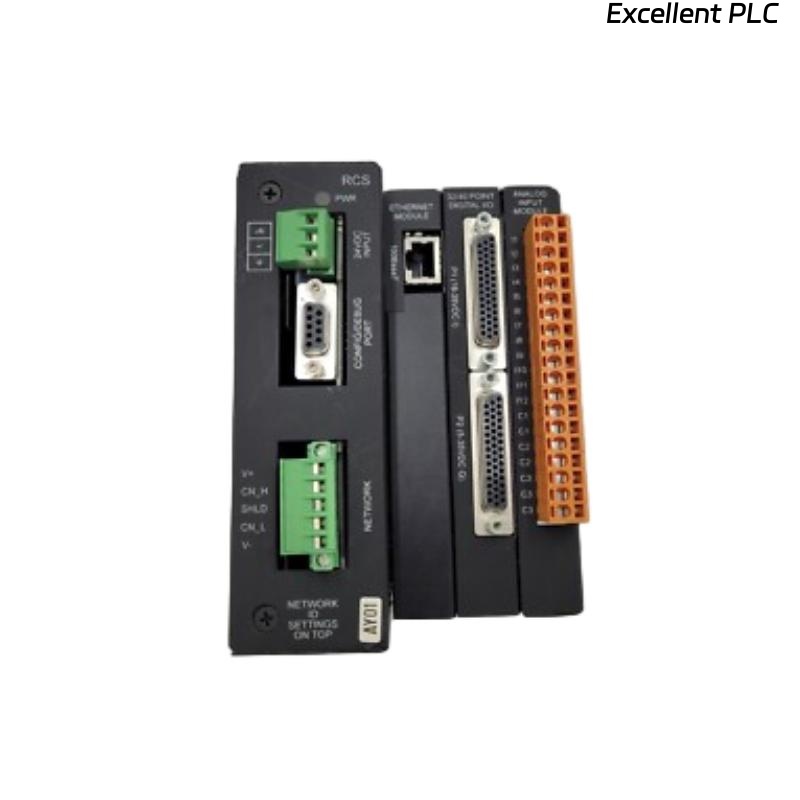
The GE IC300RCS210H is a communication module used in IC300 PLC systems. It handles data exchange between controllers and remote I/O or networked devices. Intermittent communication can lead to false alarms, missed I/O updates, or system downtime.
Step 1: Inspect Physical Connections
I always start by removing the module and checking the backplane and terminal connections. Loose connections or slight misalignment can cause intermittent faults. Clean contacts if there is dust or oxidation.
Step 2: Verify Power Supply
Intermittent communication is often related to unstable voltage. Check the module’s supply voltage and the chassis power rail. Even minor voltage dips can cause the IC300RCS210H to drop communication temporarily.
Step 3: Cable and Network Check
-
Inspect the communication cables for broken wires, poor shielding, or loose connectors.
-
For serial or Ethernet connections, ensure termination resistors and proper grounding are in place.
-
In one field case, simply replacing a worn RJ45 connector resolved sporadic dropouts.
Step 4: Module Diagnostics
Use the PLC software to monitor the module’s status LEDs. The IC300RCS210H usually has indicators for:
-
Power
-
Communication activity
-
Fault conditions
Frequent blinking or absence of LEDs can indicate internal errors or network instability.
Step 5: Firmware and Configuration
Ensure the module firmware matches the system configuration. Mismatched or outdated firmware can cause communication glitches, especially in multi-module networks.
Engineer insight: Most intermittent faults are caused by loose wiring, poor termination, or unstable power rather than the module itself. Always check physical connections first before replacing the module.
References:
-
GE Digital. IC300RCS210H Communication Module User Manual, 2019.
-
GE Digital. IC300 System Hardware Guide, 2020.