 Excellent PLC


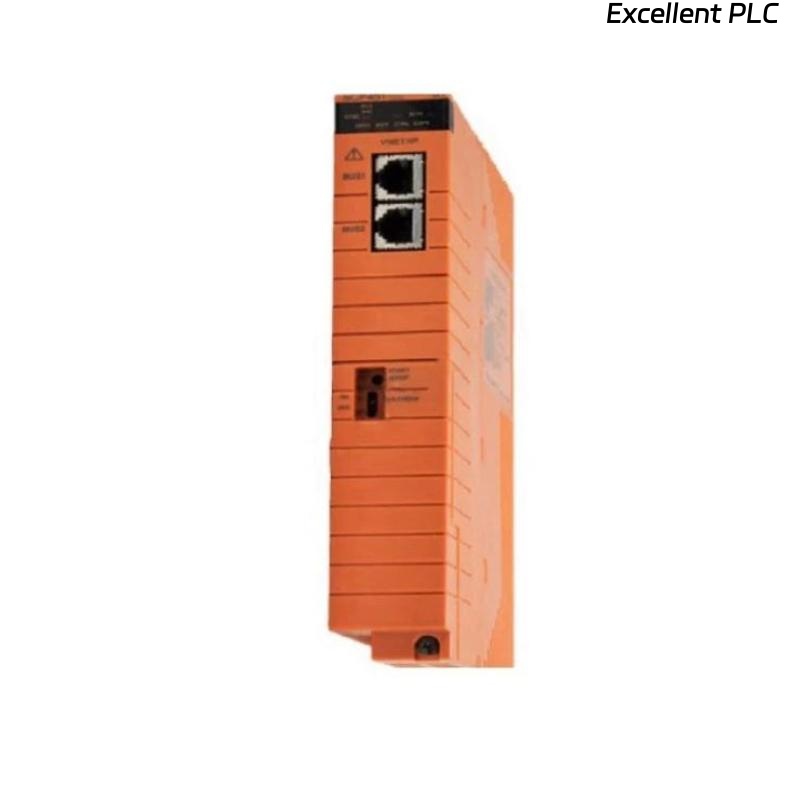
Industrial control CPUs such as the Yokogawa CP451 are built for long-term reliability within DCS environments. However, thermal regulation remains one of the most critical factors influencing hardware longevity. In several documented field cases, CP451 failures were linked to malfunctioning cooling fans and insufficient cabinet airflow, leading to sustained thermal overload.
This article outlines a structured troubleshooting and prevention guide based on practical engineering experience.
1. Operational Context
The CP451 CPU is typically installed within marshalling or system cabinets alongside:
-
Power supply modules
-
Vnet/IP communication modules
-
I/O interface modules
-
Network switches
-
Redundant controllers
These enclosures rely on continuous airflow to maintain safe operating temperatures. Any failure in the cooling system—whether mechanical or environmental—can induce abnormal thermal conditions.
2. Recognizable Field Symptoms
Technicians often identify this failure mode through the following indicators:
A. System-Level Symptoms
-
Gradual command execution slowdown
-
Delayed I/O scan updates
-
Alarm/event queuing on HIS
-
Occasional CPU watchdog resets
B. Visual/Hardware Symptoms
-
Cooling fan not spinning
-
Air filter clogged with dust or chemical particulates
-
Noticeable hot spots inside cabinet (detected via IR thermometer)
-
Discoloration or warping on module housing plastics
C. Diagnostic Logs
Logs may contain entries such as:
-
Overtemperature Warning -
Thermal Shutdown -
CPU Service Mode Entry -
Cooling System Failure
These logs may originate from the CP451 or ancillary environmental monitoring equipment.
3. Root Cause Breakdown
An engineering RCA effort typically reveals one or more of the following:
1. Mechanical Fan Failure
The most frequent cause is:
-
Bearing seizure due to dust contamination
-
Motor burnout due to overload
-
Obstruction from foreign objects
-
Fan connector loosening
2. Filter and Airflow Blockage
Filters progressively accumulate:
-
Dust
-
Oil mist from compressors
-
Chemical vapors
-
Industrial particulates
Clogged filters reduce airflow and raise cabinet temperatures.
3. Cabinet Environmental Misalignment
Thermal issues are amplified when:
-
Cabinet is positioned against heat-emitting machinery
-
Room HVAC systems are undersized or offline
-
Ambient temperatures exceed IEC-rated thresholds
4. Incorrect Cabinet Sealing
Over-sealing prevents natural convection, especially in sealed NEMA/IP enclosures.
4. Engineering Diagnostic Procedure
When overheating is suspected, the following methodology is recommended:
Step 1 — Temperature Measurement
Use IR thermometer or thermal camera to record:
-
CPU surface temperature
-
Internal ambient cabinet temperature
-
PSU temperature (PSUs often heat up first)
Acceptable temperatures are typically documented in Yokogawa hardware manuals.
Step 2 — Airflow Validation
Verify:
-
Fan RPM
-
Filter cleanliness
-
Intake and exhaust directions
-
Cabinet pressure equalization
Step 3 — Cabinet Inspection
Check for:
-
Wiring blocking ventilation paths
-
Loose connectors on fan power supply
-
Oil vapor residue on cooling fins
-
Disconnected intake/exhaust ducts
Step 4 — Software Logs Review
Cross-check HIS or engineering station logs for thermal events.
5. Repair and Corrective Measures
Depending on findings, remedial actions may include:
Immediate Corrective Actions
✔ Replace failed cooling fan assemblies
✔ Clean or replace cabinet air filters
✔ Improve cabinet wiring layout to restore airflow
✔ Reseat module to improve contact heat dissipation
Permanent Engineering Fixes
✔ Install industrial-rated fan trays
✔ Seal cabinet against particulate ingress
✔ Add external HVAC or dedicated cabinet cooling
✔ Implement thermal alarm monitoring system
✔ Shift cabinet away from heat sources
Where CPUs suffered permanent thermal damage—including PCB warping or cracked solder joints—replacement of the CP451 module was mandatory.
6. Preventive Maintenance Strategy
Maintenance departments can greatly reduce failure frequency with structured thermal PM:
| Activity | Frequency |
|---|---|
| Fan RPM test | Quarterly |
| Filter inspection & cleaning | Monthly |
| IR thermal imaging | Semi-annual |
| HVAC functional verification | Quarterly |
| Dust/oil vapor control audit | Annual |
| Cabinet sealing inspection | Semi-annual |
Plants operating near chemical vapors, high dust levels, or compressors should adopt shorter intervals.
7. Long-Term Operational Considerations
From a reliability engineering perspective, thermal management directly correlates with module MTBF (Mean Time Between Failures). When evaluating plant-wide modernization or digitalization initiatives, consider:
-
Converting to fanless industrial designs where possible
-
Reducing cabinet power density by modular distribution
-
Using predictive environmental monitoring (IoT thermal sensors)
-
Enforcing HVAC redundancy during shutdown windows
Conclusion
Cooling-related failures are often underestimated in industrial automation. The Yokogawa CP451 CPU module is robust, but sustained thermal overload—caused by cooling fan malfunction or airflow obstruction—can degrade performance, induce resets, or permanently damage hardware. With disciplined diagnostics, preventive maintenance, and cabinet-level environmental engineering, operators can significantly extend CPU lifespan and stabilize DCS availability.