 Excellent PLC


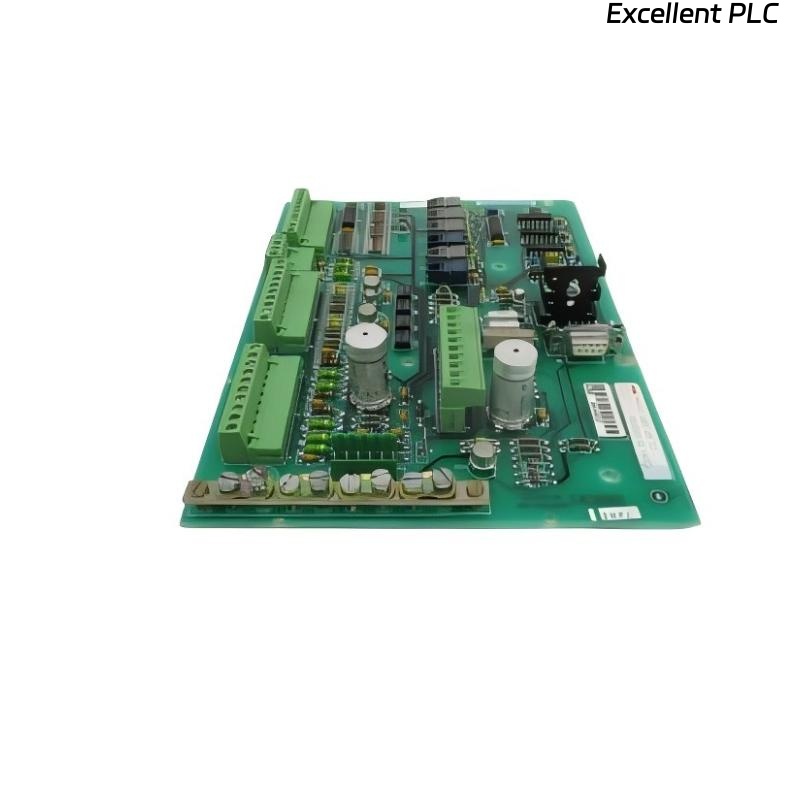
A few months ago, I was setting up an ABB control cabinet that included a SAFT189TSI Power Interface Module — part of the S800 I/O power supply system. Everything looked straightforward: DIN rail, wiring, power input, output connectors. But once I powered it on, the module wouldn’t initialize, no LEDs, no output voltage, nothing.
At first glance, it felt like a hardware failure. But after hours of hands-on troubleshooting, I found the real cause — and learned some lessons worth sharing.
Step 1: Verifying the Installation Environment
When I arrived at the panel, the technician told me “the module just doesn’t turn on.”
So, I started with the obvious checks:
-
Ambient temperature: 43°C inside the panel — still acceptable, but close to the upper limit for ABB SAFT modules (rated up to 55°C).
-
DIN rail alignment: The SAFT189TSI must sit flat and properly grounded through the rail — otherwise, internal shielding may float, causing instability.
-
Mounting sequence: ABB specifies that the SAFT189TSI be installed before the I/O or CPU modules in the rail sequence, since it distributes power through the internal bus.
When I inspected the cabinet, the installer had mounted it after two analog I/O modules.
That was the first red flag.
⚙️ Lesson: In ABB systems, module order matters. The power interface must always be at the beginning of the bus chain to ensure correct voltage distribution.
Step 2: Checking the Power Wiring
I removed the terminal block and verified wiring polarity using a multimeter.
The expected input is 24VDC, with terminals clearly marked “+24V” and “0V.”
However, I discovered that the polarity was reversed — 0V was connected to +24V and vice versa.
No wonder the module didn’t start up.
Fortunately, the SAFT189TSI has internal reverse polarity protection, so no damage occurred.
After correcting the wiring, I powered it up again — still no LED. That meant there was another issue.
Step 3: Inspecting the Bus Connector
ABB’s S800 series uses a backplane bus connector to link modules together.
Each module passes both signal and power through this connector.
I carefully removed the SAFT189TSI and noticed a bent gold pin inside the backplane connector — likely damaged during previous installation attempts.
Bent or broken bus pins can completely isolate power from downstream modules, even when the input voltage is fine.
I replaced the damaged connector block (ABB part no. TU849 replacement kit), reinstalled the module, and powered it up again.
This time, the Power LED turned solid green.
Step 4: Testing the Output
Once powered, I measured the module’s output to the I/O bus:
-
Output voltage: 24.08VDC
-
Ripple: 45mV peak-to-peak
-
Load current: 2.6A, within rated limit.
Everything looked normal — but after connecting the I/O modules, the LED started flashing amber.
According to ABB’s documentation, this indicates power distribution fault — usually a missing return or overloaded branch.
Step 5: Diagnosing the Distribution Fault
I disconnected the I/O one by one until the LED turned steady green again.
The fault reappeared when I reconnected the analog input module (AI810).
Checking that module’s wiring revealed a floating 0V reference — the field 0V was not tied to the system 0V.
That caused a potential difference between field and system grounds, triggering the SAFT189TSI’s internal protection circuit.
After bonding the two grounds at a single point (following ABB’s grounding standard), the power distribution stabilized completely.
💡 Tip from field experience:
The SAFT189TSI is extremely sensitive to grounding quality. Even a few hundred millivolts difference can cause power bus instability. Always ensure a solid 0V reference between power and field sides.
Step 6: Final Verification
After correcting wiring, replacing the bus connector, and grounding properly, the system finally came alive.
-
Power LED: Green (normal)
-
Voltage: Stable at 24.1VDC
-
Load ripple: <50mV
-
Temperature rise: <8°C after 1 hour of operation
I left it running for four hours under full I/O load — the module remained perfectly stable.
Step 7: My Recommendations for Future Installations
Based on this experience, here’s what I now include in every ABB SAFT installation checklist:
-
Check polarity before powering on.
-
Install SAFT189TSI before any I/O modules on the bus.
-
Inspect bus connectors for bent or missing pins — use magnification if needed.
-
Ground the module solidly through the DIN rail or PE terminal.
-
Tie field 0V and system 0V together at a single common point.
-
Measure ripple voltage after startup — high ripple usually indicates a grounding or overload issue.
These small precautions prevent hours of unnecessary debugging.
Step 8: Key Takeaways
In my experience, ABB SAFT189TSI modules rarely fail electrically.
When installation fails, the cause is almost always:
-
Wiring polarity reversed.
-
Improper bus connector alignment.
-
Floating ground reference.
-
Incorrect mounting order.
Fix those, and 95% of “dead” modules will start working immediately.
Final Thoughts
The ABB SAFT189TSI Power Interface Module is robust and well-designed, but it’s also unforgiving of improper installation.
Treat grounding and module order as critical design parameters, not afterthoughts.
From my hands-on work, I’ve learned that what looks like a “hardware failure” is almost always an installation discipline issue.
Once wiring and grounding are right, ABB power systems perform flawlessly for years.