 Excellent PLC


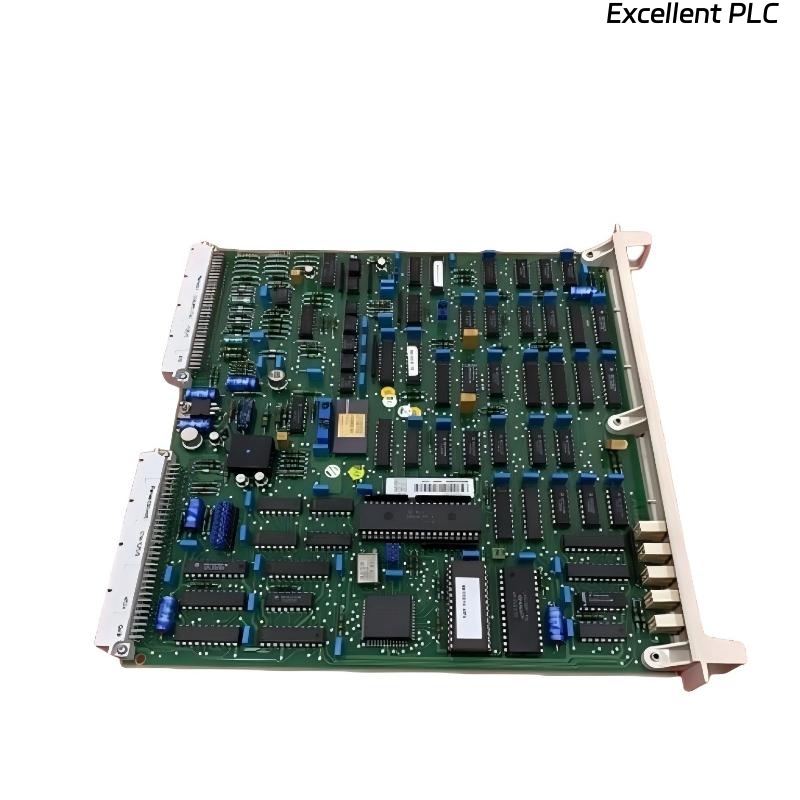
I’ve worked with ABB control systems for years, and one issue that still catches technicians off guard is when a SAFT160F380 power supply module simply refuses to start up after installation.
It’s a reliable unit when everything is wired correctly — but one small mistake or mismatch can make it appear completely “dead.”
This article walks through how I diagnosed and fixed a non-responsive SAFT160F380 module during a live DCS panel commissioning.
Step 1: Confirm the Basics Before Blaming the Module
When I first powered up the control cabinet, the SAFT160F380’s front LEDs stayed dark — no power indicator, no output.
Naturally, the first thought was “the module’s dead,” but experience told me to start with the fundamentals.
So I checked:
-
Input voltage polarity: The SAFT160F380 expects a 24VDC input, polarity-sensitive. Using a multimeter, I measured 24.2V at the input terminals — correct polarity, good supply.
-
Fuse protection: There’s usually a small inline fuse or a cabinet fuse terminal before the module input. I pulled and checked it — it was blown.
-
Grounding: ABB modules are extremely sensitive to grounding. The chassis ground (PE) wasn’t connected yet. After tightening the grounding screw, the next power-up attempt already showed partial LED response.
💡 Tip: Before assuming a module is faulty, always check grounding continuity and fuse status. ABB power units won’t even initialize properly if the PE line is floating.
Step 2: Checking the Output Circuit
After restoring input power, I still had no output voltage on the 24V output terminals feeding the DCS I/O bus.
At this point, I checked the output enable link — some SAFT modules use a logic enable pin or jumper.
In this case, one of the control jumpers was missing from its factory position (likely removed during storage).
I installed a new jumper link as per the module label, powered up again — and finally saw the green LED light up.
The output voltage now read 24.08VDC — perfect.
Step 3: Verifying Load and Bus Connection
Once output was stable, I connected it back to the DCS system bus feeding 07KT9x and 07KP90 processor modules.
The moment I did that, the SAFT160F380 tripped and shut down — no LED again.
That told me the downstream load was pulling excessive current or a short existed in the field wiring.
Here’s how I isolated the issue:
-
Disconnected all field loads — module started fine.
-
Reconnected each power branch one at a time.
-
Found one I/O rack feed shorted due to reversed polarity on an external terminal block.
After correcting the wiring, the SAFT160F380 operated normally under full system load.
⚙️ Lesson learned: Always test the module standalone before connecting to field loads. A shorted downstream device can make a good power supply look dead.
Step 4: Checking Ripple and Stability
Even though the power output looked fine on a meter, I’ve learned to always check the ripple voltage under load.
Using an oscilloscope, I measured less than 50mVpp ripple, which is well within ABB’s specification.
If you see high ripple (>200mV), that can mean:
-
Aging electrolytic capacitors inside the module.
-
Incorrect grounding or noisy return paths.
-
Overloading beyond rated current.
For preventive maintenance, I always recommend measuring ripple annually — it’s the best early indicator of capacitor degradation.
Step 5: Final Installation Notes
After everything stabilized, I reinstalled the SAFT160F380 permanently in the cabinet and documented a few key practices:
-
Tighten all terminal screws to the specified torque — loose terminals often cause voltage drops.
-
Label input/output wiring clearly — ABB modules have dense terminals, easy to miswire during replacements.
-
Allow at least 30mm clearance above and below the module for heat dissipation.
-
Verify ambient temperature — these modules derate above 55°C.
Since implementing these steps, I haven’t had a single repeat of a “no response” issue on any of our ABB SAFT-series power supplies.
Step 6: My Takeaways from This Case
After dozens of installations, I can confidently say that most “dead” ABB SAFT160F380 modules aren’t actually faulty — they’re either wired incorrectly, under poor grounding, or connected to an unstable bus.
If you encounter a new unit that doesn’t respond:
-
Verify input voltage and polarity.
-
Check the ground line.
-
Inspect fuses and jumper settings.
-
Power up standalone, without any load.
-
Gradually reintroduce loads to identify any shorted branch.
Follow that order, and you’ll likely bring the module back to life in minutes instead of replacing it unnecessarily.
Final Thoughts
The ABB SAFT160F380 Power Supply Module is rugged, but like all ABB hardware, it demands precision in wiring and grounding.
From my own field experience, when it doesn’t respond after installation, the cause is almost never the module itself — it’s usually something simple in the installation process.
Taking the time to go step by step saved my project a full day of downtime — and reminded me that in automation work, patience and good measurement habits always pay off.