 Excellent PLC


By Michael O’Connor – Automation Asset Manager
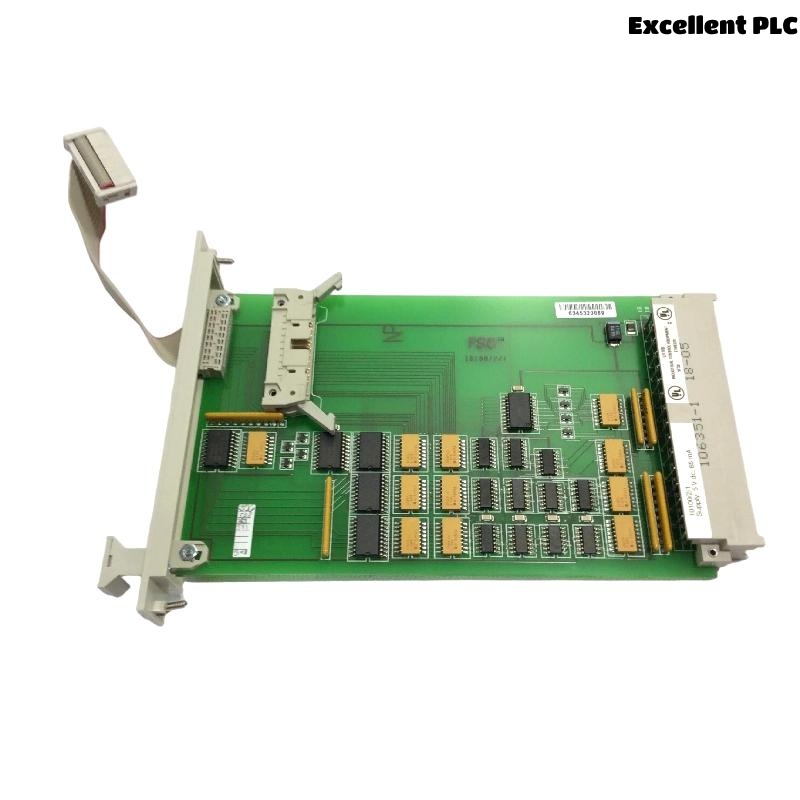
From an asset management point of view, the Honeywell 10012/1/2 CPU module is one of the most deceptive components in a control system.
It works perfectly — until it doesn’t.
And when it fails, it tends to do so during restarts, turnarounds, or recoveries. Exactly when you can least afford surprises.
The Problem with “It’s Been Running for Years”
One sentence I hear too often:
“That CPU has been running non-stop for 12 years.”
People say it with pride.
But flash memory doesn’t age based on uptime alone.
It ages based on write history.
And no one tracks that.
Why Flash Failure Clusters Around Critical Events
In daily operation, flash is mostly idle.
But during events like:
-
Plant restarts
-
Power recoveries
-
Firmware validation
-
Configuration reloads
The CPU suddenly relies heavily on flash integrity.
That’s when degraded memory reveals itself.
The Asset Management Blind Spot
Most maintenance strategies focus on:
-
Power supplies
-
Fans
-
I/O modules
-
Field devices
CPU flash memory rarely appears on replacement schedules.
Why?
Because it doesn’t fail loudly.
What Happens When You Finally Need the Backup CPU
In theory:
-
Spare CPU is stored
-
Configuration backup exists
-
Swap should be quick
In reality:
-
Spare CPU has unknown flash health
-
Backup was never validated on that hardware
-
Startup fails due to flash-related issues
Now you have two CPUs — and zero controllers.
What We Changed After Learning This the Hard Way
We stopped treating CPUs as “indefinite-life assets.”
Instead:
-
CPUs assigned a service life window
-
Flash-intensive events logged
-
Backup CPUs powered and tested annually
-
Configuration restored and verified offline
Why This Matters More Than Ever
Modern plants expect:
-
Faster recovery
-
Shorter outages
-
Zero surprises
Legacy CPUs like the 10012/1/2 were not designed for indefinite reuse.
Ignoring flash health transfers risk from maintenance windows to emergencies.
A Practical Rule I Now Follow
If a CPU has:
-
Seen multiple firmware upgrades
-
Been subject to frequent online changes
-
Operated through unstable power events
I assume its flash is consumed, not “fine.”
Final Thought
The Honeywell 10012/1/2 CPU flash memory doesn’t usually fail during normal production.
It waits.
And then it fails precisely when the plant is vulnerable.
Good asset management isn’t about keeping things running forever.
It’s about knowing when not to trust them anymore.
— Michael O’Connor
By Michael O’Connor – Automation Asset Manager
From an asset management point of view, the Honeywell 10012/1/2 CPU module is one of the most deceptive components in a control system.
It works perfectly — until it doesn’t.
And when it fails, it tends to do so during restarts, turnarounds, or recoveries. Exactly when you can least afford surprises.
The Problem with “It’s Been Running for Years”
One sentence I hear too often:
“That CPU has been running non-stop for 12 years.”
People say it with pride.
But flash memory doesn’t age based on uptime alone.
It ages based on write history.
And no one tracks that.
Why Flash Failure Clusters Around Critical Events
In daily operation, flash is mostly idle.
But during events like:
-
Plant restarts
-
Power recoveries
-
Firmware validation
-
Configuration reloads
The CPU suddenly relies heavily on flash integrity.
That’s when degraded memory reveals itself.
The Asset Management Blind Spot
Most maintenance strategies focus on:
-
Power supplies
-
Fans
-
I/O modules
-
Field devices
CPU flash memory rarely appears on replacement schedules.
Why?
Because it doesn’t fail loudly.
What Happens When You Finally Need the Backup CPU
In theory:
-
Spare CPU is stored
-
Configuration backup exists
-
Swap should be quick
In reality:
-
Spare CPU has unknown flash health
-
Backup was never validated on that hardware
-
Startup fails due to flash-related issues
Now you have two CPUs — and zero controllers.
What We Changed After Learning This the Hard Way
We stopped treating CPUs as “indefinite-life assets.”
Instead:
-
CPUs assigned a service life window
-
Flash-intensive events logged
-
Backup CPUs powered and tested annually
-
Configuration restored and verified offline
Why This Matters More Than Ever
Modern plants expect:
-
Faster recovery
-
Shorter outages
-
Zero surprises
Legacy CPUs like the 10012/1/2 were not designed for indefinite reuse.
Ignoring flash health transfers risk from maintenance windows to emergencies.
A Practical Rule I Now Follow
If a CPU has:
-
Seen multiple firmware upgrades
-
Been subject to frequent online changes
-
Operated through unstable power events
I assume its flash is consumed, not “fine.”
Final Thought
The Honeywell 10012/1/2 CPU flash memory doesn’t usually fail during normal production.
It waits.
And then it fails precisely when the plant is vulnerable.
Good asset management isn’t about keeping things running forever.
It’s about knowing when not to trust them anymore.
— Michael O’Connor