 Excellent PLC


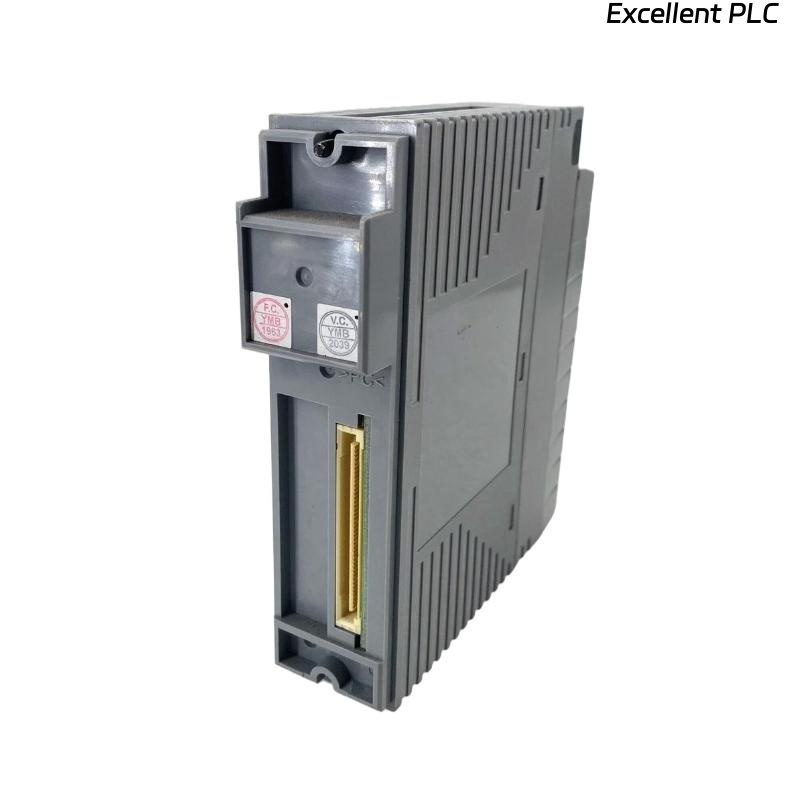
Yokogawa ADV151-P53/D5A00 Digital Input Module faults are usually related to unstable field signals, KS cable connection issues, grounding deficiencies, or System Configuration errors rather than actual module failure. Effective Troubleshooting requires structured Fault Diagnosis across the entire signal acquisition path. :contentReference[oaicite:5]{index=5}
Contents
- ADV151-P53/D5A00 Digital Input Module Fault Symptoms
- ADV151-P53/D5A00 Fault Diagnosis Logic
- Common Causes of ADV151-P53/D5A00 Faults
- ADV151-P53/D5A00 Signal Analysis
- ADV151-P53/D5A00 Field Device Verification
- ADV151-P53/D5A00 KS Adapter Fault Investigation
- ADV151-P53/D5A00 Wiring Fault Troubleshooting
- ADV151-P53/D5A00 Grounding Analysis
- ADV151-P53/D5A00 System Configuration Diagnosis
- ADV151-P53/D5A00 Diagnostic Review
- ADV151-P53/D5A00 Troubleshooting Workflow
- ADV151-P53/D5A00 Repair Actions
- ADV151-P53/D5A00 Recovery Validation
- ADV151-P53/D5A00 Failure Patterns
- Real Fault Diagnosis Case
- FAQ
ADV151-P53/D5A00 Digital Input Module Fault Symptoms
- Input channels remain OFF
- Intermittent status changes
- Missing SOE records
- Unexpected alarms
- Incorrect equipment status indication
- Multiple channel failures
ADV151-P53/D5A00 Fault Diagnosis Logic
Field engineers normally verify signal voltage first, then evaluate cable integrity, channel assignment, grounding quality, and diagnostics. Hardware replacement should be the final step of Troubleshooting.
Common Causes of ADV151-P53/D5A00 Faults
- Loose KS cable connectors
- Broken field wiring
- Voltage drop conditions
- Ground loop interference
- Incorrect channel mapping
- Damaged relay contacts
- Electrical noise
ADV151-P53/D5A00 Signal Analysis
| Measured Signal | Diagnosis Result |
|---|---|
| 0 VDC | Open circuit |
| 24 VDC Stable | Normal operation |
| 12–15 VDC | Voltage drop problem |
| Rapid fluctuation | EMI or grounding issue |
ADV151-P53/D5A00 Field Device Verification
- Check switch operation
- Inspect relay contacts
- Verify sensor outputs
- Measure field voltage
ADV151-P53/D5A00 KS Adapter Fault Investigation
The D5A00 adapter can concentrate multiple signals into a single cable assembly. Connector damage or incomplete insertion may affect many channels simultaneously. :contentReference[oaicite:6]{index=6}
- Inspect connector locking tabs
- Verify adapter seating
- Check cable continuity
- Review channel grouping
ADV151-P53/D5A00 Wiring Fault Troubleshooting
- Inspect terminal torque
- Verify continuity
- Check marshalling cabinets
- Inspect cable shields
- Review common returns
ADV151-P53/D5A00 Grounding Analysis
We frequently observe intermittent digital input alarms caused by poor grounding rather than failed electronics.
- Measure earth resistance
- Inspect bonding conductors
- Check shield termination points
- Verify cabinet grounding
ADV151-P53/D5A00 System Configuration Diagnosis
- Verify channel assignments
- Review tag database
- Check alarm settings
- Validate SOE parameters
- Confirm controller synchronization
ADV151-P53/D5A00 Diagnostic Review
- Module status indicators
- Controller event logs
- Input channel diagnostics
- Communication status
ADV151-P53/D5A00 Troubleshooting Workflow
VERIFY FIELD DEVICE
MEASURE VOLTAGE
CHECK KS CABLE
VERIFY TERMINALS
REVIEW CONFIGURATION
ANALYZE DIAGNOSTICS
IDENTIFY ROOT CAUSE
IMPLEMENT CORRECTION
ADV151-P53/D5A00 Repair Actions
- Repair damaged wiring
- Reconnect KS adapter
- Correct configuration errors
- Improve grounding
- Replace field devices if required
ADV151-P53/D5A00 Recovery Validation
- Verify input transitions
- Confirm alarm operation
- Check SOE recording
- Monitor long-term stability
ADV151-P53/D5A00 Failure Patterns
- Multiple channel loss from KS connector faults
- Intermittent alarms caused by EMI
- Incorrect channel mapping
- Voltage instability from loose terminals
- Ground-loop induced signal fluctuations
Real Fault Diagnosis Case
A petrochemical facility reported recurring shutdown alarms from an ADV151-P53/D5A00 Digital Input Module monitoring emergency isolation valves.
- Input Voltage: 13–24 VDC
- Alarm Frequency: 35 events/hour
- Module Diagnostics: Normal
- Controller Communication: Healthy
Initial maintenance efforts focused on replacing the module. However, signal analysis showed that voltage instability only occurred during large motor startups.
Further investigation revealed a damaged shield connection inside the KS cable assembly.
After corrective action:
- Voltage stabilized at 24 VDC
- False alarms disappeared
- SOE records became accurate
- No module replacement was required
In one field case, correcting a cable shield fault reduced alarm frequency from 35 events per hour to zero within a single shift.
ADV151-P53/D5A00 Fault Diagnosis FAQ
Does loss of multiple channels indicate module failure?
Not necessarily. KS adapter connection problems can affect multiple channels simultaneously. :contentReference[oaicite:7]{index=7}
What should be checked first during Troubleshooting?
Verify field voltage, cable integrity, KS adapter connections, and System Configuration before replacing hardware.
Can electrical noise affect the ADV151-P53/D5A00?
Yes. Poor grounding and inadequate shielding can create false alarms, unstable inputs, and intermittent signal transitions.
Summary: Effective ADV151-P53/D5A00 Troubleshooting depends on systematic Fault Diagnosis, signal verification, KS cable inspection, grounding analysis, and System Configuration validation before hardware replacement is considered.