 Excellent PLC


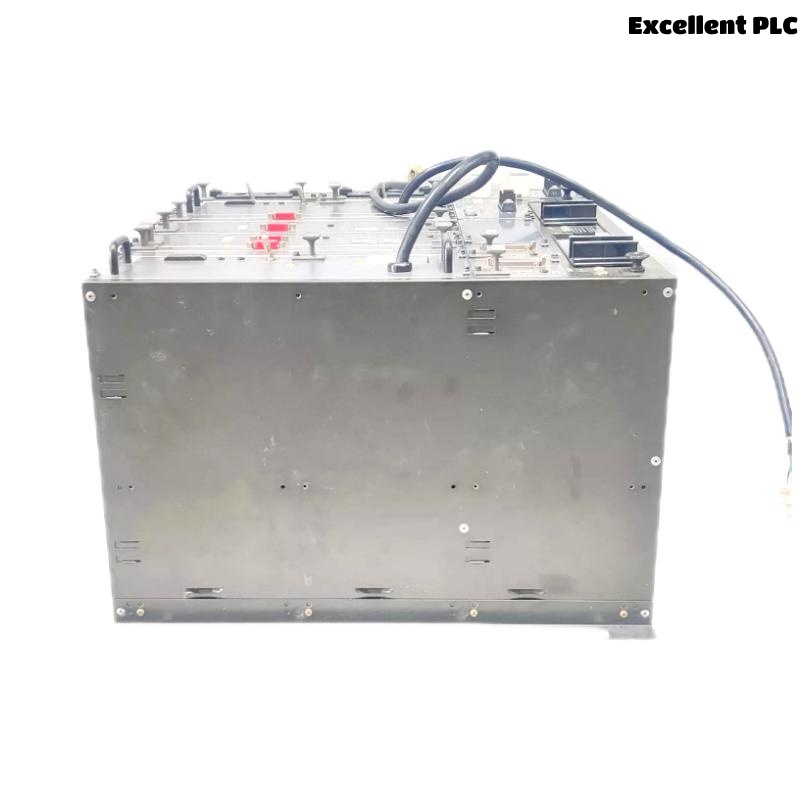
The Yokogawa AFG30D Duplexed Field Control Unit (FCU) is a high-availability controller designed for Yokogawa CENTUM VP Distributed Control Systems (DCS). As the processing core of a Field Control Station (FCS), the AFG30D executes control strategies, manages communication with Field I/O (FIO) subsystems, and maintains synchronization between active and standby processors. Its duplex architecture allows automatic failover without interrupting process control. When faults occur, systematic troubleshooting helps maintenance engineers quickly identify the root cause, restore redundancy, and minimize plant downtime.
Contents
- 1. Understanding AFG30D Fault Conditions
- 2. Common Failure Symptoms
- 3. Typical Causes of Controller Faults
- 4. Visual Inspection Procedure
- 5. Power System Verification
- 6. Redundancy Status Diagnostics
- 7. Processor Synchronization Diagnostics
- 8. Vnet/IP Communication Diagnostics
- 9. FIO Communication Verification
- 10. Controller Diagnostic Analysis
- 11. Recommended Troubleshooting Workflow
- 12. Corrective Actions
- 13. Functional Recovery Verification
- 14. Preventive Maintenance
- 15. Real Industrial Maintenance Case
- 16. Frequently Asked Questions
Understanding AFG30D Fault Conditions
The AFG30D operates using an active processor and a synchronized standby processor. During normal operation, both controllers continuously exchange memory data, process variables, and diagnostic information through redundant communication channels. If synchronization is interrupted or a processor fails, redundancy is lost until the fault is corrected.
Most controller faults are associated with communication failures, synchronization problems, power instability, hardware degradation, configuration mismatches, or environmental influences.
Common Failure Symptoms
- Standby controller unavailable
- Processor synchronization failure
- Redundancy alarm
- Unexpected controller restart
- Loss of Vnet/IP communication
- FIO communication timeout
- Controller hardware fault alarm
- Automatic failover unavailable
Typical Causes of Controller Faults
- Power supply instability
- Redundant communication cable damage
- Synchronization link failure
- Processor hardware malfunction
- Configuration inconsistencies
- FIO communication interruption
- Firmware incompatibility
- High cabinet temperature or poor ventilation
Visual Inspection Procedure
- Inspect processor status LEDs
- Verify communication cable connections
- Check module seating
- Inspect power supply indicators
- Verify cabinet cooling operation
Power System Verification
Reliable power is essential for maintaining controller synchronization and uninterrupted operation.
- Verify controller input voltage
- Inspect redundant power supplies
- Check circuit protection devices
- Measure output voltage stability
- Review power-related alarm history
Redundancy Status Diagnostics
- Verify active controller operation
- Confirm standby controller availability
- Review redundancy alarm history
- Check automatic failover readiness
- Verify processor synchronization status
Processor Synchronization Diagnostics
- Inspect synchronization communication links
- Verify firmware compatibility
- Review synchronization logs
- Check processor configuration consistency
- Monitor synchronization progress indicators
Vnet/IP Communication Diagnostics
- Inspect Vnet/IP interfaces
- Verify Ethernet cable integrity
- Review communication statistics
- Check network addressing
- Analyze communication error counters
FIO Communication Verification
- Verify Field I/O node availability
- Inspect FIO communication interfaces
- Review I/O diagnostic information
- Check communication error logs
- Monitor communication stability
Controller Diagnostic Analysis
| Observed Condition | Possible Diagnosis |
|---|---|
| Standby controller unavailable | Synchronization or hardware failure |
| Synchronization alarm | Communication link or firmware mismatch |
| Unexpected restart | Power disturbance or controller hardware issue |
| FIO communication timeout | Field network communication problem |
| Loss of Vnet/IP communication | Network cable or interface fault |
Controller diagnostic records should always be analyzed before replacing processor modules.
Recommended Troubleshooting Workflow
VERIFY POWER SUPPLIES
CHECK CONTROLLER STATUS
VERIFY REDUNDANCY
CHECK SYNCHRONIZATION
VERIFY VNET/IP COMMUNICATION
VERIFY FIO COMMUNICATION
REVIEW DIAGNOSTIC LOGS
IDENTIFY ROOT CAUSE
IMPLEMENT CORRECTIVE ACTION
VERIFY SYSTEM RECOVERY
A structured troubleshooting workflow minimizes maintenance time and prevents unnecessary component replacement.
Corrective Actions
- Restore stable power supplies
- Replace damaged communication cables
- Correct controller configuration mismatches
- Re-establish processor synchronization
- Repair Vnet/IP communication faults
- Replace defective interface modules
- Replace processor hardware only after complete diagnosis
Functional Recovery Verification
- Verify active processor operation
- Confirm standby synchronization
- Test automatic processor switchover
- Verify stable Vnet/IP communication
- Monitor FIO diagnostics during operation
Preventive Maintenance
- Inspect communication cables regularly
- Verify controller redundancy periodically
- Review diagnostic logs
- Maintain configuration backups
- Inspect cabinet cooling systems
Real Industrial Maintenance Case
At a refinery expansion project, operators reported repeated redundancy alarms from an AFG30D controller pair. Although production continued normally, the standby processor repeatedly entered a synchronization fault state.
Maintenance engineers reviewed controller diagnostics and discovered intermittent Vnet/IP communication errors. Inspection identified a damaged Ethernet cable with an unstable connector caused by repeated cabinet door movement.
After replacing the cable and restarting synchronization:
- Processor synchronization completed successfully.
- Redundancy was fully restored.
- Automatic switchover testing passed.
- No processor hardware replacement was necessary.
This maintenance case illustrates that communication infrastructure faults are often responsible for redundancy alarms and should always be investigated before replacing controller modules.
Frequently Asked Questions
What causes the standby controller to become unavailable?
Common causes include synchronization failures, communication interruptions, firmware incompatibility, hardware faults, or unstable power supplies affecting the standby processor.
Can the process continue operating if redundancy is lost?
Yes. The active processor normally continues controlling the process. However, fault tolerance is reduced until the standby controller is restored.
When should an AFG30D processor module be replaced?
Replacement should only be considered after communication, synchronization, firmware, power supply, and environmental issues have been eliminated through diagnostic analysis.
Summary
Effective troubleshooting of the Yokogawa AFG30D Duplexed Field Control Unit requires systematic verification of power integrity, processor synchronization, Vnet/IP communication, Field I/O connectivity, and controller diagnostics. Following a structured troubleshooting methodology helps restore controller redundancy, maintain continuous process control, reduce downtime, and avoid unnecessary hardware replacement.