 Excellent PLC


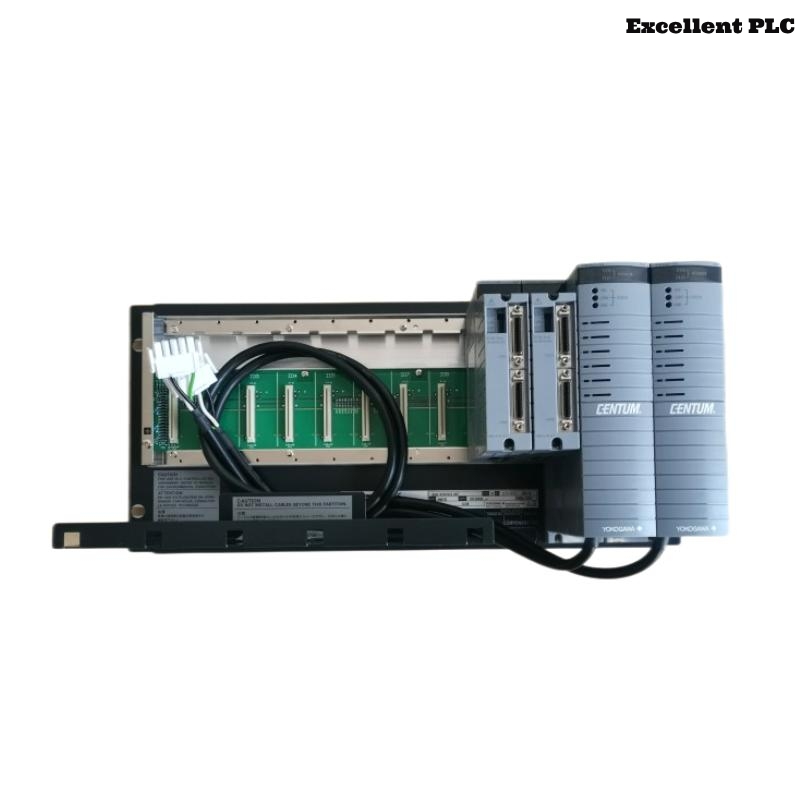
The Yokogawa AFS20S Field Control Unit (FCU) is a single-controller unit designed for CENTUM CS 3000 and early CENTUM VP Distributed Control Systems using the Remote I/O (RIO) architecture. Unlike the rack-mounted AFS10S, the AFS20S is supplied as a cabinet-mounted Field Control Station that integrates the controller, power distribution, and communication interfaces within a dedicated enclosure. The controller performs process control, sequence execution, alarm processing, and communication with Remote I/O stations through the RIO network. Proper installation, wiring, grounding, and commissioning are essential to ensure stable long-term operation and dependable process control.
Contents
- 1. AFS20S Field Control Unit Overview
- 2. Technical Features
- 3. Typical Industrial Applications
- 4. Installation Planning
- 5. Hardware Inspection
- 6. Installation Environment
- 7. Cabinet Installation Procedure
- 8. Power Supply Connections
- 9. RIO Communication Connections
- 10. Grounding Requirements
- 11. Commissioning Procedure
- 12. Functional Testing
- 13. Preventive Maintenance
- 14. Practical Installation Case
- 15. Frequently Asked Questions
AFS20S Field Control Unit Overview
The AFS20S is a cabinet-mounted, non-redundant Field Control Unit that serves as the processor of a Field Control Station. It communicates with Remote I/O stations through the RIO network while exchanging plant information with operator stations over the V net control network. The controller executes continuous control, sequence control, interlocking, alarm management, and data acquisition functions for industrial processes.
Technical Features
- Single-controller architecture
- Cabinet-mounted Field Control Station
- RIO communication interface
- V net communication support
- Battery-backed memory retention
- High-speed process control execution
- Integrated cabinet wiring design
Typical Industrial Applications
- Oil and gas production facilities
- Petrochemical plants
- Chemical manufacturing
- Power generation stations
- Water and wastewater treatment
- General continuous process industries
Installation Planning
- Review engineering documentation.
- Verify cabinet location.
- Confirm utility power availability.
- Review RIO network topology.
- Prepare controller configuration files.
Hardware Inspection
- Verify model identification.
- Inspect cabinet components.
- Check communication interfaces.
- Inspect terminal connections.
- Verify shipping condition.
Installation Environment
- Maintain adequate ventilation.
- Avoid excessive humidity.
- Protect against vibration.
- Prevent conductive dust accumulation.
- Maintain specified ambient temperature.
Cabinet Installation Procedure
- Disconnect all incoming power.
- Position the cabinet according to engineering drawings.
- Anchor the cabinet securely.
- Verify internal module installation.
- Inspect cable routing.
- Confirm all connections before energizing.
Power Supply Connections
- Connect the specified power source.
- Verify input voltage.
- Inspect protective breakers.
- Confirm wiring integrity.
- Verify power indicators after startup.
RIO Communication Connections
- Connect the RIO communication bus.
- Verify cable integrity.
- Check node addressing.
- Inspect communication connectors.
- Label all network cables.
Grounding Requirements
- Connect protective earth.
- Verify cabinet grounding.
- Maintain low grounding resistance.
- Avoid ground loops.
- Inspect grounding continuity.
Commissioning Procedure
VERIFY INSTALLATION
CONNECT POWER
VERIFY GROUNDING
CONNECT RIO NETWORK
POWER UP CONTROLLER
DOWNLOAD APPLICATION
VERIFY COMMUNICATION
START PROCESS OPERATION
Functional Testing
- Verify controller startup.
- Confirm RIO communication.
- Validate controller diagnostics.
- Verify process application execution.
- Confirm stable plant operation.
Preventive Maintenance
- Inspect communication wiring regularly.
- Review controller diagnostics.
- Replace backup batteries according to maintenance schedules.
- Maintain configuration backups.
- Inspect cabinet cooling systems.
Practical Installation Case
During commissioning of a refinery utility system, engineers found that several Remote I/O stations failed to establish communication after the controller was powered on.
Inspection revealed an incorrectly configured RIO node address that prevented communication with the Field Control Unit.
After correcting the addressing configuration:
- All Remote I/O stations became operational.
- Application download completed successfully.
- Controller diagnostics indicated normal operation.
- The control system entered stable production service.
Frequently Asked Questions
What is the AFS20S?
The AFS20S is a cabinet-mounted Field Control Unit for CENTUM systems using the V net and RIO architecture. It provides single-controller process control for Field Control Stations.
Does the AFS20S support processor redundancy?
No. The AFS20S is a single-controller model. Applications requiring controller redundancy use the AFS20D Duplexed Field Control Unit.
Which communication architecture does the AFS20S use?
The controller communicates through the V net control network and supports Remote I/O (RIO) connections for distributed field devices.
Summary: Proper installation of the Yokogawa AFS20S Field Control Unit requires secure cabinet installation, reliable power wiring, correct RIO communication, effective grounding, and comprehensive commissioning. Following these procedures ensures dependable controller performance, stable communication, and long-term process control reliability.