 Excellent PLC


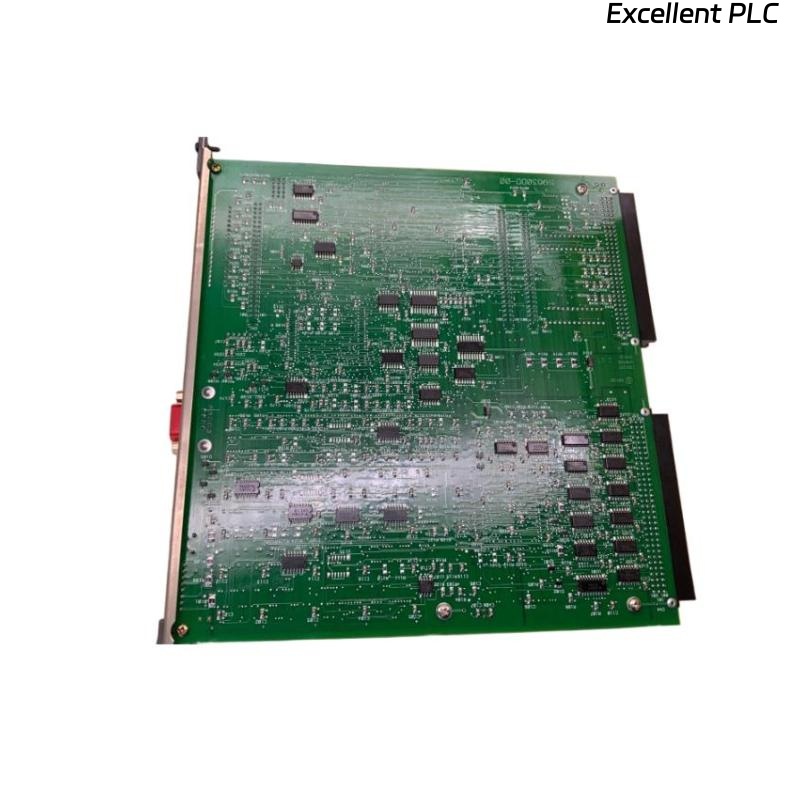
The Yokogawa CP330D Processor Module is a high-performance controller processor designed for Yokogawa CENTUM VP and CENTUM CS 3000 Distributed Control Systems (DCS). It performs real-time process control, logic execution, I/O management, communication processing, and system diagnostics. As the core processing unit of the Field Control Station (FCS), the CP330D provides reliable operation, fast execution speed, and high system availability for mission-critical industrial automation applications.
Contents
- 1. Product Overview
- 2. Main Features
- 3. Typical Applications
- 4. Installation Preparation
- 5. Processor Module Installation
- 6. System Connections
- 7. Controller Configuration
- 8. Commissioning Procedure
- 9. Functional Verification
- 10. Preventive Maintenance
- 11. Practical Installation Case
- 12. Frequently Asked Questions
Product Overview
The CP330D serves as the primary processor for Yokogawa control systems, executing control algorithms, coordinating I/O communication, managing controller diagnostics, and supporting engineering configuration. The processor is designed for continuous industrial operation and integrates seamlessly with Yokogawa Field Control Stations and distributed I/O subsystems.
Main Features
- High-speed industrial processor
- Real-time control execution
- Fast I/O data processing
- Integrated system diagnostics
- High reliability for continuous operation
- Supports redundant controller architecture
- Industrial-grade EMC protection
- Compatible with Yokogawa CENTUM control systems
Typical Applications
- Distributed Control Systems (DCS)
- Process automation
- Oil and gas production
- Petrochemical plants
- Power generation facilities
- Water and wastewater treatment
- Pharmaceutical manufacturing
- Chemical processing plants
Installation Preparation
- Verify the CP330D model number.
- Inspect the processor module for damage.
- Review the controller configuration.
- Verify rack compatibility.
- Disconnect system power.
- Wear ESD protection equipment.
- Prepare engineering documentation.
Processor Module Installation
- Turn off the controller power supply.
- Insert the CP330D into the designated processor slot.
- Ensure the module is fully seated.
- Lock the retaining mechanism.
- Inspect rack connections.
- Reconnect system power.
- Verify module status indicators.
System Connections
- Verify backplane communication.
- Check processor connections to I/O modules.
- Inspect communication cables.
- Verify controller grounding.
- Confirm redundant connections where applicable.
- Inspect connector integrity.
Controller Configuration
- Download the control application.
- Configure controller parameters.
- Assign processor identification.
- Verify communication settings.
- Check diagnostic configuration.
- Save controller configuration.
Commissioning Procedure
VERIFY MODULE INSTALLATION
CHECK POWER STATUS
VERIFY PROCESSOR STARTUP
DOWNLOAD APPLICATION
VERIFY I/O COMMUNICATION
CHECK SYSTEM DIAGNOSTICS
TEST PROCESS CONTROL
CONFIRM NORMAL OPERATION
Functional Verification
- Confirm processor enters RUN mode.
- Verify application execution.
- Check I/O communication.
- Review diagnostic messages.
- Verify controller redundancy.
- Monitor system performance.
Preventive Maintenance
- Inspect status indicators regularly.
- Review controller diagnostics.
- Verify rack connectors.
- Maintain cabinet ventilation.
- Backup controller applications.
- Inspect power supply stability.
Practical Installation Case
During the expansion of a petrochemical processing unit, a CP330D processor module was installed in a new Field Control Station. After downloading the control application, verifying I/O communication, and completing functional testing, the controller was integrated into the plant network and placed into continuous operation without interrupting existing production.
Frequently Asked Questions
What is the primary function of the CP330D?
The CP330D executes process control programs, manages field I/O communication, performs controller diagnostics, and coordinates overall system operation within Yokogawa CENTUM control systems.
Can the CP330D support redundant controller configurations?
Yes. Depending on the overall system architecture, the CP330D can operate in redundant controller configurations to improve system availability and operational reliability.
Should the processor module be installed while power is applied?
No. Always disconnect system power before installing or removing the processor module to prevent equipment damage and ensure personnel safety.
Summary
The Yokogawa CP330D Processor Module provides reliable real-time control, high-speed data processing, and dependable operation for Yokogawa CENTUM Distributed Control Systems. Proper installation, careful configuration, and thorough commissioning help ensure stable long-term performance in industrial automation environments.