 Excellent PLC


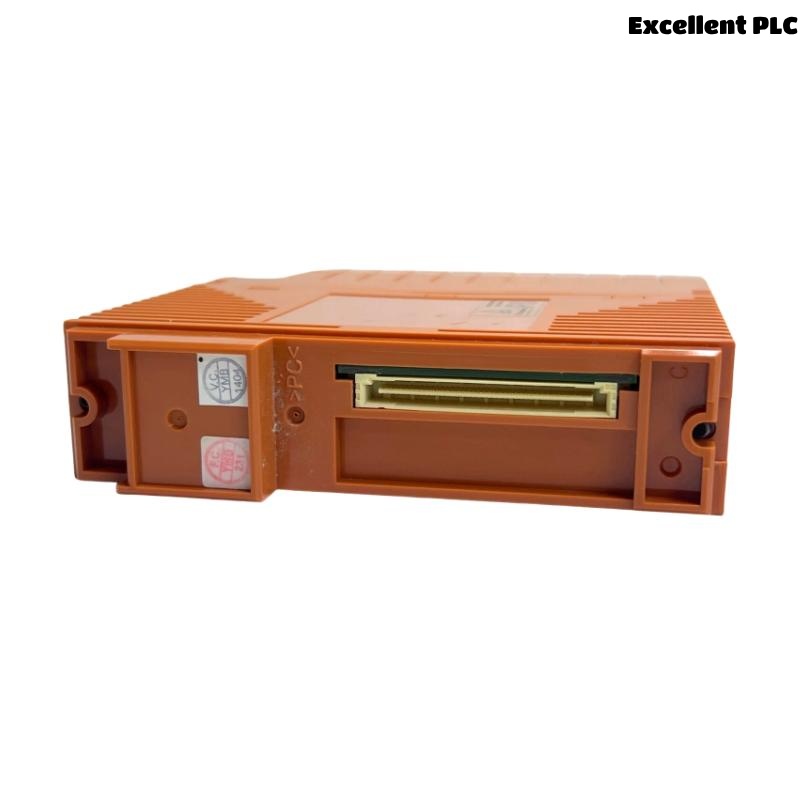
The Yokogawa SB401 Bus Interface Slave Module is designed for reliable operation within Yokogawa bus architectures. However, many issues reported during commissioning are not hardware failures, but installation-related errors.
This article focuses exclusively on common installation mistakes, their symptoms, root causes, and practical troubleshooting steps used by field engineers.
1. SB401 Not Detected After Installation
Typical Symptoms
-
SB401 does not appear in system diagnostics
-
System reports “Module Not Installed”
-
Bus communication does not initialize
Root Causes
-
Module inserted into an incorrect slot
-
SB401 not fully seated in the backplane
-
System powered ON during insertion
Troubleshooting Steps
-
Power OFF the system completely
-
Remove and reinsert the SB401 carefully
-
Verify the correct slot according to system documentation
-
Power ON and recheck system diagnostics
2. Bus Communication Alarm After Power-Up
Typical Symptoms
-
“Bus Communication Error” alarm
-
Slave module status LED indicates fault
-
Intermittent data transmission
Root Causes
-
SB401 address conflict
-
Incorrect master–slave binding
-
Incomplete configuration download
Troubleshooting Steps
-
Verify SB401 address assignment
-
Check that the master interface module recognizes the slave
-
Re-download or synchronize configuration
3. Incorrect Module Address Configuration
Typical Symptoms
-
Data mapped to wrong channels
-
Unexpected communication timeouts
-
Multiple slaves responding incorrectly
Root Causes
-
Duplicate slave addresses
-
Address not matching configuration database
Troubleshooting Steps
-
Identify all slave module addresses on the bus
-
Ensure SB401 address is unique
-
Update configuration to match physical setup
4. Intermittent Faults After Initial Normal Operation
Typical Symptoms
-
Random bus errors after hours or days
-
Errors increase under system load
-
Fault clears temporarily after reseating module
Root Causes
-
Loose backplane contact
-
Cabinet vibration
-
Poor grounding or EMC interference
Troubleshooting Steps
-
Tighten module retaining screws
-
Inspect cabinet grounding
-
Check environmental conditions (vibration, temperature)
5. Installation in Unsuitable Environment
Typical Symptoms
-
Frequent communication errors
-
Premature module failure
-
Overheating alarms
Root Causes
-
Excessive temperature or humidity
-
Dust accumulation
-
Inadequate cabinet ventilation
Troubleshooting Steps
-
Measure cabinet temperature and humidity
-
Improve ventilation or cooling
-
Clean cabinet and filters
6. Power Supply Related Installation Issues
Typical Symptoms
-
SB401 resets unexpectedly
-
System fails to initialize correctly
-
Multiple modules affected simultaneously
Root Causes
-
Unstable or undersized power supply
-
Voltage drop during system startup
Troubleshooting Steps
-
Measure power supply voltage under load
-
Check power distribution to the rack
-
Replace or upgrade power supply if required
7. Installation Best Practices (Field-Proven)
-
Always install SB401 with system power OFF
-
Label slots and module addresses clearly
-
Perform bus communication checks immediately after installation
-
Keep installation records for future maintenance
Conclusion
Most issues encountered with the Yokogawa SB401 Bus Interface Slave Module originate from installation errors rather than hardware defects. A structured troubleshooting approach—focusing on slot placement, addressing, grounding, and environmental conditions—allows engineers to quickly restore stable bus communication.
Proper installation practices significantly reduce commissioning time, prevent repeated faults, and improve overall system reliability.