 Excellent PLC


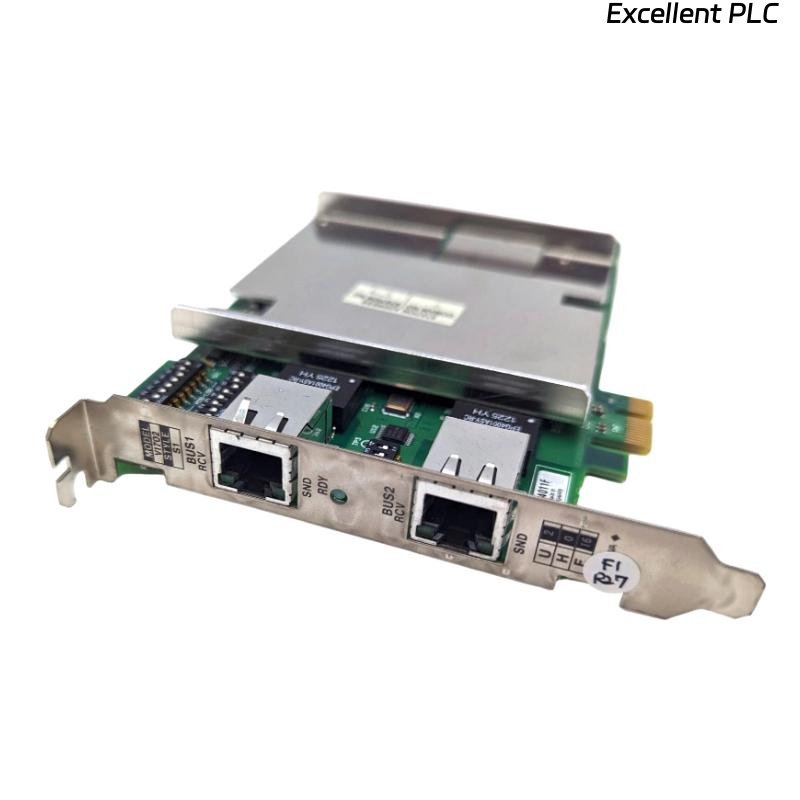
The Yokogawa VI702 Interface Card is a critical component in Yokogawa control systems, responsible for stable signal interfacing and internal communication. Although the VI702 is known for high reliability, faults may still occur due to installation issues, environmental conditions, or system-level problems.
This article focuses on common fault symptoms, root causes, and systematic troubleshooting steps from a maintenance engineer’s perspective.
1. VI702 Not Recognized by the System
Typical Symptoms
-
VI702 does not appear in the system configuration
-
I/O channels remain inactive
-
System diagnostic indicates “Module Not Installed” or “Slot Error”
Possible Causes
-
Incorrect slot installation
-
Poor backplane connection
-
Firmware incompatibility
-
Hardware failure of the interface card
Troubleshooting Steps
-
Power down the system and reseat the VI702 card
-
Verify the correct slot number according to system documentation
-
Check firmware compatibility with the control processor
-
Replace the VI702 with a known-good spare for isolation
2. Communication Failure Between VI702 and I/O Modules
Typical Symptoms
-
Intermittent or complete loss of I/O data
-
System alarms related to communication timeout
-
Unstable signal updates
Possible Causes
-
Loose internal connectors
-
Electrical noise or grounding issues
-
Excessive backplane load
-
Damaged communication traces
Troubleshooting Steps
-
Inspect internal connectors and backplane contacts
-
Verify grounding and shielding integrity
-
Reduce system load to isolate the issue
-
Replace suspect cables or modules
3. I/O Data Mismatch or Incorrect Signal Mapping
Typical Symptoms
-
Field signal value does not match control system display
-
Channels appear swapped or offset
-
Incorrect scaling applied
Possible Causes
-
Incorrect channel mapping configuration
-
Wrong I/O module association
-
Configuration database mismatch
Troubleshooting Steps
-
Verify channel mapping in the system configuration
-
Compare configuration database with physical wiring
-
Perform loop checks for each affected channel
4. Intermittent System Alarms Related to VI702
Typical Symptoms
-
Random communication alarms
-
Alarms clear automatically without intervention
-
Increased alarm frequency during high-load conditions
Possible Causes
-
Power supply instability
-
Overheating due to poor ventilation
-
Aging hardware components
Troubleshooting Steps
-
Measure system power supply stability
-
Inspect cabinet ventilation and temperature
-
Check error logs for recurring patterns
5. VI702 Failure After Long-Term Operation
Typical Symptoms
-
Gradual degradation of communication performance
-
Increased error counts
-
Complete failure after extended uptime
Possible Causes
-
Component aging
-
Environmental stress (humidity, dust, vibration)
-
Inadequate preventive maintenance
Troubleshooting Steps
-
Schedule preventive replacement for aging cards
-
Improve cabinet environmental conditions
-
Implement periodic diagnostic checks
6. Maintenance Best Practices
-
Always keep one spare VI702 for quick replacement
-
Label slots and modules clearly to avoid installation errors
-
Maintain updated firmware and configuration backups
-
Record all fault occurrences for trend analysis
Conclusion
Most Yokogawa VI702 interface card issues are related to installation, communication integrity, or environmental factors, rather than immediate hardware failure. A structured troubleshooting approach allows maintenance engineers to quickly isolate the root cause, restore system operation, and reduce downtime.
Proper preventive maintenance and documentation significantly extend the service life of the VI702 and improve overall system reliability.