 Excellent PLC


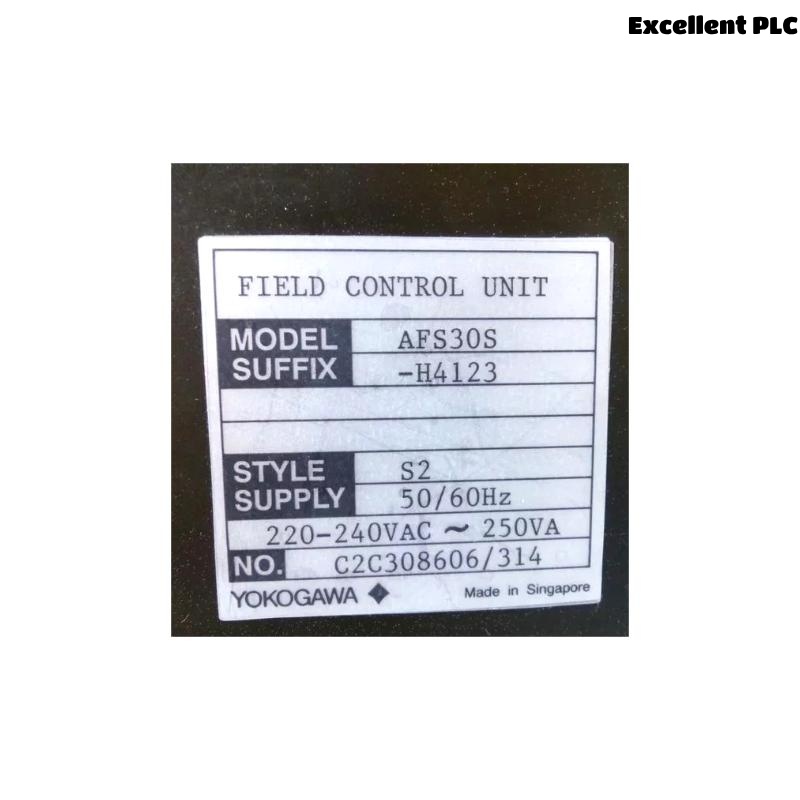
The Yokogawa AFS30S Field Control Unit (FCU) is a single-controller processor used in CENTUM CS 3000 and CENTUM VP Distributed Control Systems utilizing the Field Control I/O (FIO) architecture. The controller performs continuous process control, sequence execution, alarm management, interlocking, and communication with distributed FIO nodes through the redundant V net control network. Because the AFS30S is a non-redundant controller, any interruption in controller operation or communication can directly affect plant production. A structured troubleshooting procedure enables maintenance engineers to rapidly identify faults, restore controller operation, and reduce system downtime.
Contents
- 1. Understanding AFS30S Fault Conditions
- 2. Common Failure Symptoms
- 3. Typical Causes of Controller Faults
- 4. Initial Hardware Inspection
- 5. Power System Verification
- 6. Startup Failure Diagnostics
- 7. FIO Communication Diagnostics
- 8. Controller Diagnostic Analysis
- 9. Recommended Troubleshooting Workflow
- 10. Corrective Actions
- 11. Functional Recovery Verification
- 12. Preventive Maintenance
- 13. Real Industrial Maintenance Case
- 14. Frequently Asked Questions
Understanding AFS30S Fault Conditions
The AFS30S operates as the processing core of an FIO-based Field Control Station. It exchanges operational data through the V net control network while communicating with distributed FIO modules. Controller failures may interrupt process control, field communication, alarm processing, and operator monitoring.
Typical faults include startup failures, FIO communication interruptions, application download errors, controller hardware malfunctions, firmware incompatibility, unstable power supplies, backup battery degradation, and environmental influences.
Common Failure Symptoms
- Controller fails to start
- Unexpected controller restart
- FIO communication timeout
- I/O stations offline
- Application download failure
- Controller hardware alarm
- Battery backup alarm
- Loss of process data updates
Typical Causes of Controller Faults
- Power supply instability
- Damaged FIO communication cables
- Loose communication connectors
- Incorrect FIO node addressing
- Controller hardware malfunction
- Firmware version mismatch
- Backup battery failure
- Excessive cabinet temperature
Initial Hardware Inspection
- Inspect controller status LEDs.
- Verify module installation.
- Check communication cable connections.
- Inspect power supply indicators.
- Verify cabinet cooling operation.
Power System Verification
Stable power is essential for reliable controller startup and uninterrupted process control.
- Verify controller input voltage.
- Inspect power supply outputs.
- Check protective devices.
- Measure voltage stability.
- Review power-related alarm history.
Startup Failure Diagnostics
- Verify startup sequence completion.
- Inspect controller diagnostic indicators.
- Review startup alarm messages.
- Confirm firmware compatibility.
- Verify application integrity.
FIO Communication Diagnostics
- Verify FIO network integrity.
- Inspect communication connectors.
- Review network diagnostic information.
- Check communication error counters.
- Confirm all FIO nodes remain online.
Controller Diagnostic Analysis
| Observed Condition | Possible Diagnosis |
|---|---|
| Controller will not start | Power supply or controller hardware fault |
| Unexpected restart | Power disturbance or processor malfunction |
| FIO communication failure | Communication cable, connector, or interface problem |
| Battery alarm | Backup battery replacement required |
| Application download failure | Configuration or communication issue |
Controller diagnostic information should always be analyzed before replacing hardware modules.
Recommended Troubleshooting Workflow
VERIFY POWER SUPPLY
CHECK CONTROLLER STATUS
VERIFY STARTUP
CHECK FIO COMMUNICATION
VERIFY V NET COMMUNICATION
REVIEW DIAGNOSTIC LOGS
VERIFY APPLICATION
IDENTIFY ROOT CAUSE
IMPLEMENT CORRECTIVE ACTION
VERIFY SYSTEM RECOVERY
Following a structured troubleshooting process helps reduce downtime and prevents unnecessary replacement of controller components.
Corrective Actions
- Restore stable power supplies.
- Replace damaged communication cables.
- Secure loose communication connectors.
- Correct FIO node addressing.
- Reload controller applications.
- Replace backup battery when required.
- Replace controller hardware only after complete diagnostics.
Functional Recovery Verification
- Verify successful controller startup.
- Confirm stable FIO communication.
- Validate application execution.
- Review controller diagnostic information.
- Monitor plant operation under normal load.
Preventive Maintenance
- Inspect FIO communication wiring regularly.
- Review controller diagnostic logs periodically.
- Replace backup batteries according to maintenance schedules.
- Maintain application backup files.
- Inspect cabinet ventilation and cooling equipment.
Real Industrial Maintenance Case
During routine maintenance at a chemical processing plant, operators reported intermittent communication loss between the AFS30S controller and several FIO stations.
Initial diagnostics suggested a processor fault. However, detailed inspection revealed that one FIO communication connector had loosened because of long-term cabinet vibration.
After securing the connector:
- All FIO stations returned online.
- Communication timeout alarms disappeared.
- Controller diagnostics indicated normal operation.
- The control system resumed stable production without replacing the controller.
This maintenance case illustrates the importance of inspecting communication wiring and connectors before replacing controller hardware.
Frequently Asked Questions
Why does the AFS30S fail to start?
Typical causes include unstable power supplies, controller hardware faults, firmware incompatibility, corrupted application files, or improper startup procedures.
What causes communication loss with FIO stations?
Common causes include damaged communication cables, loose connectors, incorrect FIO node addressing, interface failures, or network communication problems.
When should an AFS30S controller be replaced?
Controller replacement should only be considered after power supplies, communication wiring, firmware compatibility, application integrity, battery condition, and environmental factors have been thoroughly verified.
Summary
Effective troubleshooting of the Yokogawa AFS30S Field Control Unit requires systematic verification of power integrity, controller startup, FIO communications, application status, diagnostic information, and hardware condition. Following a structured troubleshooting methodology helps restore stable process control, minimize production downtime, and avoid unnecessary hardware replacement.