 Excellent PLC


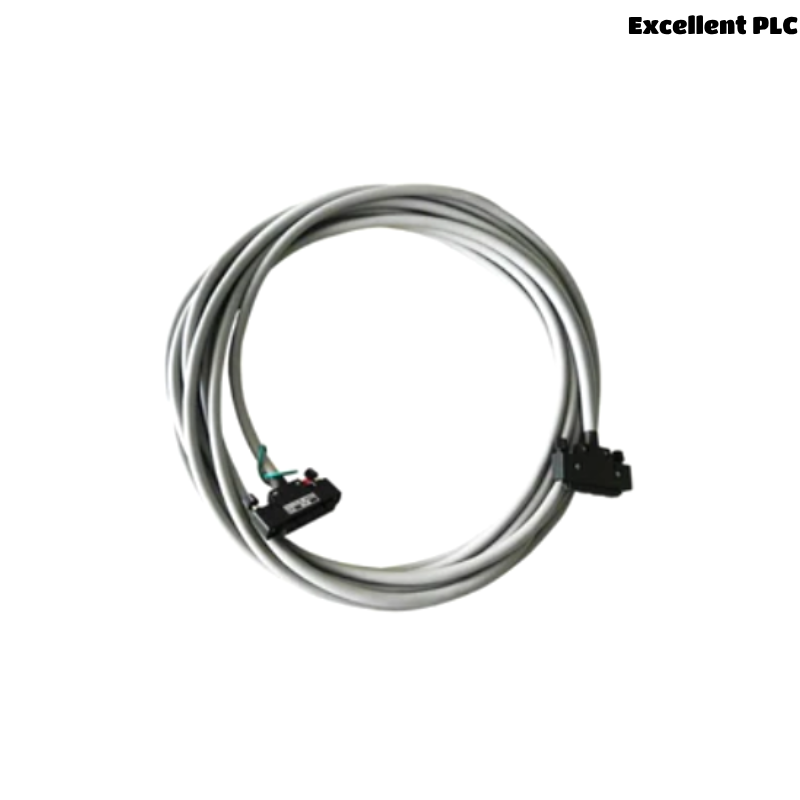
The Yokogawa AKB161 Signal Cable is an industrial communication cable used in Yokogawa CENTUM VP and CENTUM CS Distributed Control Systems (DCS) to interconnect controllers, I/O modules, interface units, terminal boards, and other system components. Designed for reliable signal transmission in demanding industrial environments, the AKB161 features shielded conductors that minimize electromagnetic interference (EMI) and ensure high signal integrity. Damage to the cable, loose connectors, improper routing, or degraded shielding can result in communication errors, intermittent signals, or complete loss of connectivity. This guide provides a systematic troubleshooting procedure to identify and correct signal cable faults efficiently.
Contents
- 1. Understanding Signal Cable Failures
- 2. Common Failure Symptoms
- 3. Typical Causes of Communication Problems
- 4. Initial Cable Inspection
- 5. Electrical Continuity Verification
- 6. Cable Routing Inspection
- 7. Diagnostic Analysis
- 8. Recommended Troubleshooting Workflow
- 9. Corrective Actions
- 10. Communication Recovery Verification
- 11. Preventive Maintenance
- 12. Real Industrial Maintenance Case
- 13. Frequently Asked Questions
Understanding Signal Cable Failures
The AKB161 transfers analog and digital signals between Yokogawa DCS components. Reliable communication depends on intact conductors, secure connectors, proper shielding, and correct installation practices. Most cable-related faults originate from mechanical damage, loose connections, cable aging, excessive bending, or electromagnetic interference rather than failures of the connected devices.
Common Failure Symptoms
- Communication loss between connected modules.
- Intermittent communication errors.
- Controller I/O communication alarms.
- Signal quality degradation.
- Unexpected device disconnection.
- CRC or communication checksum errors.
- Occasional data transmission failures.
- System diagnostics indicating communication faults.
Typical Causes of Communication Problems
- Loose cable connectors.
- Damaged cable jacket.
- Broken internal conductors.
- Poor connector contact.
- Damaged cable shielding.
- Improper cable routing near power wiring.
- Excessive mechanical stress.
- Connector oxidation or contamination.
Initial Cable Inspection
- Inspect the entire cable length for visible damage.
- Verify connector locking mechanisms.
- Inspect cable strain relief.
- Check for crushed or pinched cable sections.
- Inspect connector pins for contamination or corrosion.
Electrical Continuity Verification
- Disconnect the cable from system equipment before testing.
- Measure conductor continuity using an approved multimeter.
- Verify insulation resistance if required.
- Check shield continuity.
- Compare measured values with engineering specifications.
Cable Routing Inspection
- Verify separation from high-voltage power cables.
- Inspect for excessive cable bending.
- Ensure adequate cable support.
- Check for electromagnetic interference sources.
- Confirm proper cable clamp installation.
Diagnostic Analysis
| Observed Condition | Possible Diagnosis |
|---|---|
| No communication | Broken conductor or disconnected connector |
| Intermittent communication | Loose connector or internal cable damage |
| Communication errors | Shield damage or EMI interference |
| High signal noise | Improper cable routing near power circuits |
| Connector heating | Poor electrical contact or damaged connector |
Recommended Troubleshooting Workflow
VERIFY SYSTEM ALARMS
INSPECT THE CABLE
CHECK CONNECTORS
TEST CABLE CONTINUITY
VERIFY SHIELD GROUNDING
INSPECT CABLE ROUTING
RECONNECT THE CABLE
VERIFY COMMUNICATION
MONITOR SYSTEM PERFORMANCE
Corrective Actions
- Reconnect loose cable connectors.
- Replace damaged signal cables.
- Repair or replace damaged connectors.
- Clean contaminated connector contacts.
- Correct cable routing to reduce EMI.
- Restore proper shield grounding.
- Replace cables showing internal conductor failure.
Communication Recovery Verification
- Verify stable communication between connected devices.
- Confirm all communication alarms have cleared.
- Monitor signal quality.
- Inspect connector stability during operation.
- Observe long-term communication reliability.
Preventive Maintenance
- Inspect cables during scheduled maintenance.
- Verify connector tightness periodically.
- Protect cables from excessive bending.
- Maintain proper cable routing.
- Inspect shielding and grounding.
- Replace deteriorated cables before failure occurs.
Real Industrial Maintenance Case
At a power generation facility, operators reported intermittent communication alarms between a Remote I/O cabinet and an interface module.
Inspection revealed that an AKB161 signal cable had been compressed against a cabinet door, causing partial conductor damage and intermittent signal loss.
After replacing the damaged cable and rerouting it through the correct cable tray:
- Communication was fully restored.
- All communication alarms disappeared.
- Signal quality returned to normal.
- The Distributed Control System remained stable during continuous operation.
Frequently Asked Questions
Why is communication intermittent?
Intermittent communication is commonly caused by loose connectors, damaged internal conductors, poor shielding, excessive cable bending, or connector contamination.
Can electromagnetic interference affect the AKB161?
Yes. Although the cable incorporates shielding, improper routing alongside high-voltage power cables or variable-frequency drives may introduce electrical noise that degrades communication quality.
When should the AKB161 be replaced?
The cable should be replaced if physical damage, conductor failure, degraded shielding, unreliable communication, or connector damage is confirmed during inspection and electrical testing.
Summary
Effective troubleshooting of the Yokogawa AKB161 Signal Cable requires systematic inspection of cable integrity, connectors, shielding, continuity, grounding, and routing practices. Regular preventive maintenance, proper installation, and timely replacement of damaged cables help maintain reliable communication and long-term stability of Yokogawa CENTUM VP and CENTUM CS Distributed Control Systems.