 Excellent PLC


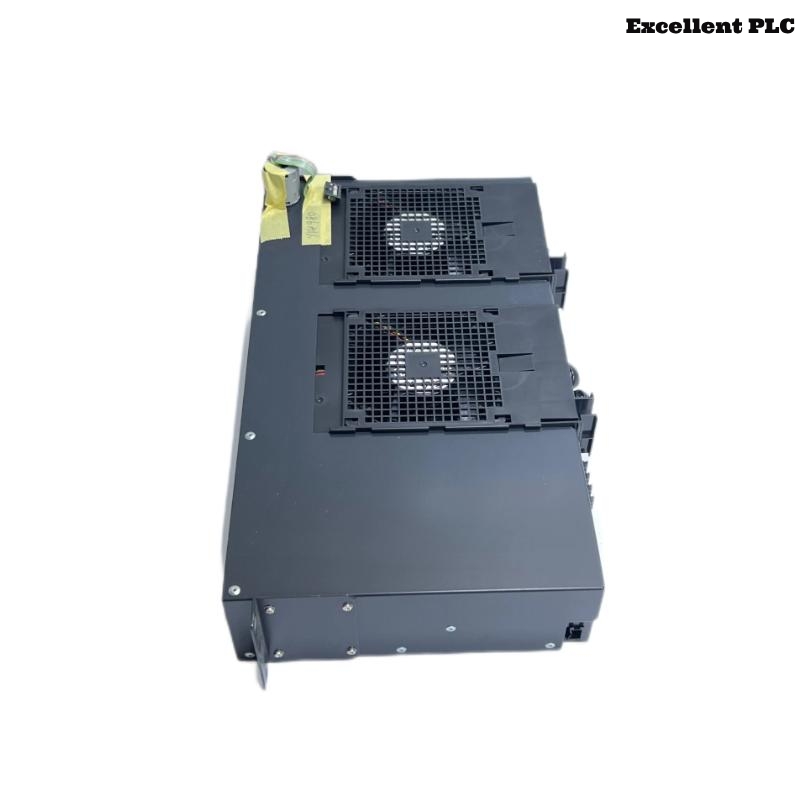
The Yokogawa AIP602 Fan Unit is a forced-air cooling module used in Yokogawa CENTUM VP and CENTUM CS Distributed Control Systems (DCS). Installed in Field Control Units (FCUs), Remote I/O cabinets, communication cabinets, and power supply enclosures, the AIP602 continuously circulates air to dissipate heat generated by CPUs, communication interfaces, I/O modules, and power supplies. Proper cooling is essential for maintaining equipment reliability and preventing thermal-related failures. Malfunctions of the AIP602 may lead to elevated cabinet temperatures, environmental alarms, unexpected controller shutdowns, or reduced hardware lifespan. A structured troubleshooting process enables maintenance engineers to quickly diagnose cooling issues and restore normal cabinet operation.
Contents
- 1. Understanding Cooling System Failures
- 2. Common Failure Symptoms
- 3. Typical Causes of Fan Failures
- 4. Initial Hardware Inspection
- 5. Power Supply Verification
- 6. Mechanical and Airflow Inspection
- 7. Diagnostic Analysis
- 8. Recommended Troubleshooting Workflow
- 9. Corrective Actions
- 10. Cooling Recovery Verification
- 11. Preventive Maintenance
- 12. Real Industrial Maintenance Case
- 13. Frequently Asked Questions
Understanding Cooling System Failures
The AIP602 provides continuous airflow throughout the control cabinet to maintain acceptable operating temperatures. Most cooling failures are caused by worn bearings, dust accumulation, blocked ventilation paths, loose electrical connections, or normal fan aging rather than failures in the control electronics themselves.
Common Failure Symptoms
- Cabinet temperature alarm is activated.
- Fan does not rotate after power is applied.
- Abnormal mechanical noise from the fan.
- Excessive vibration during operation.
- Reduced airflow inside the cabinet.
- Controller operating temperature increases.
- Intermittent fan operation.
- Unexpected controller shutdown due to overheating.
Typical Causes of Fan Failures
- Fan bearing wear.
- Accumulated dust on fan blades.
- Blocked cabinet ventilation openings.
- Loose electrical connector.
- Power supply abnormalities.
- Mechanical damage to the fan assembly.
- High ambient cabinet temperature.
- Internal fan motor failure.
Initial Hardware Inspection
- Verify the fan is securely mounted.
- Inspect fan blades for physical damage.
- Check electrical connectors.
- Inspect cabinet ventilation openings.
- Look for excessive dust accumulation.
Power Supply Verification
- Measure the fan supply voltage.
- Verify cabinet power distribution.
- Inspect power connectors for secure contact.
- Review controller environmental diagnostics.
- Correct power abnormalities before replacing the fan.
Mechanical and Airflow Inspection
- Verify that the fan rotates freely when power is removed.
- Inspect bearings for excessive resistance.
- Clean fan blades using approved methods.
- Verify airflow direction.
- Inspect and replace clogged cabinet air filters if necessary.
Diagnostic Analysis
| Observed Condition | Possible Diagnosis |
|---|---|
| Fan not rotating | Power loss, loose connector, or motor failure |
| Abnormal noise | Worn bearings or damaged fan blades |
| Weak airflow | Dust buildup, blocked filter, or reduced fan speed |
| Cabinet overheating | Cooling failure or restricted ventilation |
| Intermittent operation | Loose electrical connection or failing motor |
Recommended Troubleshooting Workflow
VERIFY POWER SUPPLY
CHECK FAN ROTATION
INSPECT ELECTRICAL CONNECTIONS
CLEAN FAN AND FILTERS
VERIFY AIRFLOW
CHECK CABINET TEMPERATURE
REVIEW ENVIRONMENTAL ALARMS
REPLACE FAN IF NECESSARY
VERIFY NORMAL COOLING
MONITOR LONG-TERM OPERATION
Corrective Actions
- Reconnect loose electrical connectors.
- Clean dust from the fan assembly.
- Replace clogged air filters.
- Remove airflow obstructions.
- Replace damaged or worn fan units.
- Restore stable power supplies.
- Replace the AIP602 if motor failure is confirmed.
Cooling Recovery Verification
- Verify continuous fan rotation.
- Confirm sufficient cabinet airflow.
- Monitor controller operating temperature.
- Verify all cabinet temperature alarms have cleared.
- Observe stable operation during extended runtime.
Preventive Maintenance
- Clean fan blades during scheduled maintenance.
- Inspect cabinet air filters regularly.
- Remove dust from ventilation openings.
- Monitor fan bearing noise.
- Replace aging fan assemblies before failure.
- Maintain cabinet ambient temperature within specifications.
Real Industrial Maintenance Case
At a refinery control room, maintenance personnel observed repeated high-temperature alarms from a CENTUM VP communication cabinet equipped with an AIP602 Fan Unit.
Inspection revealed that dust accumulation had blocked the cabinet air filter while the fan bearings had also begun producing abnormal noise, reducing airflow significantly.
After replacing the air filter, cleaning the cabinet, and installing a new AIP602:
- Cabinet airflow returned to normal.
- Internal temperatures dropped to their specified range.
- Temperature alarms were eliminated.
- The communication system operated continuously without interruption.
Frequently Asked Questions
Why is the cabinet temperature alarm active?
The most common causes include fan failure, blocked ventilation openings, clogged air filters, excessive dust accumulation, or unusually high ambient temperatures.
Can dust reduce cooling performance?
Yes. Dust accumulation restricts airflow, increases motor load, accelerates bearing wear, and significantly reduces cooling efficiency.
When should the AIP602 be replaced?
The AIP602 should be replaced when abnormal bearing noise, excessive vibration, intermittent operation, reduced airflow, or confirmed motor failure is observed after verifying power supply integrity.
Summary
Effective troubleshooting of the Yokogawa AIP602 Fan Unit requires systematic inspection of power supplies, airflow, electrical connections, fan mechanics, cabinet ventilation, and environmental conditions. Routine cleaning, preventive maintenance, and timely replacement of aging fan units help prevent overheating, improve equipment reliability, and ensure continuous operation of Yokogawa CENTUM VP and CENTUM CS Distributed Control Systems.