 Excellent PLC


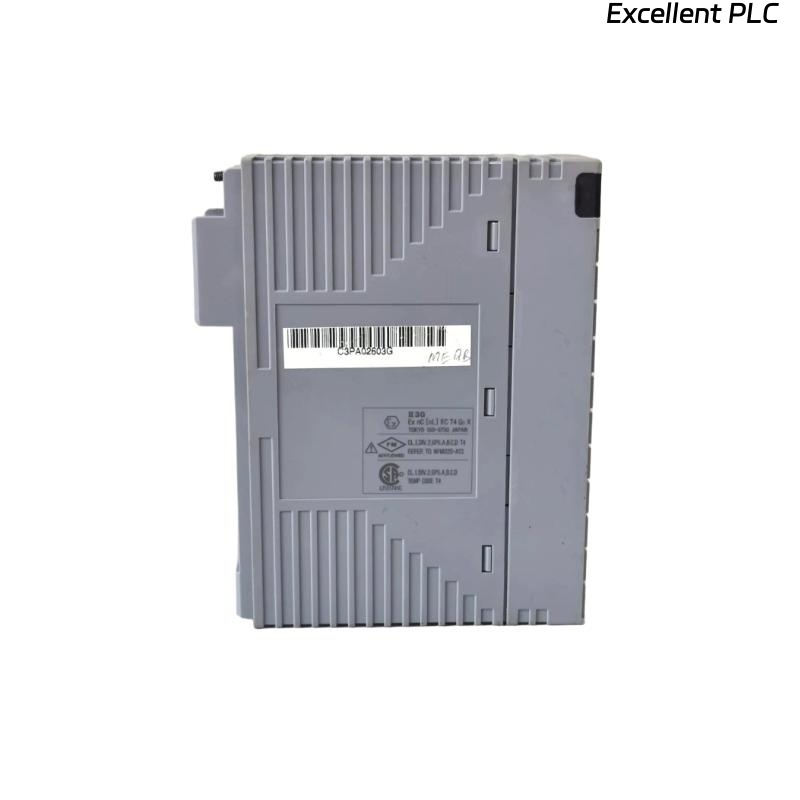
Yokogawa ADV151-E00 Digital Input Module installation issues are commonly caused by incorrect 24 VDC signal wiring, polarity mistakes, or incomplete System Configuration rather than module hardware failure. Following a structured Installation Guide significantly improves Setup and Commissioning efficiency while ensuring reliable field signal acquisition across Yokogawa control systems. The ADV151-E00 is a 32-channel isolated Digital Input Module designed for 24 VDC ON/OFF signal monitoring and SOE (Sequence of Events) applications.
Contents
- ADV151-E00 Digital Input Module Overview
- ADV151-E00 SOE Capture Function
- Installation Planning and Engineering Review
- Module Inspection Before Installation
- Installation Environment Requirements
- Input Signal Verification
- ADV151-E00 Wiring Guidelines
- Digital Input Module Installation Procedure
- ADV151-E00 Setup Procedure
- System Configuration Validation
- Controller Communication Verification
- Input Signal Testing
- Commissioning Strategy
- Performance Verification
- Maintenance Recommendations
- Real Commissioning Experience
- FAQ
ADV151-E00 Digital Input Module Overview
The ADV151-E00 is a 32-channel isolated Digital Input Module supporting 24 VDC sink/source signals. It is widely deployed in CENTUM VP, CENTUM CS 3000, and ProSafe-RS systems for monitoring field equipment status and process interlocks.
ADV151-E00 SOE Capture Function
The “-E” version includes SOE (Sequence of Events) functionality, allowing precise event recording for critical plant operations where accurate timing of input transitions is required.
- Emergency shutdown signals
- Turbine protection systems
- Power distribution monitoring
- Safety interlock recording
Installation Planning and Engineering Review
- Review I/O allocation sheets
- Confirm signal voltage levels
- Verify controller database
- Check marshalling drawings
- Validate cabinet layouts
Module Inspection Before Installation
- Verify ADV151-E00 part number
- Inspect housing condition
- Check connector integrity
- Review shipment condition
- Verify terminal accessories
Installation Environment Requirements
- Stable temperature conditions
- Controlled humidity
- Effective ventilation
- Low vibration environment
- Reliable cabinet grounding
Input Signal Verification
The module accepts 24 VDC digital input signals. Engineers should verify signal levels before energizing the cabinet. Input ON voltage should typically be between 18 and 26.4 VDC while OFF voltage should remain below 5 VDC.
- Measure signal voltage
- Verify signal polarity
- Inspect common wiring
- Confirm field contact operation
ADV151-E00 Wiring Guidelines
- Separate digital and power cables
- Use clearly labeled conductors
- Verify common terminal assignments
- Maintain shield continuity
- Avoid routing near VFD cables
Digital Input Module Installation Procedure
- Isolate cabinet power.
- Insert the ADV151-E00 into the designated slot.
- Lock the module securely.
- Connect field wiring.
- Verify terminal assignments.
- Restore power.
- Inspect module indicators.
ADV151-E00 Setup Procedure
INSTALL MODULE
APPLY SYSTEM POWER
VERIFY MODULE STATUS
CONFIGURE INPUT CHANNELS
DOWNLOAD DATABASE
CHECK SOE PARAMETERS
SAVE CONFIGURATION
VALIDATE OPERATION
System Configuration Validation
- Verify channel assignments
- Review alarm configuration
- Check event recording settings
- Validate tag database
- Confirm logic references
Controller Communication Verification
- Confirm controller connectivity
- Check scan updates
- Review diagnostic status
- Validate event synchronization
Input Signal Testing
- Activate field contacts
- Verify input response
- Monitor operator displays
- Check SOE recording accuracy
- Validate alarm generation
Commissioning Strategy
Commissioning should focus on live field devices rather than simulated inputs whenever possible. Real device testing often reveals wiring errors that remain hidden during software validation.
Performance Verification
- Input response confirmation
- Event timestamp validation
- Signal stability analysis
- Long-duration monitoring
Maintenance Recommendations
- Inspect terminals periodically
- Review event logs regularly
- Verify signal integrity
- Maintain database backups
Real Commissioning Experience
During startup of a power generation facility, operators observed that several breaker status inputs connected to an ADV151-E00 module were not updating correctly.
- Input Voltage: 24.3 VDC
- Module Status: Normal
- Communication Status: Healthy
- Affected Inputs: 8 Channels
Initial investigation focused on the Digital Input Module. However, detailed signal tracing revealed that the field wiring contractor had reversed common terminals on one marshalling strip.
After correcting the termination:
- All breaker status signals updated correctly
- SOE records synchronized properly
- Alarm logic functioned normally
- Commissioning completed without hardware replacement
In one commissioning case, a simple common wiring error produced symptoms nearly identical to a module failure.
ADV151-E00 Installation Guide FAQ
What type of signals does the ADV151-E00 accept?
The module receives 24 VDC ON/OFF digital input signals from switches, relays, sensors, and field contacts.
Why is SOE validation important during Setup?
SOE functions record event sequences and timing information that are essential for troubleshooting and operational analysis.
What should be verified before Commissioning?
Engineers should confirm wiring integrity, signal voltage levels, controller communication, and System Configuration consistency.
Summary: Successful ADV151-E00 Installation, Setup, and Commissioning depend on accurate wiring, validated System Configuration, proper SOE configuration, and comprehensive field signal testing.