 Excellent PLC


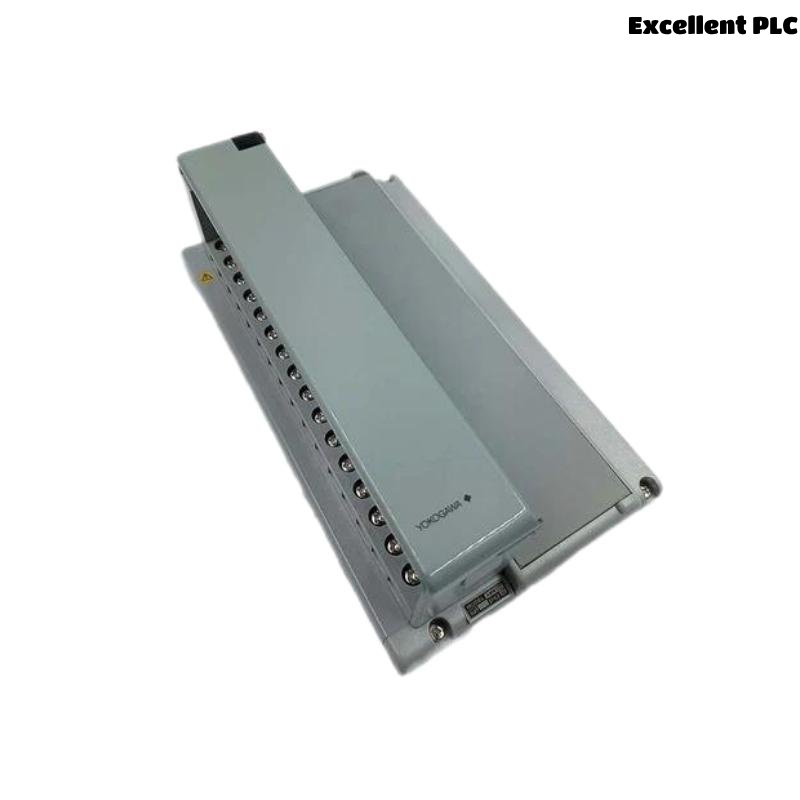
The Yokogawa AMM31T RTD Input Multiplexer Module is a multi-channel resistance temperature input module used in Yokogawa CENTUM CS and CENTUM VP Distributed Control Systems (DCS). The module acquires multiple RTD (Resistance Temperature Detector) signals through multiplexing technology and converts resistance values into accurate digital temperature measurements for process monitoring and control. It is widely applied in power generation, petrochemical processing, oil and gas, pharmaceutical manufacturing, water treatment, and other industrial automation systems. Reliable operation depends on correct RTD wiring, proper sensor configuration, good shielding and grounding, and healthy module electronics. This guide provides a systematic troubleshooting procedure for diagnosing AMM31T faults and restoring reliable temperature measurement.
Contents
- 1. Understanding Module Faults
- 2. Common Failure Symptoms
- 3. Typical Causes
- 4. Initial Hardware Inspection
- 5. RTD Signal Verification
- 6. Diagnostic Analysis
- 7. Recommended Troubleshooting Workflow
- 8. Corrective Actions
- 9. Functional Recovery Verification
- 10. Preventive Maintenance
- 11. Industrial Maintenance Case
- 12. Frequently Asked Questions
Understanding Module Faults
The AMM31T continuously scans multiple RTD channels and converts sensor resistance into digital temperature values. Accurate measurements require the correct RTD type configuration, proper 2-wire, 3-wire, or 4-wire wiring, secure electrical connections, low cable resistance, stable grounding, and correct controller configuration. Temperature measurement errors commonly result from open RTD circuits, incorrect wiring, excessive lead resistance, loose terminals, electrical interference, or internal module hardware failures.
Common Failure Symptoms
- No temperature reading.
- Temperature remains fixed.
- Incorrect temperature measurement.
- Temperature fluctuates excessively.
- Open RTD alarm.
- Multiple channel failures.
- Intermittent measurement loss.
- Module diagnostic alarms.
Typical Causes
- Open RTD sensor circuit.
- Incorrect RTD wiring.
- Wrong RTD type selected.
- Loose terminal connections.
- Excessive lead wire resistance.
- Poor shielding or grounding.
- Electrical interference.
- Internal AMM31T hardware failure.
Initial Hardware Inspection
- Verify the AMM31T is fully installed in the I/O base.
- Inspect RTD wiring and terminals.
- Check connector locking mechanisms.
- Verify controller power supply.
- Inspect module diagnostic indicators.
RTD Signal Verification
- Verify the configured RTD type matches the installed sensor.
- Measure RTD resistance using a calibrated ohmmeter.
- Inspect cable continuity.
- Verify correct 2-wire, 3-wire, or 4-wire connections.
- Check cable shielding and grounding.
- Inspect sensor installation for physical damage.
Diagnostic Analysis
| Observed Condition | Possible Diagnosis |
|---|---|
| No temperature value | Open RTD circuit or module fault |
| Incorrect temperature | Wrong RTD type or wiring error |
| Temperature fluctuations | Electrical interference or loose wiring |
| Open RTD alarm | Broken sensor or disconnected cable |
| Multiple channel failures | Power supply issue or module hardware failure |
Recommended Troubleshooting Workflow
CHECK MODULE STATUS
VERIFY POWER SUPPLY
INSPECT RTD WIRING
VERIFY SENSOR TYPE
MEASURE RTD RESISTANCE
CHECK DIAGNOSTICS
VERIFY SIGNAL STABILITY
CONFIRM NORMAL OPERATION
Corrective Actions
- Reconnect loose RTD wiring.
- Replace damaged RTD sensors.
- Correct wiring configuration.
- Select the proper RTD type.
- Reduce excessive lead resistance.
- Improve cable shielding and grounding.
- Replace damaged field cables.
- Replace the AMM31T module if internal hardware failure is confirmed.
Functional Recovery Verification
- Verify all configured channels operate correctly.
- Compare measured temperatures with calibrated reference equipment.
- Verify engineering unit scaling.
- Confirm alarm functionality.
- Monitor long-term temperature stability.
Preventive Maintenance
- Inspect RTD wiring during scheduled maintenance.
- Verify terminal tightness.
- Inspect cable shielding.
- Review module diagnostic logs.
- Perform periodic RTD calibration verification.
- Maintain clean cabinet ventilation.
Industrial Maintenance Case
At a combined-cycle power plant, operators observed that several RTD temperature measurements connected to an AMM31T module consistently displayed temperatures approximately 8°C higher than expected.
Maintenance personnel discovered that two conductors of a three-wire Pt100 sensor had been incorrectly connected after cable replacement, introducing additional lead resistance into the measurement circuit. After correcting the wiring and verifying channel configuration:
- Temperature measurements immediately returned to specification.
- All RTD channels matched certified calibration equipment.
- Temperature alarms functioned normally.
- No additional measurement errors occurred during continuous plant operation.
Frequently Asked Questions
Why does one RTD channel display an open circuit alarm?
The most common causes are a broken RTD element, disconnected field wiring, damaged cable, loose terminal, or poor connector contact.
Why is the measured temperature higher than the actual process temperature?
Possible causes include incorrect RTD type configuration, excessive lead wire resistance, improper wiring, damaged sensor elements, or calibration errors.
What should be checked before replacing the AMM31T?
Verify RTD resistance, wiring integrity, sensor type configuration, cable continuity, shielding, grounding, controller diagnostics, and calibration before concluding that the module itself has failed.
Summary
Effective troubleshooting of the Yokogawa AMM31T RTD Input Multiplexer Module requires systematic verification of module installation, RTD wiring, sensor configuration, lead resistance, grounding, shielding, and controller diagnostics. Routine preventive maintenance, periodic calibration verification, and prompt correction of wiring or configuration issues ensure accurate multi-channel temperature measurement and reliable long-term operation in Yokogawa CENTUM Distributed Control Systems.