 Excellent PLC


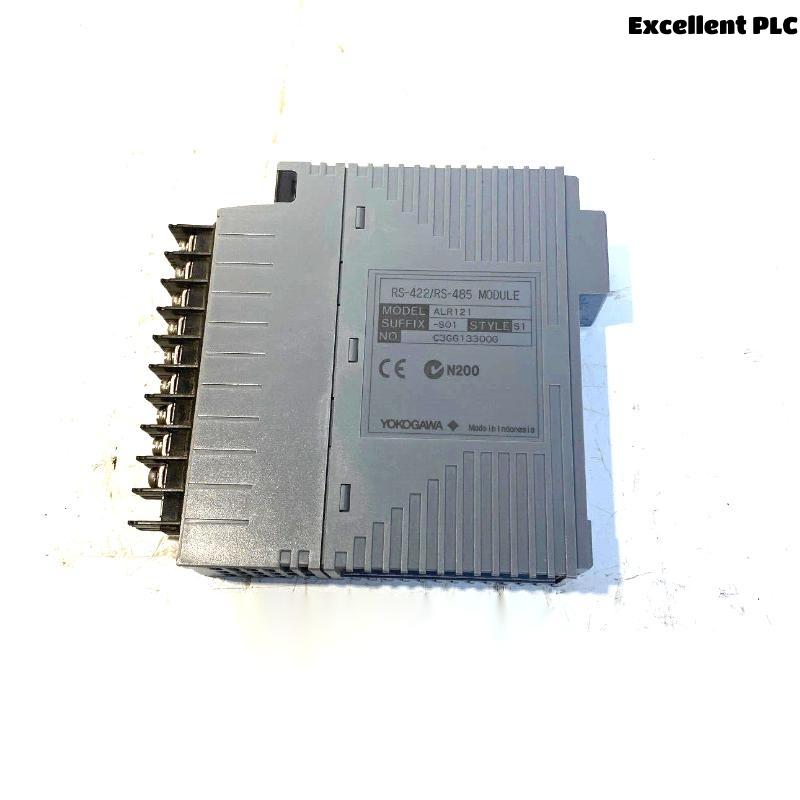
The Yokogawa ALR121 Serial Communication Module is an industrial serial interface used in Yokogawa CENTUM VP and CENTUM CS Distributed Control Systems (DCS). It provides reliable serial communication between the Field Control Station (FCS) and external equipment such as PLCs, Remote Terminal Units (RTUs), analyzers, package units, variable frequency drives (VFDs), and other intelligent industrial devices. Supporting configurable communication parameters and standard industrial serial protocols, the ALR121 enables stable real-time data acquisition, command transmission, and equipment integration. Communication failures may result from configuration mismatches, wiring faults, electrical interference, protocol incompatibility, or hardware failures. This guide presents a systematic troubleshooting procedure for diagnosing ALR121 communication problems and restoring reliable serial communication.
Contents
- 1. Understanding Serial Communication Faults
- 2. Common Failure Symptoms
- 3. Typical Causes of Communication Problems
- 4. Initial Hardware Inspection
- 5. Serial Communication Verification
- 6. Diagnostic Analysis
- 7. Recommended Troubleshooting Workflow
- 8. Corrective Actions
- 9. Functional Recovery Verification
- 10. Preventive Maintenance
- 11. Industrial Maintenance Case
- 12. Frequently Asked Questions
Understanding Serial Communication Faults
The ALR121 functions as the communication bridge between Yokogawa controllers and external serial devices. Stable operation requires proper module installation, correct RS-232 or RS-422/RS-485 wiring, matching communication parameters, compatible protocol settings, effective grounding, and healthy communication hardware. Most communication failures originate from incorrect baud rate settings, parity mismatches, loose wiring, damaged cables, protocol configuration errors, or electrical noise.
Common Failure Symptoms
- No communication with connected equipment.
- Communication timeout alarms.
- Intermittent communication interruptions.
- CRC or checksum errors.
- Corrupted or incomplete process data.
- External devices fail to respond.
- Operator commands are not executed.
- Communication diagnostic alarms.
Typical Causes of Communication Problems
- Incorrect baud rate configuration.
- Parity, data bit, or stop bit mismatch.
- Improper RS-232 or RS-485 wiring.
- Loose communication connectors.
- Damaged serial communication cable.
- Poor cable shielding or grounding.
- Protocol incompatibility.
- Internal ALR121 hardware failure.
Initial Hardware Inspection
- Verify the ALR121 is fully seated in the controller chassis.
- Inspect communication cable condition.
- Check connector integrity.
- Verify controller power supply operation.
- Inspect module status indicators.
Serial Communication Verification
- Verify baud rate configuration.
- Confirm parity, stop bits, and data bits.
- Check communication protocol settings.
- Verify slave or device addressing.
- Inspect TX/RX wiring polarity.
- Verify RS-485 termination where required.
- Inspect shielding and grounding integrity.
Diagnostic Analysis
| Observed Condition | Possible Diagnosis |
|---|---|
| No communication | Incorrect wiring, communication settings, or module failure |
| Communication timeout | Disconnected device or protocol mismatch |
| Corrupted data | Incorrect serial parameters or electromagnetic interference |
| Intermittent communication | Loose connector, damaged cable, or poor grounding |
| CRC/checksum errors | Transmission noise or communication parameter mismatch |
Recommended Troubleshooting Workflow
CHECK MODULE STATUS
VERIFY SERIAL WIRING
CHECK BAUD RATE
VERIFY PARITY SETTINGS
CONFIRM DEVICE ADDRESS
VERIFY PROTOCOL CONFIGURATION
CHECK COMMUNICATION DIAGNOSTICS
CONFIRM STABLE DATA EXCHANGE
Corrective Actions
- Reconnect loose communication cables.
- Replace damaged serial communication cables.
- Correct communication parameter mismatches.
- Verify protocol compatibility.
- Improve cable shielding and grounding.
- Repair wiring polarity errors.
- Replace the ALR121 module if hardware diagnostics confirm internal failure.
Functional Recovery Verification
- Verify stable communication with all connected devices.
- Confirm accurate process data transmission.
- Verify successful command execution.
- Monitor communication diagnostics.
- Confirm long-term communication stability.
Preventive Maintenance
- Inspect serial communication cables regularly.
- Verify connector security.
- Maintain proper shielding and grounding.
- Review communication diagnostics periodically.
- Verify protocol configuration after controller or device updates.
- Replace aging communication cables before failures occur.
Industrial Maintenance Case
At a petrochemical facility, operators experienced repeated communication timeouts between a CENTUM VP controller and several Modbus RTU analyzers connected through an ALR121 module.
Investigation determined that an analyzer firmware upgrade had changed the serial communication settings from Even parity to None parity, creating a parameter mismatch. After restoring matching communication settings and verifying cable integrity:
- Communication resumed immediately.
- Analyzer data updated normally.
- Communication timeout alarms disappeared.
- The serial network remained stable during continuous production.
Frequently Asked Questions
Why can’t the controller communicate with a serial device?
Common causes include incorrect baud rate, parity mismatch, improper wiring, loose connectors, damaged communication cables, protocol incompatibility, or ALR121 hardware failure.
What should be checked before replacing the ALR121 module?
Verify communication wiring, serial parameter settings, protocol compatibility, device addressing, shielding, grounding, controller diagnostics, and external device operation before concluding that the communication module is faulty.
How can electromagnetic interference affect serial communication?
Improper cable routing, insufficient shielding, or poor grounding can introduce electromagnetic interference (EMI), leading to corrupted data, CRC errors, communication retries, intermittent failures, and reduced communication reliability.
Summary
Effective troubleshooting of the Yokogawa ALR121 Serial Communication Module requires systematic verification of module installation, serial wiring, communication parameters, protocol compatibility, shielding, grounding, and controller diagnostics. Routine preventive maintenance, proper cable management, and prompt correction of configuration issues help ensure reliable long-term serial communication within Yokogawa CENTUM VP Distributed Control Systems.