 Excellent PLC


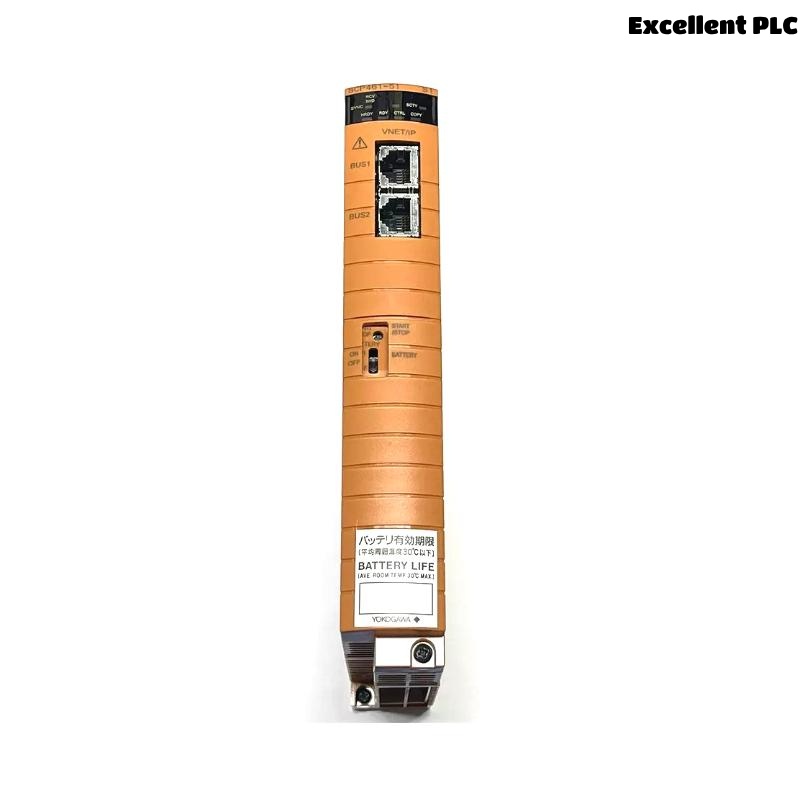
Yokogawa SCP461-51-S1 Processor Module faults are more frequently caused by database corruption, communication failures, power disturbances, or configuration mismatches than actual CPU hardware failures. Effective Troubleshooting requires a structured Fault Diagnosis process that evaluates processor status, communication health, and controller resources before replacing the module.
Contents
- SCP461-51-S1 Processor Module Fault Symptoms
- Typical Processor Failure Patterns
- Common Causes of SCP461-51-S1 Processor Faults
- Fault Diagnosis Methodology
- CPU Status Analysis
- Communication Fault Troubleshooting
- Database Integrity Verification
- Power Supply Diagnostics
- Controller Resource Analysis
- System Configuration Troubleshooting
- Diagnostic Workflow
- Recovery Procedures
- Post-Repair Validation
- Failure Prevention Measures
- Real Fault Diagnosis Case
- FAQ
SCP461-51-S1 Processor Module Fault Symptoms
- Controller remains in INIT mode
- Unexpected controller restart
- Communication loss
- I/O scan interruption
- Controller watchdog alarms
- Database synchronization failure
Typical Processor Failure Patterns
- Startup failures after maintenance
- Communication interruptions after upgrades
- Intermittent controller resets
- Redundancy switching issues
- Configuration-related startup faults
Common Causes of SCP461-51-S1 Processor Faults
- Database inconsistencies
- Power supply instability
- Communication network failures
- Incorrect node configuration
- Firmware mismatch
- Resource overload conditions
- Hardware aging
Fault Diagnosis Methodology
Experienced automation engineers avoid replacing a Processor Module immediately after a fault occurs.
The first objective is identifying whether the fault originates from CPU hardware, software configuration, communication infrastructure, or power systems.
CPU Status Analysis
| Processor Status | Possible Cause |
|---|---|
| INIT | Database or startup issue |
| STOP | Configuration fault |
| RESTART LOOP | Power instability or firmware issue |
| RUN | Normal operation |
Communication Fault Troubleshooting
- Inspect network interfaces
- Verify node addressing
- Review communication alarms
- Validate switch configurations
- Check redundant links
Database Integrity Verification
- Verify project versions
- Check download history
- Review configuration changes
- Validate database consistency
- Inspect synchronization status
Power Supply Diagnostics
- Measure supply voltage
- Verify UPS operation
- Inspect grounding system
- Review power event logs
Controller Resource Analysis
- CPU utilization review
- Memory allocation checks
- Task scheduling analysis
- Scan cycle monitoring
System Configuration Troubleshooting
- Node address verification
- Controller assignment review
- I/O mapping validation
- Firmware compatibility checks
- Network parameter inspection
Diagnostic Workflow
CHECK CPU STATUS
REVIEW EVENT LOGS
VERIFY POWER SUPPLY
CHECK COMMUNICATION
VALIDATE DATABASE
INSPECT CONFIGURATION
CONFIRM ROOT CAUSE
Recovery Procedures
- Restore configuration database
- Correct communication parameters
- Repair network infrastructure
- Update firmware
- Replace faulty hardware if necessary
Post-Repair Validation
- Controller startup confirmation
- Communication verification
- I/O processing validation
- Redundancy testing
- Alarm function testing
Failure Prevention Measures
- Maintain database backups
- Monitor power quality
- Review communication health regularly
- Implement change management procedures
Real Fault Diagnosis Case
A refinery control system experienced repeated SCP461-51-S1 controller restarts every 20 to 30 minutes.
- CPU utilization: 42%
- Memory utilization: 58%
- Communication status: Stable
- Power supply voltage: Fluctuating between 22.3VDC and 24.1VDC
The maintenance team initially prepared a replacement Processor Module.
Detailed Troubleshooting revealed a failing redundant power supply module introducing intermittent voltage dips.
After replacing the power supply:
- Controller restarts disappeared
- CPU operation stabilized
- Communication remained uninterrupted
- System availability returned to normal
We observed that power quality issues frequently create symptoms that resemble processor hardware failures.
SCP461-51-S1 Troubleshooting FAQ
Does a controller startup failure always indicate a faulty Processor Module?
No. Configuration errors, database issues, communication faults, and power disturbances are often responsible.
What should be checked first during Fault Diagnosis?
CPU status, event logs, power quality, and communication health should be evaluated before replacing hardware.
Can network faults affect processor operation?
Yes. Communication failures can prevent synchronization, startup completion, and controller redundancy functions.
Summary: Effective SCP461-51-S1 Troubleshooting requires systematic Fault Diagnosis, CPU status analysis, communication verification, database validation, and power system assessment before Processor Module replacement.