 Excellent PLC


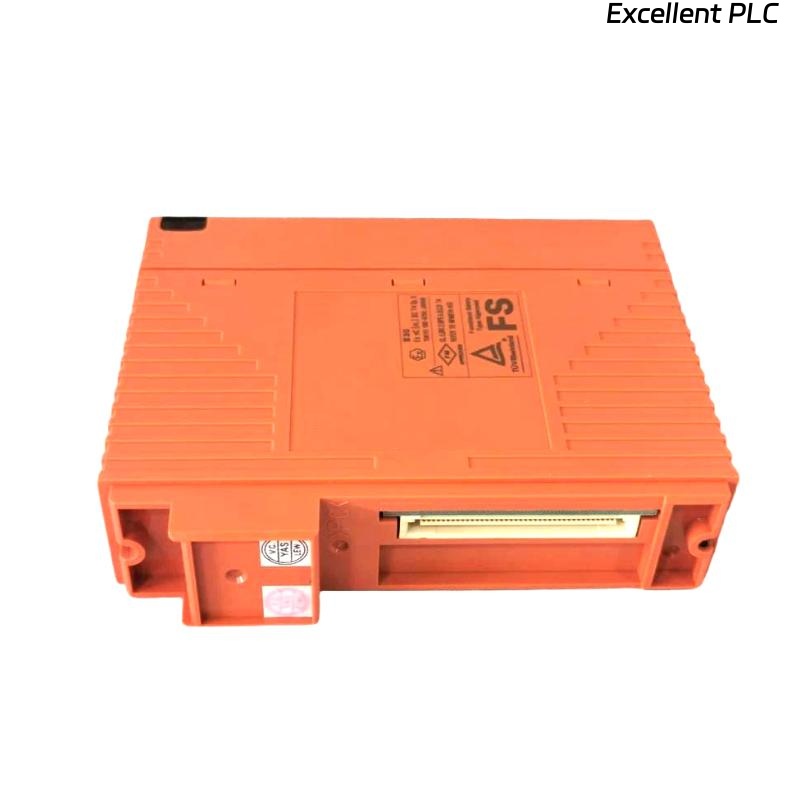
Yokogawa SDV144-S13 S1 Digital Input Module startup failures are most often caused by wiring mistakes, incorrect contact signal characteristics, or incomplete System Configuration rather than module hardware defects. For safety systems, proper Installation Guide execution and Commissioning verification are essential to avoid nuisance alarms and false shutdowns. The SDV144-S13 S1 is a 16-channel, 24VDC module-isolated Digital Input Module designed for safety-critical applications. :contentReference[oaicite:0]{index=0}
Contents
- SDV144-S13 S1 Digital Input Module Overview
- Role of the SDV144-S13 S1 in Safety Systems
- Installation Planning Strategy
- Hardware Inspection Before Installation
- Control Cabinet Requirements
- Input Signal Requirements
- External Power Supply Verification
- SDV144-S13 S1 Installation Guide
- Digital Input Wiring Best Practices
- Grounding and Shielding Method
- SDV144-S13 S1 Setup Procedure
- Input Channel Assignment
- System Configuration Validation
- Field Signal Testing
- Commissioning Verification
- Acceptance Criteria
- Maintenance Recommendations
- Real Commissioning Case
- FAQ
SDV144-S13 S1 Digital Input Module Overview
The SDV144-S13 S1 Digital Input Module provides 16 isolated digital input channels for monitoring dry contacts and field status signals in Yokogawa safety systems. Typical input voltage is 24VDC with module isolation architecture. :contentReference[oaicite:1]{index=1}
Role of the SDV144-S13 S1 in Safety Systems
- Emergency shutdown monitoring
- Fire and gas signal acquisition
- Compressor protection logic
- Turbine trip monitoring
- Process interlock supervision
- Critical alarm status collection
Installation Planning Strategy
- Review I/O database
- Verify loop drawings
- Confirm spare channels
- Inspect field cable schedules
- Prepare commissioning records
Hardware Inspection Before Installation
- Verify model number
- Inspect connector condition
- Check terminal integrity
- Confirm module revision
- Review project documentation
Control Cabinet Requirements
- Stable temperature environment
- Proper ventilation
- Low vibration exposure
- EMC-compliant installation
- Dedicated grounding network
Input Signal Requirements
The module is designed for no-voltage contact inputs and 24VDC field circuits. Input resistance and signal quality should be verified before energization. :contentReference[oaicite:2]{index=2}
- Check dry contact integrity
- Verify field voltage levels
- Measure cable continuity
- Confirm signal polarity
- Inspect junction boxes
External Power Supply Verification
- Nominal supply: 24VDC
- Verify voltage stability
- Inspect fuse condition
- Measure load current
- Check power redundancy
SDV144-S13 S1 Installation Guide
- De-energize the cabinet.
- Insert the module into the assigned slot.
- Secure the retaining mechanism.
- Connect field terminals.
- Verify mechanical seating.
- Inspect terminal identification.
Digital Input Wiring Best Practices
- Separate signal and power cables
- Use shielded instrumentation cables
- Apply terminal labeling standards
- Maintain wiring documentation
- Verify torque values
Grounding and Shielding Method
- Single-point shield grounding
- Avoid multiple earth paths
- Maintain shield continuity
- Inspect cabinet bonding
SDV144-S13 S1 Setup Procedure
INSTALL MODULE
VERIFY WIRING
APPLY 24VDC POWER
DOWNLOAD CONFIGURATION
MAP INPUT CHANNELS
VALIDATE STATUS
SAVE DATABASE
Input Channel Assignment
- Emergency stop contacts
- Pressure switch feedbacks
- Motor running status
- Fire detector contacts
- Gas detector alarms
System Configuration Validation
- Address verification
- I/O allocation review
- Alarm configuration validation
- Logic assignment check
- Database synchronization
Field Signal Testing
- Simulate contact transitions
- Verify alarm responses
- Check event recording
- Validate signal stability
- Review controller diagnostics
Commissioning Verification
The SDV144-S13 S1 response time is typically within 40 ms. Input transitions should be confirmed during functional testing. :contentReference[oaicite:3]{index=3}
Acceptance Criteria
- No active diagnostic alarms
- Stable channel indication
- Correct logic execution
- Successful integrated testing
Maintenance Recommendations
- Quarterly terminal inspections
- Annual continuity testing
- Grounding audits
- Configuration backups
Real Commissioning Case
During commissioning of a gas processing unit, operators reported unstable status indications on six SDV144-S13 S1 input channels.
- Expected voltage: 24VDC
- Measured voltage: 16.8VDC
- Communication status: Healthy
- Module diagnostics: Normal
Engineers initially suspected a faulty Digital Input Module. After systematic troubleshooting, a loose marshalling terminal was discovered.
After correction:
- Voltage stabilized at 24.1VDC
- Input status normalized
- False alarms disappeared
- Commissioning completed successfully
In one commissioning case, less than five minutes of voltage measurement avoided unnecessary module replacement.
SDV144-S13 S1 Installation Guide FAQ
What signal type does the SDV144-S13 S1 support?
The module is designed for digital field inputs including dry contacts and 24VDC status signals. :contentReference[oaicite:4]{index=4}
Why is grounding important during Setup?
Proper grounding minimizes electrical noise and improves signal stability.
What should be verified before Commissioning?
Field wiring, channel mapping, System Configuration, voltage levels, and logic execution should all be validated.
Summary: Successful SDV144-S13 S1 Installation, Setup, and Commissioning depend on accurate wiring, proper grounding, stable 24VDC signals, and complete System Configuration validation. :contentReference[oaicite:5]{index=5}