 Excellent PLC


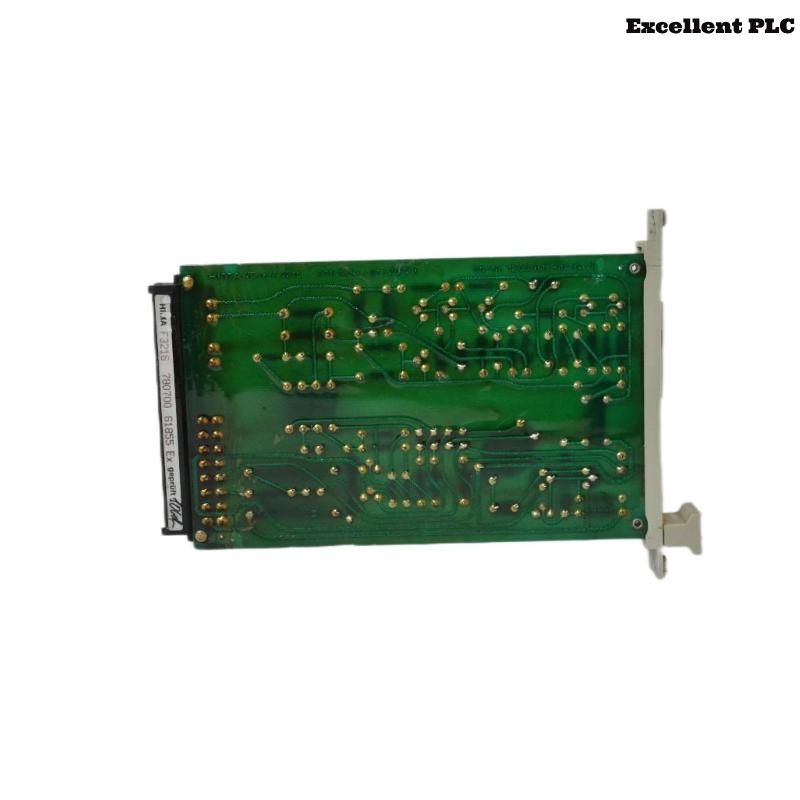
HIMA F3216 Installation & Setup Guide for H50 Safety System
Contents
- Overview of HIMA F3216
- H50 Safety System Overview
- Installation Preparation
- Step-by-Step Setup
- Common Installation Issues & Tips
- Safety Notes & Best Practices
Overview of HIMA F3216
The HIMA F3216 Module is a high-performance safety I/O component designed for functional safety PLC systems. It handles multiple input and output channels to ensure safe and reliable process control. This guide provides engineers with detailed steps for correct installation and H50 system integration.
H50 Safety System Overview
The H50 system is a widely deployed functional safety platform in industrial automation and process control. It integrates modules such as the F3216 to provide high-availability safety functions, emergency shutdown, and monitoring of critical signals.
Installation Preparation
- Disconnect power sources and use ESD protective equipment.
- Verify cabinet conditions: temperature 0–45°C, humidity below 55%.
- Prepare necessary tools: torque screwdriver (0.5–0.6 Nm), multimeter, lint-free cloth.
- Ensure H50 configuration software is installed and updated.
Step-by-Step Setup
Module Mounting
- Identify the designated slot in the H50 cabinet for F3216.
- Align the module rails with cabinet guides and insert until fully seated.
- Secure with screws or clamps, ensuring connectors are properly engaged.
Electrical Connections
- Connect input/output channels per wiring diagram.
- Verify wire insulation, polarity, and channel isolation.
- Tighten terminal screws to specified torque (0.5–0.6 Nm).
- Power up module and verify voltage meets H50 specifications.
- Ensure grounding to reduce EMI and signal interference.
Software Detection & Configuration
H50_TOOL>SCAN_MODULES
F3216 detected in slot 6

H50_TOOL>MODULE=F3216
SHOW_MODULE_INFO
Confirm firmware version and readiness for H50 system configuration. Note module ID and slot for documentation.
Firmware Verification & Channel Setup
H50_Update.exe --module=F3216 --firmware=V2.8.0
Configure all input/output channels according to project requirements. Save and download the configuration to the module.
Initial Power-On & Functional Validation
- Power on cabinet, observe LEDs; green indicates normal operation.
- Measure voltages using a multimeter to confirm proper supply.
- Use H50 software to verify channels are online and responding correctly.
- Document all functional test results for each channel.
Common Installation Issues & Tips
- Loose terminals can cause intermittent channel failure – retighten as needed.
- Incorrect polarity or wiring can prevent module detection.
- Environmental factors (temperature, humidity, EMI) may affect operation.
Safety Notes & Best Practices
- Follow IEC 61508 and local safety standards.
- Always disconnect power before wiring tasks.
- Maintain installation records and H50 configuration documentation.
- Regularly update firmware/software to ensure functional safety compliance.