 Excellent PLC


Guide Contents
- Module Overview
- Integration into ABB PLC Systems
- Pre-Installation Checks
- Physical Installation Procedure
- Digital Input Wiring Guidelines
- System Verification and Commissioning
- Field Engineer Advice
Module Overview
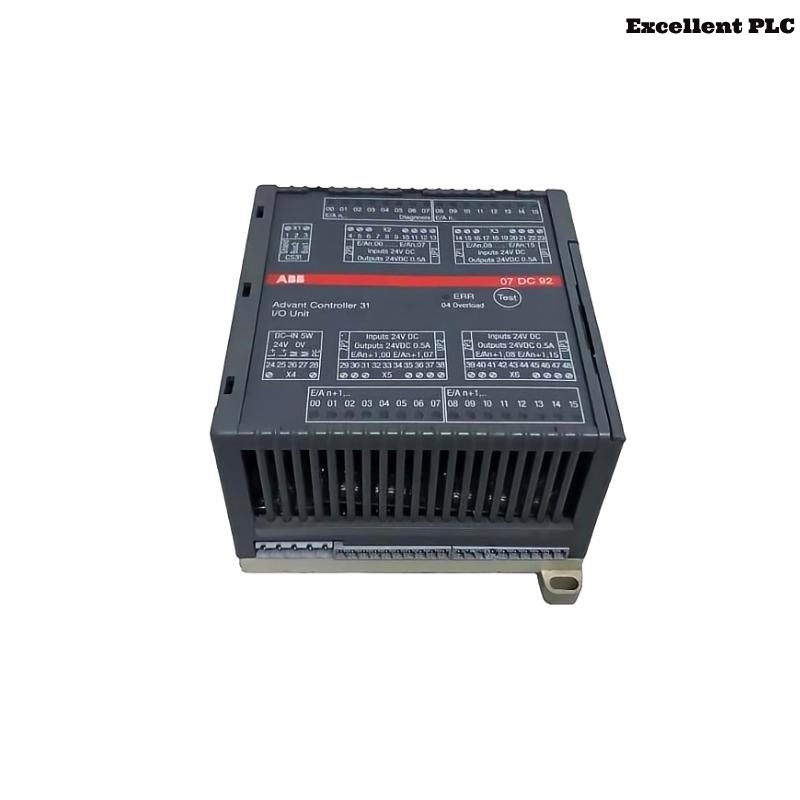
The ABB 07DI92 module (GJR5252400R0101) is designed for digital input acquisition in ABB PLC automation platforms. It collects discrete signals from industrial devices, such as sensors, switches, and safety interlocks, and transmits them to the PLC CPU for processing.
Proper installation ensures reliable digital signal acquisition and prevents false input readings that may affect automation sequences or safety systems.
Integration into ABB PLC Systems
Digital input modules are critical components in the ABB PLC modular architecture. The 07DI92 module allows the controller to monitor field device status and react to system conditions.
Applications include:
- Monitoring machine positions and limit switches
- Receiving operator control inputs
- Implementing safety interlock logic
- Interfacing with relay or contactor signals
Pre-Installation Checks
Before mounting the module, ensure that the control cabinet environment meets ABB standards.
- Ambient temperature between 0°C and 50°C
- Relative humidity below 85%
- Dry, dust-free cabinet interior
- Proper grounding of rack and cabinet frame
Required tools:
- Insulated screwdrivers
- Wire stripper
- Digital multimeter
- Anti-static wrist strap
Physical Installation Procedure
Step 1 – Power Isolation
- Disconnect the control cabinet power supply.
- Confirm the rack backplane voltage is fully off.
- Ensure adjacent modules are secure and properly seated.
Step 2 – Module Mounting
- Identify the designated slot for the 07DI92 module.
- Align the module with the rack guide rails.
- Slide the module into the slot until the backplane connector engages.
- Secure the module with the rack locking mechanism.
Correct seating ensures stable electrical connection with the backplane.
Digital Input Wiring Guidelines
- Connect field devices according to the ABB wiring diagram.
- Check voltage compatibility and polarity for all inputs.
- Separate signal cables from high-voltage power lines.
- Use shielded cabling in electrically noisy environments.
- Ensure terminal screws are tightened securely.
System Verification and Commissioning
After installation and wiring, power on the PLC system and verify module detection.
SYSTEM_STARTUP
SCAN_RACK_MODULES
DISPLAY_MODULE_LIST
VERIFY_MODULE 07DI92
CHECK_DIGITAL_INPUT_STATUS
If the module is detected with no faults, installation is complete and the module is operational.
Field Engineer Advice
- Label all input cables for easier maintenance.
- Document module slot and wiring information in maintenance records.
- Inspect terminals and connectors periodically.
- Check PLC diagnostic logs regularly for input anomalies.
Adhering to these practices ensures reliable operation of the ABB 07DI92 digital input module in industrial automation systems.