 Excellent PLC


Guide Contents
- Controller Introduction
- Function in the Automation Architecture
- Environmental Requirements
- Controller Installation Method
- Power and Interface Wiring
- Startup Checklist
- Recommended Engineering Practices
Controller Introduction
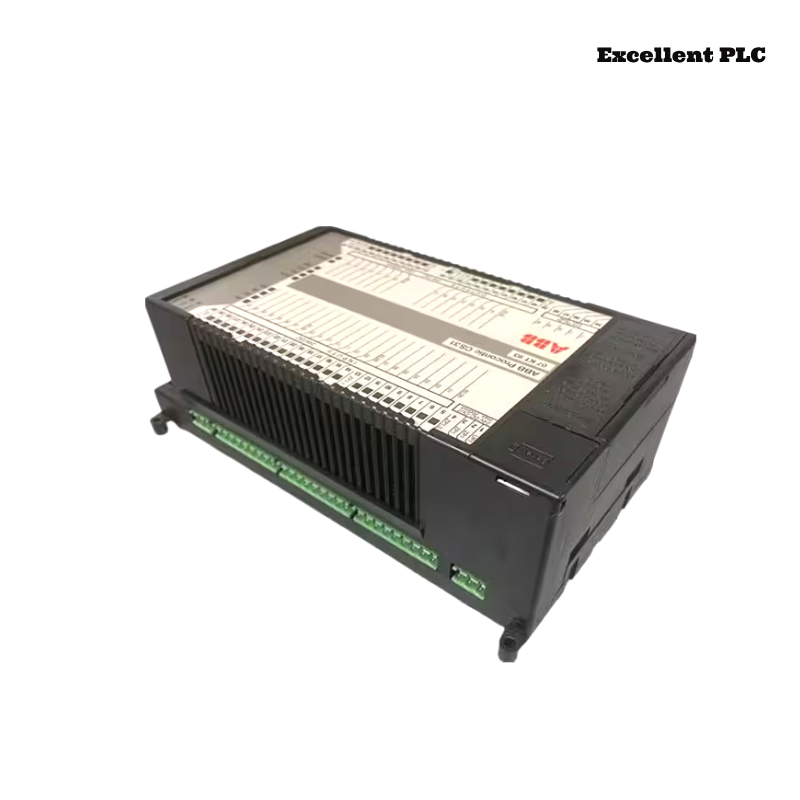
The ABB 07KT93 PLC controller is designed for industrial control applications within the ABB Procontic PLC family. The controller integrates CPU processing capability, communication interfaces, and system monitoring features necessary for reliable automation control.
This device is commonly installed in manufacturing lines, machine control cabinets, and industrial process systems where programmable automation is required.
Function in the Automation Architecture
Within the Procontic PLC architecture, the 07KT93 controller acts as the primary logic processor that coordinates communication between I/O modules and executes user-defined control programs.
The controller performs several essential functions:
- Processing PLC control logic
- Managing digital and analog I/O modules
- Communicating with programming software
- Monitoring system diagnostics and operating status
Correct installation ensures stable system communication and reliable operation.
Environmental Requirements
Before installing the controller, verify that the control cabinet meets industrial installation standards.
- Ambient temperature between 0°C and 50°C
- Relative humidity below 85%
- Proper cabinet grounding
- Clean installation environment free from excessive dust
Basic installation tools include:
- Insulated screwdriver
- Electrical tester or multimeter
- Anti-static wrist strap
- Industrial communication cables
Controller Installation Method
Preparation
- Turn off the main PLC power supply.
- Confirm that the installation rail is not energized.
- Inspect the mounting rail to ensure secure grounding.
Mounting the Controller
- Align the 07KT93 controller with the DIN rail.
- Insert the module until the backplane connector is engaged.
- Lock the module into place using the retaining clip.
- Verify that the controller is securely fixed.
Proper mechanical installation prevents vibration-related connection issues.
Power and Interface Wiring
After the controller is mounted, complete the necessary wiring connections.
- Connect the recommended DC power supply to the PLC input terminals.
- Verify voltage polarity before applying power.
- Attach communication cables used for programming access.
- Route signal cables separately from high-voltage wiring.
Good cable management helps prevent electrical interference.
Startup Checklist
After completing the wiring, power on the PLC system and verify correct operation.
POWER_SYSTEM_ON
CHECK_CPU_INDICATORS
DETECT_CONNECTED_MODULES
VERIFY_SYSTEM_CONFIGURATION
LOAD_CONTROL_PROGRAM
If the controller recognizes all connected modules and executes the program normally, the installation is successful.
Recommended Engineering Practices
- Clearly label all modules and wiring connections.
- Maintain updated system configuration documentation.
- Back up PLC programs regularly.
- Inspect connectors and wiring periodically.
- Monitor controller status indicators during operation.
Following these installation practices helps ensure reliable long-term operation of the ABB 07KT93 PLC controller in industrial automation environments.