 Excellent PLC


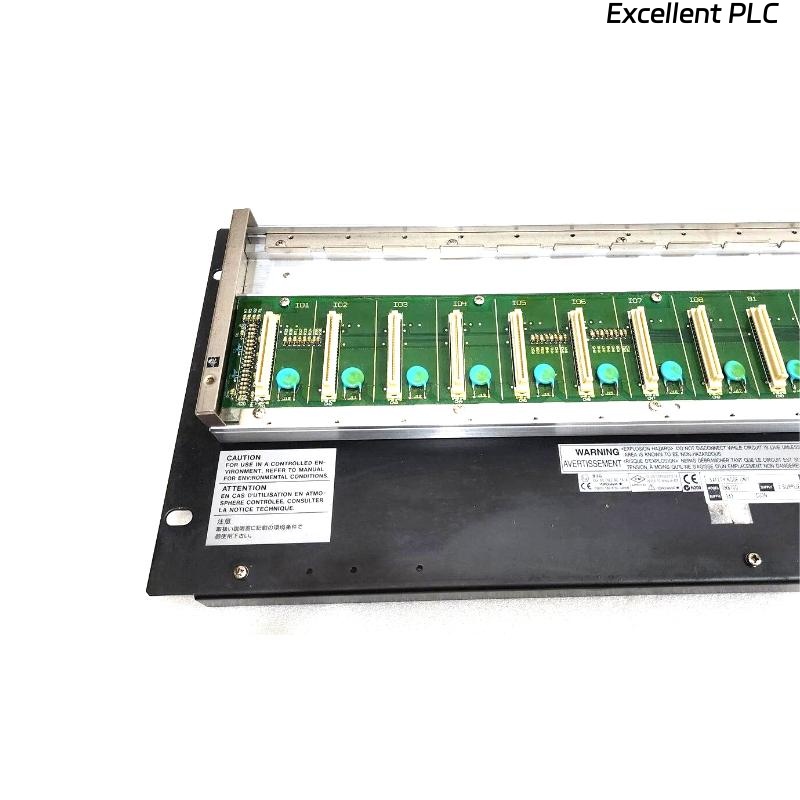
Yokogawa SNB10D-243/CU2N communication faults are usually caused by ESB Bus infrastructure issues, unstable 24VDC power, connector contamination, or configuration mismatches rather than actual Safety Node Unit hardware failure. Effective Troubleshooting requires engineers to investigate communication paths and power quality before replacing modules. :contentReference[oaicite:6]{index=6}
Contents
- SNB10D-243/CU2N Fault Symptoms
- Impact on SIS Operations
- Common Failure Patterns
- Common Causes of SNB10D-243/CU2N Faults
- Fault Diagnosis Thinking Process
- ESB Bus Communication Troubleshooting
- 24VDC Power Fault Analysis
- CU2N Connector Inspection
- Safety Signal Analysis
- System Configuration Troubleshooting
- Engineering Diagnostic Workflow
- Corrective Actions
- Validation After Repair
- Preventive Maintenance
- Real Fault Diagnosis Case
- FAQ
SNB10D-243/CU2N Fault Symptoms
- Node offline alarms
- Communication timeout events
- Missing safety signals
- Slow I/O updates
- Redundancy warnings
- Unexpected trip actions
Impact on SIS Operations
- Reduced process visibility
- Safety loop interruptions
- Communication instability
- Alarm flooding
- Lower system availability
Common Failure Patterns
Service engineers often encounter:
- Communication loss after maintenance
- Startup faults after expansion projects
- Intermittent node visibility
- Random I/O disappearance
- Repeated ESB Bus alarms
Common Causes of SNB10D-243/CU2N Faults
- 24VDC voltage drop
- ESB cable damage
- Address conflicts
- CU2N connector contamination
- Grounding deficiencies
- Configuration mismatch
- Communication path failure
Fault Diagnosis Thinking Process
Experienced engineers rarely begin by replacing hardware.
- Review alarm history.
- Verify power stability.
- Inspect communication infrastructure.
- Validate configuration.
- Evaluate hardware health.
ESB Bus Communication Troubleshooting
- Verify node visibility
- Check retry counters
- Measure network latency
- Inspect communication cables
- Validate redundancy paths
Most communication faults originate outside the Safety Node Unit.
24VDC Power Fault Analysis
| Measured Voltage | Possible Condition |
|---|---|
| 24.0V – 24.5V | Normal |
| 23.0V – 23.8V | Potential voltage drop |
| Below 23.0V | Communication instability risk |
| Fluctuating voltage | Power supply fault |
CU2N Connector Inspection
- Check physical damage
- Inspect oxidation
- Verify connector seating
- Confirm locking mechanism
The CU2N connector is a common source of intermittent communication faults. :contentReference[oaicite:7]{index=7}
Safety Signal Analysis
| Observed Symptom | Likely Cause |
|---|---|
| Missing input signal | I/O mapping error |
| Random output failure | Communication issue |
| Signal fluctuation | Grounding problem |
| Unexpected shutdown | Logic mismatch |
System Configuration Troubleshooting
- Review node addresses
- Inspect I/O assignments
- Verify communication parameters
- Validate redundancy settings
- Check database synchronization
Engineering Diagnostic Workflow
CHECK ALARM LOGS
VERIFY 24VDC POWER
CHECK NODE STATUS
ANALYZE ESB BUS
VALIDATE CONFIGURATION
CONFIRM ROOT CAUSE
IMPLEMENT CORRECTION
Corrective Actions
- Correct node addressing
- Replace damaged cables
- Clean connectors
- Restore configuration backups
- Repair power distribution circuits
Validation After Repair
- Communication stability monitoring
- Alarm verification
- Redundancy testing
- Signal simulation
- Integrated SIS testing
Preventive Maintenance
- Quarterly connector inspections
- Annual grounding audits
- Configuration backups
- Power quality monitoring
- Communication trend analysis
Real Fault Diagnosis Case
An offshore platform reported intermittent communication alarms associated with an SNB10D-243/CU2N Safety Node Unit.
Measured values included:
- 24VDC supply: 22.8V
- Communication retries: 290/hour
- ESB latency: 188 ms
- Node visibility: Intermittent
Initial diagnosis suggested a defective node unit.
Further investigation revealed a loose terminal connection on the redundant power feed.
After retightening the terminal:
- Voltage recovered to 24.1V
- Communication retries fell to zero
- Latency dropped to 9 ms
- All alarms cleared
We observed that a simple power connection issue generated symptoms that closely resembled a communication hardware failure.
SNB10D-243/CU2N Troubleshooting FAQ
Does a communication alarm indicate Safety Node Unit failure?
No. Power quality, ESB Bus infrastructure, and configuration issues are more common causes than hardware defects.
What should engineers check first during Fault Diagnosis?
Power stability, alarm history, communication status, and System Configuration should always be reviewed before replacing hardware.
Can low 24VDC voltage create communication problems?
Yes. Voltage drops frequently cause intermittent node communication and unstable I/O updates.
Summary: Effective SNB10D-243/CU2N Troubleshooting requires systematic Fault Diagnosis, power quality analysis, ESB Bus communication verification, and configuration validation before Safety Node Unit replacement is considered.