 Excellent PLC


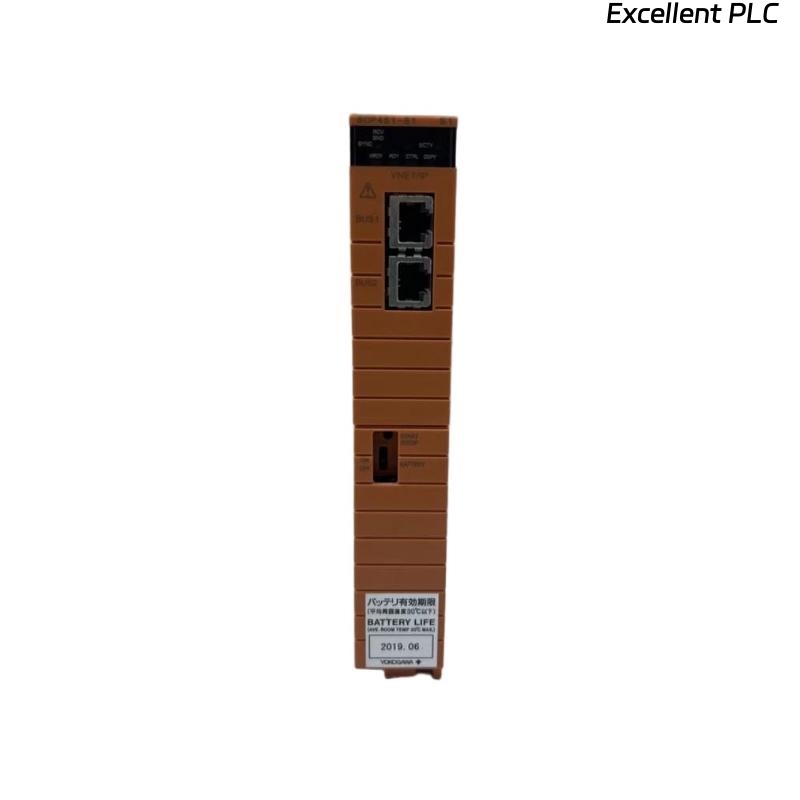
Yokogawa SCP451-51 Processor Module startup problems are commonly related to System Configuration inconsistencies, network parameter errors, or database synchronization issues rather than processor hardware failure. A structured Installation Guide and Commissioning workflow helps ensure stable controller performance and reliable operation in ProSafe-RS Safety Instrumented Systems. The SCP451-51 is a high-performance processor module designed for safety-critical control applications and supports redundant controller architectures. :contentReference[oaicite:0]{index=0}
Contents
- SCP451-51 Processor Module Overview
- SCP451-51 Processor Module Applications
- Controller Architecture Planning
- Pre-Installation Preparation
- Hardware Verification Checklist
- Installation Environment Requirements
- Power System Assessment
- SCP451-51 Installation Guide
- Communication Network Preparation
- SCP451-51 Setup Procedure
- Control Database Configuration
- Application Download Verification
- Controller Startup Procedure
- Commissioning Validation
- Performance Evaluation
- Redundancy Testing
- Maintenance Strategy
- Real Commissioning Experience
- FAQ
SCP451-51 Processor Module Overview
The Yokogawa SCP451-51 Processor Module serves as the primary execution platform for control logic, communication management, alarm processing, and system diagnostics within ProSafe-RS environments. It utilizes a high-speed processor architecture for real-time control execution. :contentReference[oaicite:1]{index=1}
SCP451-51 Processor Module Applications
- Emergency Shutdown Systems
- Burner Management Systems
- Gas Processing Facilities
- Petrochemical Plants
- Power Generation Systems
- Pipeline Safety Control
Controller Architecture Planning
- Define controller redundancy strategy
- Review network topology
- Verify node allocation
- Confirm ESB bus architecture
- Validate communication pathways
Pre-Installation Preparation
- Review project database
- Verify controller assignment
- Prepare startup procedures
- Confirm firmware compatibility
- Inspect cabinet layout drawings
Hardware Verification Checklist
- Confirm model number
- Inspect processor connectors
- Check module integrity
- Review hardware revision
- Inspect backplane contacts
Installation Environment Requirements
- Controlled cabinet temperature
- Proper ventilation
- Low vibration exposure
- EMC-compliant environment
- Reliable grounding network
Power System Assessment
- Verify redundant power supplies
- Check DC voltage stability
- Inspect UPS functionality
- Validate grounding continuity
- Measure voltage ripple levels
SCP451-51 Installation Guide
- De-energize the control cabinet.
- Insert the Processor Module into the assigned slot.
- Lock the retaining mechanism.
- Connect communication interfaces.
- Inspect mechanical alignment.
- Verify status indicators.
Communication Network Preparation
- Configure controller node address
- Verify Ethernet connectivity
- Check redundant network paths
- Inspect switch configuration
- Validate communication diagnostics
SCP451-51 Setup Procedure
INSTALL PROCESSOR
VERIFY POWER STATUS
ASSIGN NODE ID
DOWNLOAD DATABASE
INITIALIZE COMMUNICATION
SAVE PARAMETERS
RESTART CONTROLLER
Control Database Configuration
- Import approved project database
- Validate controller assignment
- Verify logic consistency
- Review alarm definitions
- Confirm I/O allocation
Application Download Verification
- Review download logs
- Verify checksum values
- Confirm synchronization status
- Validate database integrity
Controller Startup Procedure
- Monitor CPU initialization
- Verify communication startup
- Review event logs
- Confirm I/O scanning
- Check alarm status
Commissioning Validation
- Logic execution testing
- Network communication verification
- Alarm response validation
- System integration testing
- Operator interface confirmation
Performance Evaluation
- CPU utilization review
- Scan cycle analysis
- Network latency assessment
- Memory utilization review
Redundancy Testing
- Primary-to-standby switching
- Database synchronization validation
- Communication failover testing
- Controller recovery verification
Maintenance Strategy
- Periodic database backup
- Firmware review
- Controller health monitoring
- Network diagnostics inspection
Real Commissioning Experience
During startup of a refinery SIS project, an SCP451-51 Processor Module repeatedly remained in initialization mode after database download.
- CPU Status: INIT
- Power Supply: 24.1VDC
- Communication Status: Normal
- Database Synchronization: Failed
The project team initially suspected processor hardware failure. However, detailed analysis identified a mismatch between the controller node address and the downloaded configuration database.
After correcting the System Configuration:
- Controller entered RUN mode
- Database synchronization completed
- Communication stabilized
- Commissioning finished successfully
In one commissioning case, a simple addressing mismatch caused more than six hours of startup delay before engineering analysis identified the true root cause.
SCP451-51 Installation Guide FAQ
What is the primary role of the SCP451-51 Processor Module?
The module executes safety control logic, manages communication, processes alarms, and supervises controller functions. :contentReference[oaicite:2]{index=2}
Why is database validation important during Setup?
Incorrect controller assignments or configuration mismatches can prevent successful startup despite healthy hardware.
What should be verified before Commissioning?
Power quality, communication status, System Configuration, database integrity, and controller diagnostics should all be confirmed.
Summary: Successful SCP451-51 Installation, Setup, and Commissioning require accurate System Configuration, stable power systems, validated communication networks, and comprehensive controller verification procedures.