 Excellent PLC


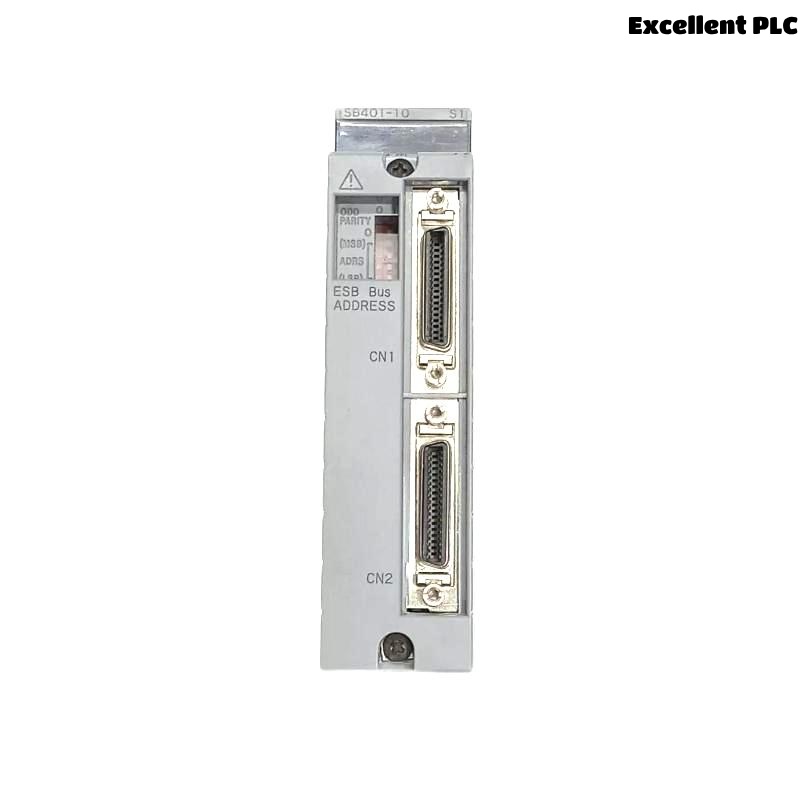
Yokogawa SB401-10 ESB Bus Interface Slave Module installation issues are frequently traced to communication network configuration errors, incorrect ESB bus allocation, or improper system setup rather than module hardware faults. A structured Installation Guide helps engineers complete Setup and Commissioning efficiently while ensuring reliable communication between field devices and Yokogawa control systems.
Contents
- SB401-10 ESB Bus Interface Slave Module Overview
- Purpose of the SB401-10 Module
- ESB Network Planning Before Installation
- Pre-Installation Verification
- Environmental Preparation
- Control Cabinet Readiness
- Power Supply Inspection
- SB401-10 Module Installation Guide
- ESB Communication Connection
- SB401-10 Setup Procedure
- System Configuration Validation
- Startup Inspection
- Commissioning Activities
- Communication Performance Evaluation
- Network Optimization Recommendations
- Routine Maintenance Practices
- Real Commissioning Experience
- FAQ
SB401-10 ESB Bus Interface Slave Module Overview
The Yokogawa SB401-10 is an ESB Bus Interface Slave Module designed to support communication between distributed I/O systems and Yokogawa controllers. It plays an important role in maintaining reliable field communication and ensuring accurate data exchange across industrial automation networks.
Purpose of the SB401-10 Module
- ESB bus communication management
- Remote I/O connectivity
- Distributed control integration
- System data synchronization
- Industrial communication support
ESB Network Planning Before Installation
Successful Setup begins long before the module is inserted into the rack. Engineers should validate the communication architecture and verify that network resources are properly allocated.
- Review ESB network topology
- Confirm node address assignments
- Check communication redundancy plans
- Verify controller compatibility
- Prepare commissioning documents
Pre-Installation Verification
- Confirm module model number
- Inspect housing condition
- Verify backplane connector integrity
- Check communication interfaces
- Review project database version
Environmental Preparation
- Maintain stable operating temperature
- Control cabinet humidity
- Avoid excessive vibration
- Protect against EMI sources
- Ensure sufficient airflow
Control Cabinet Readiness
- Verify cabinet grounding
- Inspect cable management
- Separate power and signal cables
- Confirm available installation slot
Power Supply Inspection
- Measure DC supply voltage
- Check redundant power systems
- Verify grounding continuity
- Inspect power distribution terminals
SB401-10 Module Installation Guide
- Switch off cabinet power.
- Insert the SB401-10 into the designated slot.
- Lock the module securely.
- Connect ESB communication cables.
- Inspect all physical connections.
- Restore system power.
- Verify status indicators.
ESB Communication Connection
- Verify cable identification
- Inspect connector engagement
- Check cable shielding
- Confirm network continuity
- Validate communication routing
SB401-10 Setup Procedure
INSTALL MODULE
APPLY POWER
VERIFY STATUS LED
ASSIGN NODE PARAMETERS
DOWNLOAD CONFIGURATION
ENABLE COMMUNICATION
SAVE SETTINGS
RESTART NETWORK
System Configuration Validation
- Address verification
- Communication parameter review
- I/O mapping confirmation
- Database consistency validation
- Controller interface testing
Startup Inspection
- Review status indicators
- Check communication statistics
- Inspect alarm logs
- Verify node registration
Commissioning Activities
- Network communication testing
- Field device verification
- Controller synchronization checks
- Alarm response testing
- Integrated operational validation
Communication Performance Evaluation
- Latency measurements
- Communication load analysis
- Error counter monitoring
- Packet integrity verification
Network Optimization Recommendations
- Minimize communication bottlenecks
- Improve grounding quality
- Optimize cable routing
- Maintain configuration consistency
Routine Maintenance Practices
- Periodic connector inspection
- Configuration backup management
- Network health reviews
- Communication diagnostics monitoring
Real Commissioning Experience
During the startup of a water treatment facility, an SB401-10 module failed to communicate with several remote I/O stations.
- Power Supply: 24.0 VDC
- Status LED: Normal
- Communication Status: Offline
- Network Error Count: Increasing
Engineers initially suspected a defective ESB Bus Interface Slave Module. However, detailed analysis showed that a communication cable had been connected to the wrong ESB segment.
After correcting the cable routing:
- All remote stations became accessible
- Communication errors disappeared
- Commissioning completed successfully
- Network performance stabilized immediately
In one commissioning case, a simple wiring correction eliminated several hours of troubleshooting and prevented unnecessary module replacement.
SB401-10 Installation Guide FAQ
What is the primary function of the SB401-10 Module?
The module provides ESB bus communication between field devices and Yokogawa control systems.
What should be checked before Setup?
Engineers should verify network topology, communication parameters, node addressing, and System Configuration data.
Why is communication testing important during Commissioning?
Testing confirms reliable data exchange and ensures stable operation of the complete automation system.
Summary: Reliable SB401-10 Installation, Setup, and Commissioning depend on correct communication architecture, validated System Configuration, proper cable routing, and comprehensive network verification.