 Excellent PLC


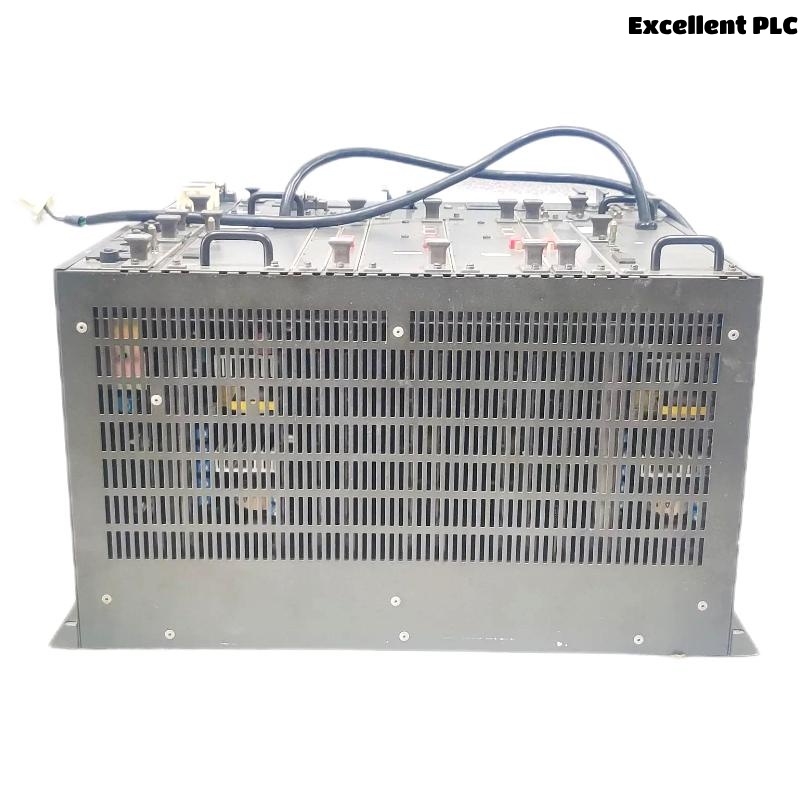
The Yokogawa AFG30D Duplexed Field Control Unit (FCU) is a high-availability controller for the CENTUM VP Distributed Control System (DCS). As the core processing unit of a Field Control Station (FCS), the AFG30D provides redundant control processing, dual-redundant Vnet/IP communications, and continuous operation through automatic processor switchover. Designed for FIO (Field Input/Output) systems, the controller supports mission-critical industrial processes where maximum system availability and operational reliability are required. Proper installation, wiring, grounding, and commissioning are essential for achieving stable long-term performance. :contentReference[oaicite:0]{index=0}
Contents
- 1. AFG30D Field Control Unit Overview
- 2. Technical Features
- 3. Typical Industrial Applications
- 4. Installation Planning
- 5. Hardware Inspection
- 6. Installation Environment
- 7. Rack Mounting Procedure
- 8. Power Supply Connections
- 9. Vnet/IP Communication Connections
- 10. Grounding Requirements
- 11. FIO System Connections
- 12. Commissioning Procedure
- 13. Functional Testing
- 14. Preventive Maintenance
- 15. Practical Installation Case
- 16. Frequently Asked Questions
AFG30D Field Control Unit Overview
The AFG30D is a duplexed Field Control Unit that serves as the control processor of a CENTUM VP Field Control Station. The controller incorporates active and standby processor modules operating in synchronization. Dual-redundant Vnet/IP communication interfaces and redundant power supplies allow automatic failover while maintaining uninterrupted process control. The controller is intended for 19-inch rack installation and supports FIO architectures. :contentReference[oaicite:1]{index=1}
Technical Features
- Duplexed controller architecture
- Automatic processor switchover
- Dual-redundant Vnet/IP communication
- Support for FIO systems
- Battery-backed memory protection
- 19-inch rack-mounted design
- Continuous controller synchronization
Typical Industrial Applications
- Oil and gas production facilities
- Petrochemical plants
- Chemical processing industries
- Power generation stations
- Water and wastewater treatment plants
- Large-scale process automation systems
Installation Planning
- Review engineering drawings
- Verify cabinet dimensions
- Confirm power availability
- Review Vnet/IP network topology
- Prepare FIO allocation documentation
Hardware Inspection
- Verify model identification
- Inspect processor modules
- Check communication interfaces
- Inspect mounting hardware
- Verify terminal connections
Installation Environment
- Maintain adequate cabinet ventilation
- Avoid excessive humidity
- Protect equipment from vibration
- Prevent conductive dust accumulation
- Maintain recommended ambient temperature
Rack Mounting Procedure
- Disconnect all cabinet power sources.
- Install the rack according to engineering drawings.
- Mount both controller modules securely.
- Verify module seating.
- Inspect locking mechanisms.
- Confirm cable routing clearances.
Power Supply Connections
- Connect redundant power supplies
- Verify input voltage specifications
- Inspect protective devices
- Confirm terminal tightness
- Verify power indicators
Vnet/IP Communication Connections
- Connect redundant Vnet/IP interfaces
- Verify communication cable routing
- Inspect network connectors
- Confirm network addressing
- Label all communication cables
Grounding Requirements
- Connect protective earth conductors
- Verify cabinet grounding integrity
- Maintain low grounding resistance
- Avoid ground loops
- Inspect grounding continuity
FIO System Connections
VERIFY FCU INSTALLATION
CONNECT REDUNDANT POWER
CONNECT VNET/IP NETWORK
CONNECT FIO SYSTEM
VERIFY GROUNDING
CHECK CONFIGURATION
PREPARE COMMISSIONING
Commissioning Procedure
- Apply power to both controller modules
- Verify startup diagnostics
- Confirm controller synchronization
- Verify Vnet/IP communication
- Download application configuration
- Verify FIO communications
Functional Testing
- Verify active controller operation
- Verify standby controller synchronization
- Test automatic switchover
- Validate FIO communications
- Monitor controller diagnostics
Preventive Maintenance
- Inspect communication cables regularly
- Verify redundancy periodically
- Review diagnostic logs
- Maintain application backups
- Inspect cabinet cooling systems
Practical Installation Case
During commissioning of a power generation control system, engineers observed that the standby AFG30D processor remained in an initialization state after startup.
Inspection revealed that one redundant Vnet/IP cable had been connected to the incorrect network interface. After correcting the connection and restarting synchronization, the controller pair entered normal duplex operation.
- Processor synchronization completed successfully.
- Redundancy was restored.
- Automatic switchover testing passed.
- The Field Control Station entered normal operation.
Frequently Asked Questions
What is the primary function of the AFG30D?
The AFG30D serves as a duplexed Field Control Unit for CENTUM VP systems, executing process control logic while providing redundant processor and communication capabilities. :contentReference[oaicite:2]{index=2}
Does the AFG30D support automatic controller switchover?
Yes. The controller continuously synchronizes active and standby processors, allowing automatic failover during processor faults without interrupting process control. :contentReference[oaicite:3]{index=3}
What communication network does the AFG30D use?
The AFG30D supports dual-redundant Vnet/IP communication and is designed for integration with Yokogawa FIO systems. :contentReference[oaicite:4]{index=4}
Summary: Proper installation of the Yokogawa AFG30D Duplexed Field Control Unit requires secure rack mounting, redundant power wiring, correct Vnet/IP and FIO communication connections, effective grounding, and comprehensive commissioning. Following these procedures ensures high availability, reliable redundancy, and long-term process control performance.