 Excellent PLC


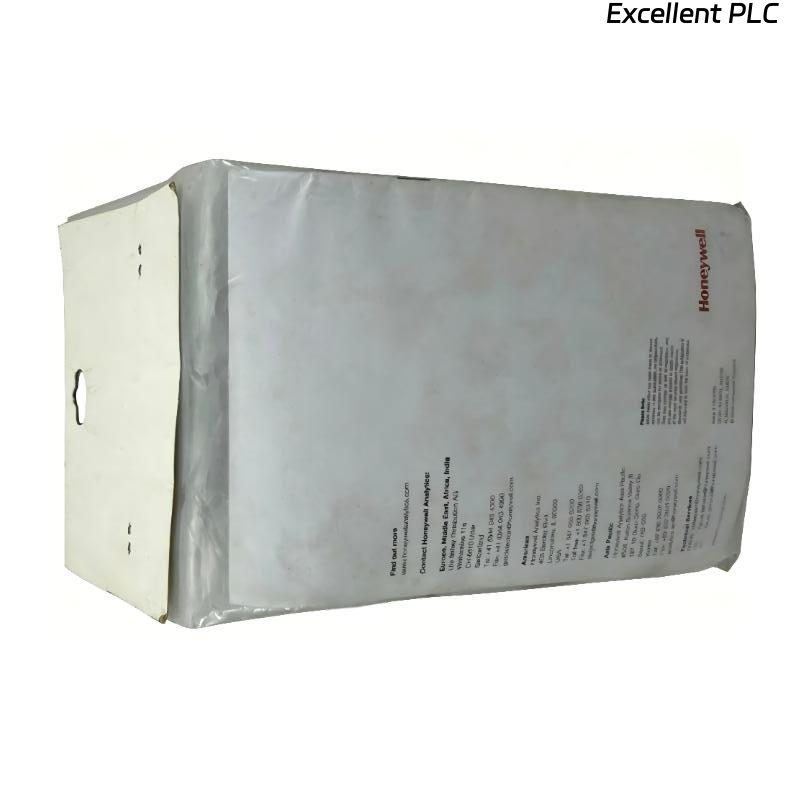
The Honeywell 05701-A-0121 Engineering Interface Software is the primary configuration and diagnostic application for the Honeywell System 57 Gas Detection Controller. Used together with the 05701-A-0551 Engineering Interface Kit and the 05701-A-0120 Engineering Interface Lead, it enables engineers to configure controller parameters, upload and download system configurations, monitor operating status, and perform maintenance diagnostics. Communication interruptions, software configuration errors, or hardware connection problems may prevent successful commissioning or maintenance. A systematic troubleshooting procedure helps engineers quickly restore reliable communication and normal software operation.
Contents
- 1. Understanding Software Communication Faults
- 2. Common Failure Symptoms
- 3. Typical Causes
- 4. Initial Hardware and Software Inspection
- 5. Software and Communication Verification
- 6. Diagnostic Analysis
- 7. Recommended Troubleshooting Workflow
- 8. Corrective Actions
- 9. Functional Recovery Verification
- 10. Preventive Maintenance
- 11. Industrial Maintenance Case
- 12. Frequently Asked Questions
Understanding Software Communication Faults
The Honeywell 05701-A-0121 software exchanges configuration and diagnostic information with the Engineering Card through the Engineering Interface Kit. Communication failures may result from incorrect COM port settings, incompatible software versions, damaged interface cables, unavailable serial ports, or controller communication faults. Before modifying controller parameters, engineers should verify both the hardware connection and software communication settings.
Common Failure Symptoms
- The software cannot detect the System 57 controller.
- Connection timeout messages appear.
- Configuration upload fails.
- Configuration download is interrupted.
- Diagnostic information cannot be displayed.
- The software freezes during communication.
- The controller is reported as offline.
- Communication is unstable after connection.
Typical Causes
- Incorrect communication port selection.
- Damaged Engineering Interface Lead.
- Loose interface cable connection.
- Incorrect baud rate or communication parameters.
- Engineering Interface Kit malfunction.
- Engineering Card communication failure.
- Software version incompatibility.
- Electrical interference affecting serial communication.
Initial Hardware and Software Inspection
- Verify controller power status.
- Inspect the Engineering Interface Kit.
- Check the Engineering Interface Lead.
- Confirm the Engineering Card is operating normally.
- Verify the correct COM port.
- Check software installation integrity.
Software and Communication Verification
- Restart the engineering software.
- Select the correct communication port.
- Verify serial communication settings.
- Reconnect the interface cable.
- Read the existing controller configuration.
- Review communication error logs.
Diagnostic Analysis
| Observed Condition | Possible Diagnosis |
|---|---|
| No communication established | Incorrect COM port, damaged interface cable, or Engineering Card fault |
| Configuration upload fails | Communication interruption or unstable interface connection |
| Configuration download fails | Software communication error or controller connection problem |
| Controller not detected | Power failure, Engineering Card fault, or interface hardware problem |
| Frequent communication interruptions | Loose connector, damaged cable, or electrical interference |
Recommended Troubleshooting Workflow
VERIFY CONTROLLER POWER
CHECK INTERFACE CONNECTIONS
VERIFY ENGINEERING CARD
SELECT CORRECT COM PORT
VERIFY SOFTWARE SETTINGS
TEST COMMUNICATION
UPLOAD CONFIGURATION
CONFIRM NORMAL OPERATION
Corrective Actions
- Reconnect loose communication cables.
- Replace damaged interface leads.
- Select the correct communication port.
- Correct serial communication parameters.
- Restart the engineering software.
- Update software if a compatible revision is available.
- Reduce electrical interference.
- Replace defective communication hardware after verification.
Functional Recovery Verification
- Verify stable communication with the controller.
- Successfully upload controller parameters.
- Successfully download configuration changes.
- Confirm alarm settings are updated.
- Verify relay configuration.
- Monitor communication stability during maintenance.
Preventive Maintenance
- Create configuration backups before every modification.
- Inspect interface cables regularly.
- Keep software versions consistent with controller firmware.
- Protect configuration files.
- Maintain communication hardware.
- Record all configuration changes.
Industrial Maintenance Case
During a scheduled shutdown at a chemical processing facility, engineers were unable to download updated alarm parameters using the Honeywell 05701-A-0121 Engineering Interface Software. Investigation revealed that the engineering laptop had automatically assigned a different serial communication port after a USB adapter replacement.
After selecting the correct COM port, reconnecting the Engineering Interface Kit, restarting the software, and verifying communication settings:
- The controller was detected successfully.
- The existing configuration was backed up.
- Updated alarm parameters were downloaded without errors.
- The System 57 controller resumed normal operation after verification testing.
Frequently Asked Questions
Why can’t the software communicate with the controller?
The most common causes include an incorrect COM port, damaged communication cable, loose interface connection, incompatible communication settings, or an Engineering Card communication fault.
Why does the configuration download fail?
This may be caused by unstable communication, incorrect software settings, interface hardware problems, or interruptions during data transfer.
When should the Honeywell 05701-A-0121 Engineering Interface Software be reinstalled?
Reinstallation should be considered only after verifying that the Engineering Interface Kit, communication cables, controller hardware, and software configuration are functioning correctly while software-related communication problems continue to occur.
Summary
Effective troubleshooting of the Honeywell 05701-A-0121 Engineering Interface Software requires systematic verification of communication hardware, software configuration, Engineering Card operation, serial communication settings, and controller connectivity. Regular configuration backups and preventive maintenance help ensure reliable commissioning and long-term maintenance of Honeywell System 57 gas detection systems.