 Excellent PLC


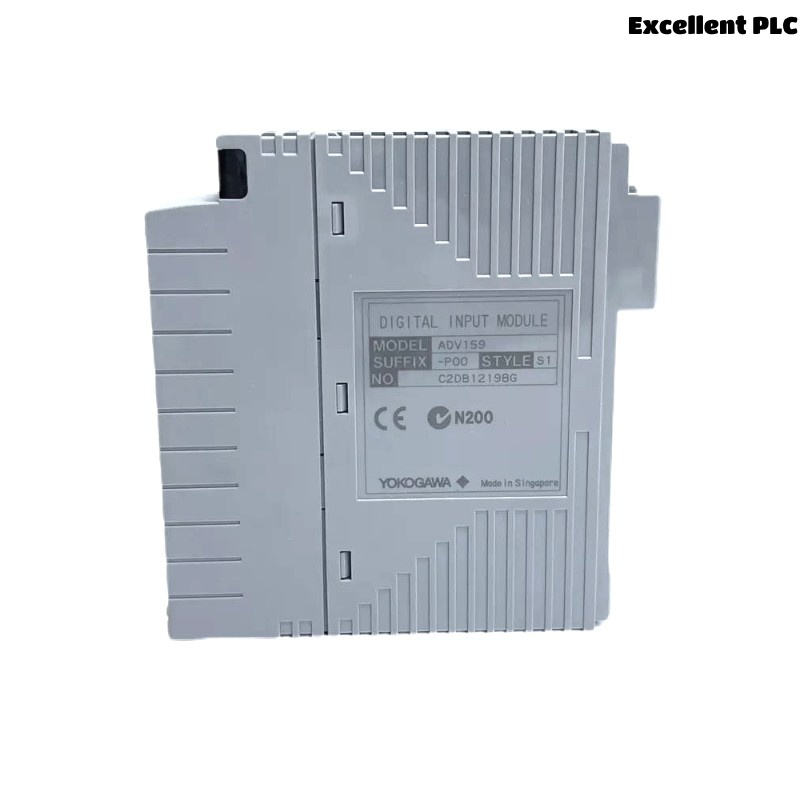
Yokogawa ADV159 Digital Input Module installation problems are commonly caused by signal wiring mistakes, incorrect System Configuration, or grounding deficiencies rather than module hardware failure. Proper Setup and Commissioning procedures help ensure reliable acquisition of digital status signals and long-term control system stability. The ADV159 is widely used for monitoring contact inputs and voltage status signals in Yokogawa CENTUM-compatible systems. It supports isolated digital input channels and fast response times suitable for industrial process control applications. :contentReference[oaicite:0]{index=0}
Contents
- ADV159 Digital Input Module Overview
- ADV159 Digital Input Module Applications
- ADV159 Installation Planning
- ADV159 Hardware Inspection
- ADV159 Environmental Requirements
- ADV159 Power Supply Verification
- ADV159 Module Mounting Procedure
- ADV159 Signal Cabling Preparation
- ADV159 Wiring Installation Guide
- ADV159 Grounding Strategy
- ADV159 System Configuration Setup
- ADV159 Input Channel Testing
- ADV159 Commissioning Process
- ADV159 Operational Verification
- Real Field Commissioning Case
- FAQ
ADV159 Digital Input Module Overview
The Yokogawa ADV159 Digital Input Module is designed to receive digital field signals from limit switches, relay contacts, valve position indicators, motor feedback circuits, and emergency shutdown devices. The module typically supports isolated digital inputs and provides reliable signal processing in distributed control systems. :contentReference[oaicite:1]{index=1}
ADV159 Digital Input Module Applications
- Pump running status monitoring
- Motor starter feedback signals
- Valve open/close indication
- Emergency shutdown loops
- Process interlock verification
- Equipment availability monitoring
ADV159 Installation Planning
Before installation, verify cabinet layouts, I/O assignment drawings, terminal schedules, and control narratives. Most startup delays occur because engineering documentation does not match field wiring.
ADV159 Hardware Inspection
- Verify module model number
- Inspect connectors and terminals
- Check module housing condition
- Confirm accessories are present
- Review shipping records
ADV159 Environmental Requirements
- Maintain adequate cabinet ventilation
- Control ambient temperature
- Minimize vibration exposure
- Reduce conductive dust accumulation
- Provide reliable grounding facilities
ADV159 Power Supply Verification
- Measure DC supply voltage
- Verify polarity
- Check fuse integrity
- Inspect power distribution terminals
- Confirm stable power conditions
ADV159 Module Mounting Procedure
- Isolate cabinet power.
- Install the ADV159 module in the assigned slot.
- Secure locking mechanisms.
- Connect field termination assemblies.
- Verify module seating.
- Restore cabinet power.
ADV159 Signal Cabling Preparation
- Separate signal and power cables
- Apply cable identification labels
- Inspect conductor insulation
- Verify terminal numbering
- Perform continuity checks
ADV159 Wiring Installation Guide
The ADV159 Installation Guide should include verification of contact input conditions and voltage input levels. Typical field signals include dry contacts and 24 VDC status signals. Proper wiring prevents false alarms and intermittent channel failures. :contentReference[oaicite:2]{index=2}
ADV159 Grounding Strategy
- Use single-point grounding
- Terminate shields correctly
- Avoid ground loops
- Inspect cabinet bonding
- Measure earth continuity
ADV159 System Configuration Setup
SCAN MODULE
ASSIGN INPUT CHANNELS
CONFIGURE TAG DATABASE
VERIFY ADDRESS MAPPING
DOWNLOAD CONFIGURATION
SAVE PROJECT
ACTIVATE I/O
ADV159 Input Channel Testing
- Operate field switches
- Verify status transitions
- Check alarm generation
- Validate event logging
- Confirm HMI indication
ADV159 Commissioning Process
Commissioning should involve real field equipment rather than simulation alone. Actual device operation helps identify wiring errors, incorrect terminal assignments, and signal polarity issues.
ADV159 Operational Verification
- Confirm channel response time
- Verify alarm logic
- Review event history
- Monitor system stability
Real Field Commissioning Case
During startup of a petrochemical utility unit, twelve valve feedback signals connected to an ADV159 Digital Input Module remained inactive.
- Input Voltage: 24.2 VDC
- Communication Status: Normal
- Module Diagnostics: Healthy
- Affected Channels: 12
We observed that all failed signals shared a common marshalling terminal block. Further inspection revealed a missing return conductor connection.
After correcting the termination:
- All twelve channels recovered
- Operator displays updated normally
- Alarm functions became available
- Commissioning completed successfully
ADV159 Installation Guide FAQ
What signals can the ADV159 Digital Input Module monitor?
The module can monitor dry contacts, relay outputs, limit switches, valve feedback signals, and 24 VDC status indications.
Why is System Configuration verification important?
Incorrect channel mapping can cause false alarms, incorrect graphics displays, and control logic errors.
What is the most common installation problem?
Incorrect field wiring and common return wiring mistakes account for most commissioning issues.
Summary: Successful ADV159 Installation Guide implementation requires accurate wiring, reliable grounding, proper System Configuration, and comprehensive field validation before plant startup.