 Excellent PLC


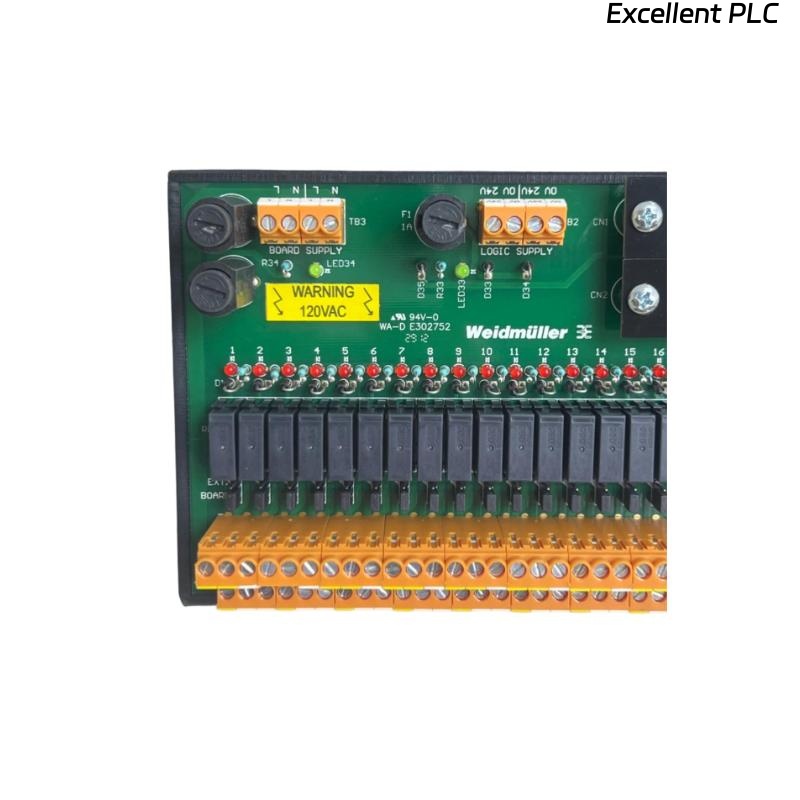
Yokogawa ADV551-D032 Discrete Output Module output failures are usually associated with field wiring problems, overloaded output circuits, external power supply abnormalities, or incorrect System Configuration instead of module hardware failure. A structured Troubleshooting process helps maintenance engineers identify the real root cause quickly and restore production with minimal downtime.
Contents
- 1. ADV551-D032 Discrete Output Module Fault Symptoms
- 2. Fault Diagnosis Strategy
- 3. Common Causes of ADV551-D032 Output Failure
- 4. Verify Controller Output Commands
- 5. Output Voltage Measurement
- 6. Field Load Inspection
- 7. ADV551-D032 Wiring Fault Troubleshooting
- 8. External Power Supply Analysis
- 9. System Configuration Verification
- 10. Module Diagnostic Inspection
- 11. Recommended Fault Diagnosis Workflow
- 12. Repair Procedures
- 13. Recovery Verification
- 14. Preventive Maintenance
- 15. Real Field Repair Case
- 16. FAQ
ADV551-D032 Discrete Output Module Fault Symptoms
Output failures do not always indicate a defective module. In many production facilities, external components are responsible for abnormal output behavior.
- Output channel remains OFF
- Field relay does not energize
- Solenoid valve remains closed
- Intermittent output switching
- Output LED active but no field response
- Unexpected interlock alarms
- Equipment cannot be started remotely
Fault Diagnosis Strategy
Experienced engineers investigate the signal path in sequence instead of replacing hardware immediately. The recommended order is controller command verification, output voltage measurement, field wiring inspection, load testing, and finally module evaluation.
This approach minimizes maintenance costs and prevents unnecessary spare part replacement.
Common Causes of ADV551-D032 Output Failure
- Loose terminal screws
- Incorrect field wiring
- Damaged output cable
- External fuse failure
- Power supply voltage drop
- Relay coil short circuit
- Incorrect output mapping
- Grounding problems
Verify Controller Output Commands
Before performing electrical measurements, verify that the controller is actually issuing the expected output signal.
- Review logic execution status
- Check interlock conditions
- Verify operator commands
- Monitor output tag status
- Confirm sequence execution
Output Voltage Measurement
| Measured Value | Engineering Interpretation |
|---|---|
| 24 VDC | Normal module output |
| 0 VDC | No output or open circuit |
| 10–18 VDC | Possible overload or cable resistance |
| Fluctuating Voltage | Loose connection or unstable supply |
Measurements should be taken while the field device is connected so that voltage drop under load can be identified.
Field Load Inspection
- Measure relay coil resistance
- Inspect solenoid valve current
- Check contactor operation
- Verify external wiring polarity
- Inspect surge suppression devices
ADV551-D032 Wiring Fault Troubleshooting
Incorrect wiring remains one of the most common causes of Digital Output Module failures during plant commissioning and maintenance.
- Inspect terminal tightness
- Verify cable continuity
- Check cable labels
- Inspect marshalling cabinets
- Confirm common return wiring
- Review junction box connections
External Power Supply Analysis
A healthy module cannot operate field equipment if the external power supply is unstable or incorrectly connected.
- Measure supply voltage under load
- Inspect DC distribution
- Verify fuse continuity
- Check common negative wiring
- Observe voltage during equipment startup
System Configuration Verification
- Verify channel assignment
- Review tag database
- Confirm logic references
- Validate controller download
- Inspect output allocation
Module Diagnostic Inspection
- Inspect module status LEDs
- Review controller event logs
- Check communication health
- Verify rack diagnostics
- Monitor alarm history
Recommended Fault Diagnosis Workflow
VERIFY CONTROLLER COMMAND
CHECK OUTPUT LED
MEASURE OUTPUT VOLTAGE
VERIFY FIELD POWER
CHECK TERMINAL CONNECTIONS
TEST OUTPUT LOAD
VERIFY SYSTEM CONFIGURATION
IDENTIFY ROOT CAUSE
PERFORM FUNCTIONAL TEST
Following this sequence allows engineers to isolate electrical faults without unnecessary downtime.
Repair Procedures
- Repair damaged field wiring
- Replace blown fuses
- Correct output configuration
- Replace failed relay coils
- Repair power supply circuits
- Replace the module only after confirming external components are healthy
Recovery Verification
- Repeat output commands
- Observe relay response
- Verify valve movement
- Review alarm history
- Monitor continuous operation
Preventive Maintenance
Preventive maintenance significantly reduces unexpected digital output failures in continuous production environments.
- Inspect terminal connections every six months
- Measure supply voltage periodically
- Check relay operating current
- Verify cabinet grounding annually
- Maintain updated controller backups
Real Field Repair Case
During routine maintenance at a fertilizer production plant, operators reported that three discharge valves controlled by an ADV551-D032 failed to respond during startup.
Controller diagnostics showed normal communication and active output commands, while module LEDs also indicated normal operation.
Engineers measured the output voltage at the module and obtained 24.3 VDC. However, measurements at the valve terminals dropped to approximately 9.6 VDC when the coils were energized.
After tracing the wiring route, a corroded terminal block inside an outdoor junction box was discovered. The increased contact resistance caused a significant voltage drop under load.
Following terminal replacement and cable cleaning:
- Valve response became immediate.
- Terminal voltage recovered to 24.1 VDC.
- System testing completed successfully.
- No hardware replacement of the ADV551-D032 module was required.
This field experience demonstrates that measuring voltage only at the module can lead to incorrect conclusions. Measurements should always be compared at both the controller and the field device.
ADV551-D032 Fault Diagnosis FAQ
Why does the output LED turn on while the field device remains inactive?
This usually indicates an external wiring issue, insufficient field power, a failed load, or excessive voltage drop rather than a faulty Digital Output Module.
What is the first electrical measurement during Troubleshooting?
Measure the output voltage at the module terminal and compare it with the voltage measured directly across the connected field device under operating conditions.
Should the ADV551-D032 module be replaced immediately after an output failure?
No. Most output failures originate from wiring defects, overloaded circuits, blown fuses, or incorrect System Configuration. Module replacement should only be considered after these possibilities have been eliminated.
Summary: Effective ADV551-D032 Troubleshooting requires a logical Fault Diagnosis process that combines controller verification, voltage measurement, wiring inspection, load testing, and System Configuration validation to accurately identify the root cause and restore reliable output performance.