 Excellent PLC


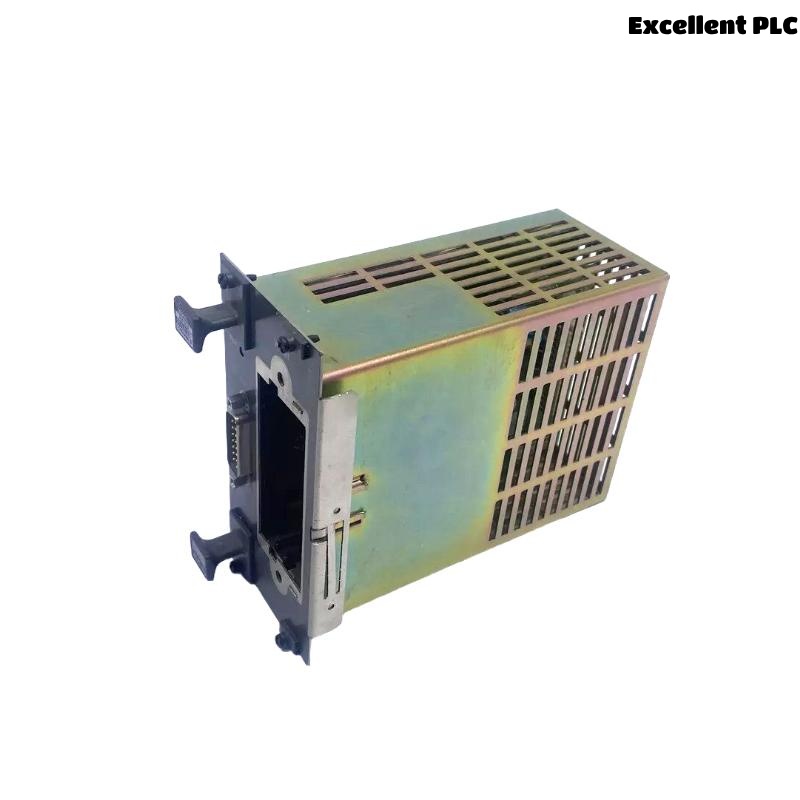
The Yokogawa AIP503 V-Net Coupler Module is a high-speed communication interface used in Yokogawa CENTUM VP and CENTUM CS Distributed Control Systems (DCS). It connects Field Control Units (FCUs) to the V-Net real-time communication network, enabling deterministic data exchange among controllers, operator stations, engineering stations, historians, and gateway systems. Since the AIP503 serves as the communication bridge between the controller and the control network, failures may result in controller isolation, communication interruptions, loss of network redundancy, or degraded process monitoring. A systematic troubleshooting procedure enables maintenance engineers to identify the source of communication problems quickly and restore reliable network operation.
Contents
- 1. Understanding V-Net Communication Faults
- 2. Common Failure Symptoms
- 3. Typical Causes of Communication Faults
- 4. Initial Hardware Inspection
- 5. Power Supply Verification
- 6. V-Net Cable Diagnostics
- 7. Network Configuration Verification
- 8. Diagnostic Analysis
- 9. Recommended Troubleshooting Workflow
- 10. Corrective Actions
- 11. Communication Recovery Verification
- 12. Preventive Maintenance
- 13. Real Industrial Maintenance Case
- 14. Frequently Asked Questions
Understanding V-Net Communication Faults
The AIP503 provides deterministic communication between FCUs and the Yokogawa V-Net backbone. Most communication failures originate from cable damage, configuration mismatches, connector problems, power instability, or redundancy configuration errors rather than failure of the module itself.
Common Failure Symptoms
- FCU not visible on the V-Net.
- Operator stations lose communication with the controller.
- Engineering station cannot access the controller.
- Network redundancy becomes inactive.
- Intermittent communication interruptions.
- V-Net communication alarms appear.
- Delayed or missing process data updates.
- Communication status LEDs indicate abnormal operation.
Typical Causes of Communication Faults
- Loose or damaged V-Net communication cables.
- Poor connector contact.
- Incorrect controller node configuration.
- Redundant network path failure.
- Power supply instability.
- Excessive electromagnetic interference.
- Backplane communication problems.
- Internal hardware failure of the AIP503 (rare).
Initial Hardware Inspection
- Verify the AIP503 is fully seated in the rack.
- Inspect module connectors for contamination or damage.
- Check V-Net cable locking mechanisms.
- Verify module status LEDs.
- Inspect cabinet grounding.
Power Supply Verification
- Measure FCU supply voltage.
- Verify stable power during operation.
- Inspect power distribution modules.
- Review power-related alarm logs.
- Check redundant power sources if installed.
V-Net Cable Diagnostics
- Verify cable continuity.
- Inspect fiber or communication connectors.
- Check shielding integrity.
- Replace damaged communication cables.
- Verify redundant communication paths.
Network Configuration Verification
- Confirm controller node address.
- Verify V-Net domain configuration.
- Review redundancy parameters.
- Check controller registration in the engineering database.
- Synchronize system configuration if changes were made.
Diagnostic Analysis
| Observed Condition | Possible Diagnosis |
|---|---|
| Controller offline | Communication cable disconnected or configuration error |
| Intermittent communication | Loose connector or electromagnetic interference |
| Redundancy unavailable | Secondary network path failure |
| Communication alarms | Network interruption or synchronization issue |
| Slow data updates | Network congestion or communication instability |
Most AIP503 communication problems are external to the module and should be isolated before replacing hardware.
Recommended Troubleshooting Workflow
VERIFY POWER SUPPLY
CHECK MODULE INSTALLATION
INSPECT V-NET CABLES
VERIFY NETWORK CONFIGURATION
REVIEW DIAGNOSTIC LOGS
TEST REDUNDANT PATHS
ISOLATE COMMUNICATION FAULT
IMPLEMENT CORRECTIVE ACTION
VERIFY NETWORK RECOVERY
MONITOR SYSTEM STABILITY
A systematic troubleshooting workflow minimizes unnecessary module replacement and restores communication efficiently.
Corrective Actions
- Reconnect loose communication cables.
- Replace damaged connectors.
- Restore correct network configuration.
- Repair redundant communication paths.
- Stabilize power supply.
- Reload controller communication parameters if necessary.
- Replace the AIP503 only after verifying persistent internal hardware failure.
Communication Recovery Verification
- Confirm controller visibility on V-Net.
- Verify engineering station communication.
- Test operator station connectivity.
- Verify redundancy switchover.
- Confirm communication alarms have cleared.
Preventive Maintenance
- Inspect communication connectors regularly.
- Monitor cable condition.
- Clean connectors during scheduled maintenance.
- Verify redundancy operation periodically.
- Review communication diagnostic trends.
Real Industrial Maintenance Case
During commissioning of a new production unit, an FCU equipped with an AIP503 repeatedly disappeared from the V-Net after startup.
Investigation revealed that the secondary V-Net connector had not been fully engaged, causing repeated communication interruptions and redundancy alarms.
After properly securing the connector:
- The FCU remained continuously visible on the V-Net.
- Engineering stations communicated normally.
- Operator stations displayed stable real-time process data.
- Redundancy diagnostics indicated healthy operation.
Frequently Asked Questions
Why is the controller not visible on the V-Net?
The most common causes are loose communication cables, incorrect network configuration, connector faults, or power supply issues.
Can communication cable damage cause intermittent controller failures?
Yes. Damaged or improperly connected V-Net cables frequently result in unstable communication, packet loss, and intermittent controller visibility.
When should the AIP503 be replaced?
The module should only be replaced after confirming that power supplies, communication cables, connectors, network configuration, and backplane interfaces are functioning correctly and internal hardware failure has been verified.
Summary
Effective troubleshooting of the Yokogawa AIP503 V-Net Coupler Module requires systematic verification of power integrity, communication cabling, network configuration, redundancy status, and diagnostic information. Following a structured troubleshooting methodology restores reliable V-Net communication, minimizes controller downtime, maintains network redundancy, and improves the overall reliability of Yokogawa DCS installations.