 Excellent PLC


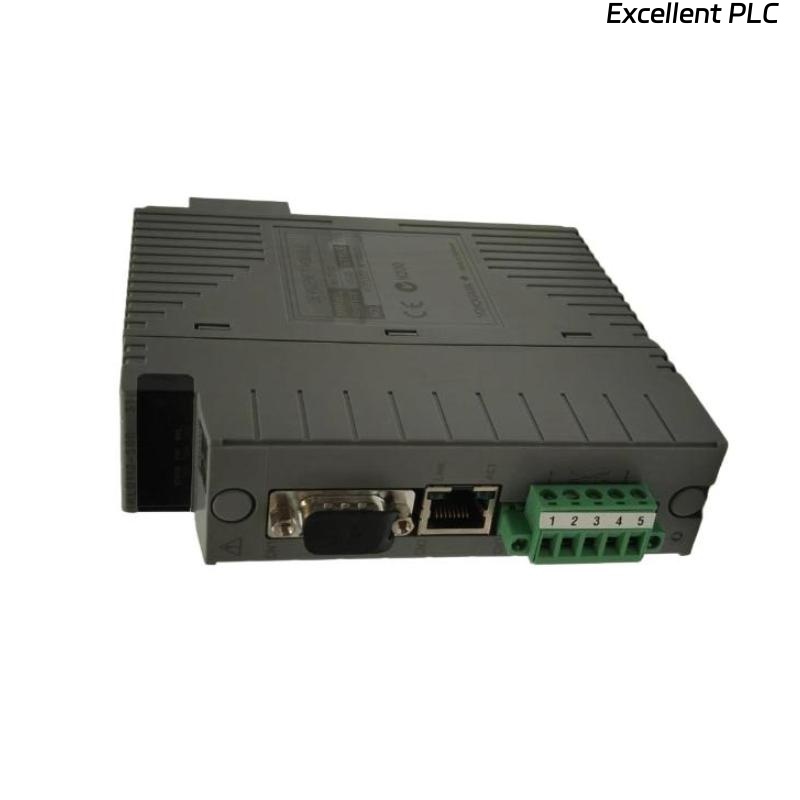
The Yokogawa ALF111 FOUNDATION™ Fieldbus Communication Module is a communication interface used in Yokogawa CENTUM VP and CENTUM CS Distributed Control Systems (DCS) to connect the Field Control Station (FCS) with FOUNDATION Fieldbus H1 intelligent field devices. The module manages deterministic communication, performs Link Active Scheduler (LAS) functions, exchanges process data with field instruments, and continuously monitors network health. Communication failures can result from wiring problems, incorrect network topology, fieldbus power issues, terminator faults, configuration errors, or hardware failures. This guide provides a systematic troubleshooting procedure for diagnosing ALF111 communication problems and restoring reliable FOUNDATION Fieldbus operation.
Contents
- 1. Understanding ALF111 Communication Faults
- 2. Common Failure Symptoms
- 3. Typical Causes of Communication Problems
- 4. Initial Hardware Inspection
- 5. FOUNDATION Fieldbus Network Verification
- 6. Diagnostic Analysis
- 7. Recommended Troubleshooting Workflow
- 8. Corrective Actions
- 9. Functional Recovery Verification
- 10. Preventive Maintenance
- 11. Industrial Maintenance Case
- 12. Frequently Asked Questions
Understanding ALF111 Communication Faults
The ALF111 serves as the interface between the Yokogawa controller and FOUNDATION Fieldbus H1 segments. It manages scheduled communication, field device messaging, and process data exchange while acting as the Link Active Scheduler (LAS). Faults affecting the communication module, network wiring, fieldbus power supply, device configuration, or segment topology can interrupt communication and prevent field devices from operating correctly.
Common Failure Symptoms
- Field devices not detected.
- Communication timeout alarms.
- Loss of process variable updates.
- Segment communication failure.
- LAS synchronization errors.
- Intermittent communication with field devices.
- Controller diagnostic communication alarms.
- Abnormal network status indicators.
Typical Causes of Communication Problems
- Fieldbus power supply failure.
- Missing or incorrect network terminators.
- Open or short-circuited communication cable.
- Incorrect device addressing.
- Poor cable shielding or grounding.
- Communication parameter mismatch.
- Excessive network length or improper topology.
- Hardware failure of the ALF111 module.
Initial Hardware Inspection
- Verify the ALF111 is fully seated in the controller slot.
- Inspect communication cable connections.
- Check connector integrity.
- Inspect module status LEDs.
- Verify controller power supply operation.
FOUNDATION Fieldbus Network Verification
- Verify fieldbus voltage on each H1 segment.
- Inspect both network terminators.
- Verify cable polarity.
- Check trunk and spur wiring.
- Confirm field device addresses and configuration.
- Inspect cable shielding and grounding.
- Verify fieldbus power conditioner operation.
Diagnostic Analysis
| Observed Condition | Possible Diagnosis |
|---|---|
| No devices detected | Power loss, open cable, or terminator fault |
| Intermittent communication | Poor wiring, loose connector, or EMI |
| Communication timeout | Incorrect device configuration or cable fault |
| LAS error | Module configuration or hardware fault |
| Unstable network | Improper topology or grounding problem |
Recommended Troubleshooting Workflow
CHECK MODULE STATUS
VERIFY FIELDBUS POWER
INSPECT CABLES
VERIFY TERMINATORS
CHECK DEVICE CONFIGURATION
VERIFY LAS STATUS
CHECK NETWORK DIAGNOSTICS
VERIFY PROCESS VARIABLES
CONFIRM NORMAL OPERATION
Corrective Actions
- Restore fieldbus power supply.
- Replace damaged communication cables.
- Install or replace faulty network terminators.
- Correct field device addressing.
- Improve shielding and grounding.
- Reload communication configuration.
- Replace the ALF111 module if hardware failure is confirmed.
Functional Recovery Verification
- Confirm all field devices are detected.
- Verify stable communication on every H1 segment.
- Monitor process variable updates.
- Verify LAS operation.
- Confirm controller diagnostics report no communication faults.
Preventive Maintenance
- Inspect communication cables regularly.
- Verify fieldbus power supply voltage.
- Check network terminators during maintenance.
- Inspect shielding and grounding connections.
- Review controller communication diagnostics.
- Maintain updated device configuration backups.
Industrial Maintenance Case
At a chemical production facility, an entire FOUNDATION Fieldbus segment unexpectedly disappeared from the CENTUM VP engineering workstation.
Maintenance engineers found that one network terminator had become disconnected during cabinet modifications, causing severe signal reflections and communication instability.
After reinstalling the correct terminator and verifying segment voltage:
- All field devices reappeared automatically.
- Communication stabilized across the H1 segment.
- Process variables updated normally.
- No further communication alarms were reported.
Frequently Asked Questions
Why are FOUNDATION Fieldbus devices not detected?
Common causes include loss of fieldbus power, damaged communication cables, missing terminators, incorrect device addressing, configuration errors, or ALF111 hardware faults.
Why are two network terminators required?
A FOUNDATION Fieldbus H1 segment requires one terminator at each end of the trunk cable to maintain proper signal quality and prevent communication reflections.
When should the ALF111 module be replaced?
The module should be replaced only after confirming that fieldbus power, network wiring, terminators, grounding, device configuration, and controller settings are correct and hardware diagnostics indicate an internal module failure.
Summary
Effective troubleshooting of the Yokogawa ALF111 FOUNDATION Fieldbus Communication Module requires systematic verification of module installation, fieldbus power supplies, network topology, terminators, communication parameters, grounding, and controller diagnostics. Proper preventive maintenance and adherence to FOUNDATION Fieldbus installation practices ensure reliable communication and long-term stability in Yokogawa CENTUM VP Distributed Control Systems.