 Excellent PLC


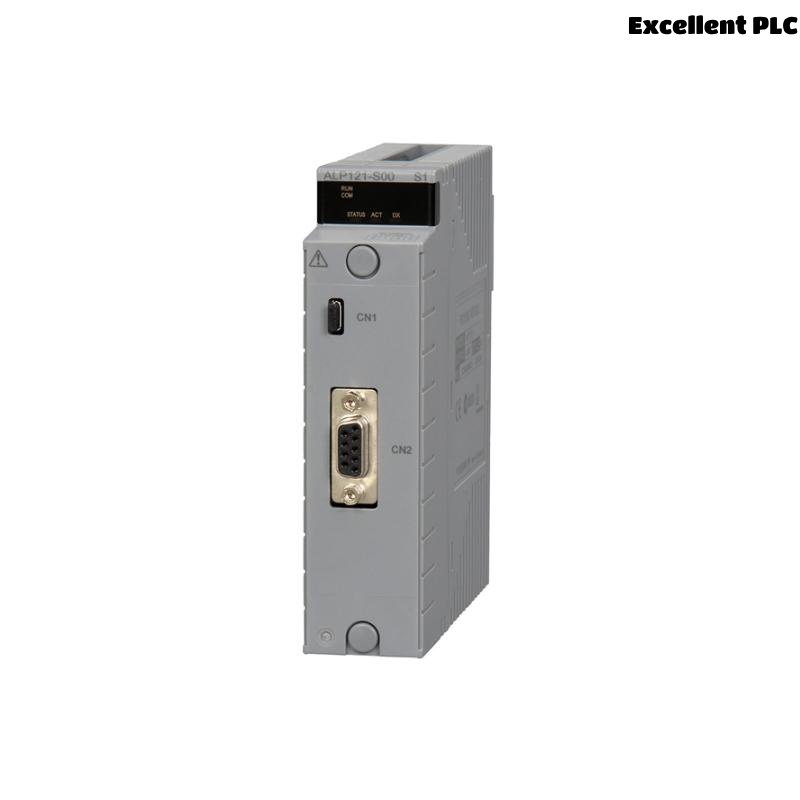
The Yokogawa ALP121 Communication Module is a high-speed industrial communication interface used in Yokogawa CENTUM VP and CENTUM CS Distributed Control Systems (DCS). It enables reliable communication between Field Control Stations (FCS), Human Interface Stations (HIS), Engineering Workstations (ENG), and the Vnet/IP control network. The module is responsible for transmitting real-time process data, controller synchronization information, alarms, engineering data, and system diagnostics. Communication failures can interrupt controller access, affect operator displays, and reduce overall system availability. This guide provides a structured troubleshooting procedure for diagnosing ALP121 communication faults and restoring reliable network performance.
Contents
- 1. Understanding Communication Module Faults
- 2. Common Failure Symptoms
- 3. Typical Causes of Communication Problems
- 4. Initial Hardware Inspection
- 5. Network Communication Verification
- 6. Diagnostic Analysis
- 7. Recommended Troubleshooting Workflow
- 8. Corrective Actions
- 9. Functional Recovery Verification
- 10. Preventive Maintenance
- 11. Industrial Maintenance Case
- 12. Frequently Asked Questions
Understanding Communication Module Faults
The ALP121 serves as a communication interface between controllers and supervisory devices within the Yokogawa DCS architecture. Reliable communication depends on healthy network hardware, proper configuration, stable power supplies, compatible firmware, and correct controller operation. Failures are commonly associated with damaged communication cables, loose connectors, network switch faults, configuration mismatches, optical transmission problems, or internal module hardware failures.
Common Failure Symptoms
- Loss of communication between controllers and operator stations.
- Engineering workstation cannot access the controller.
- Network communication timeout alarms.
- Loss of real-time process data updates.
- Controller redundancy synchronization errors.
- Abnormal communication LED indicators.
- Intermittent communication interruptions.
- System diagnostic communication alarms.
Typical Causes of Communication Problems
- Damaged communication cables.
- Loose or contaminated network connectors.
- Incorrect communication configuration.
- Communication switch failure.
- Optical transceiver degradation.
- Firmware incompatibility.
- Power supply instability.
- Internal ALP121 hardware malfunction.
Initial Hardware Inspection
- Verify the ALP121 is fully seated in the controller chassis.
- Inspect module retaining mechanisms.
- Check communication cable connections.
- Inspect connector condition.
- Verify controller power supply operation.
Network Communication Verification
- Verify communication link status.
- Inspect Ethernet or fiber-optic communication media.
- Check communication switch operation.
- Verify redundant communication paths.
- Confirm IP addressing and network configuration.
- Review controller communication diagnostics.
Diagnostic Analysis
| Observed Condition | Possible Diagnosis |
|---|---|
| No communication | Communication cable, connector, or module failure |
| Controller inaccessible | Incorrect network configuration or communication fault |
| Intermittent communication | Loose connector or deteriorated communication media |
| Redundancy communication failure | Network configuration mismatch or link failure |
| Communication alarms | Switch malfunction or ALP121 hardware fault |
Recommended Troubleshooting Workflow
CHECK MODULE STATUS
VERIFY POWER SUPPLY
INSPECT NETWORK CABLES
CHECK COMMUNICATION SWITCHES
VERIFY NETWORK CONFIGURATION
CHECK CONTROLLER DIAGNOSTICS
VERIFY REDUNDANT LINKS
CONFIRM NORMAL COMMUNICATION
Corrective Actions
- Reconnect loose communication cables.
- Replace damaged network cables or optical fibers.
- Correct communication configuration parameters.
- Repair or replace faulty communication switches.
- Update incompatible firmware.
- Restore redundant communication paths.
- Replace the ALP121 module if hardware diagnostics confirm an internal fault.
Functional Recovery Verification
- Verify stable controller communication.
- Confirm operator station connectivity.
- Check engineering workstation access.
- Monitor communication diagnostics.
- Verify uninterrupted real-time process data exchange.
Preventive Maintenance
- Inspect communication cables during scheduled maintenance.
- Verify connector tightness and cleanliness.
- Review network diagnostic logs regularly.
- Maintain firmware compatibility across all controllers.
- Inspect cabinet cooling and environmental conditions.
- Test redundant communication paths periodically.
Industrial Maintenance Case
During routine operation at a power generation facility, operators reported intermittent communication loss between an Engineering Workstation and a Field Control Station connected through an ALP121 module.
Investigation revealed excessive optical attenuation caused by contamination on a fiber-optic connector. After cleaning the connector, verifying optical signal levels, and confirming network diagnostics:
- Communication stability was fully restored.
- Engineering access resumed without interruption.
- Controller synchronization remained stable.
- No further communication alarms occurred during extended operation.
Frequently Asked Questions
Why can’t the Engineering Workstation communicate with the controller?
Possible causes include damaged communication media, incorrect network configuration, communication switch faults, loose connectors, firmware incompatibility, or ALP121 hardware failure.
What should be checked before replacing the ALP121?
Verify power supply status, communication cables, optical transceivers, network switches, IP configuration, firmware compatibility, controller diagnostics, and connector integrity before replacing the communication module.
Does the ALP121 support redundant network operation?
Yes. The module is designed for CENTUM VP redundant communication architectures. After maintenance, verify both communication paths and confirm successful redundancy synchronization before returning the system to service.
Summary
Effective troubleshooting of the Yokogawa ALP121 Communication Module requires systematic verification of hardware installation, communication media, network infrastructure, controller configuration, firmware compatibility, and diagnostic information. Routine preventive maintenance, proper network management, and timely replacement of confirmed faulty components help ensure reliable long-term communication performance throughout Yokogawa CENTUM VP Distributed Control Systems.