 Excellent PLC


1. Background and Symptom Description
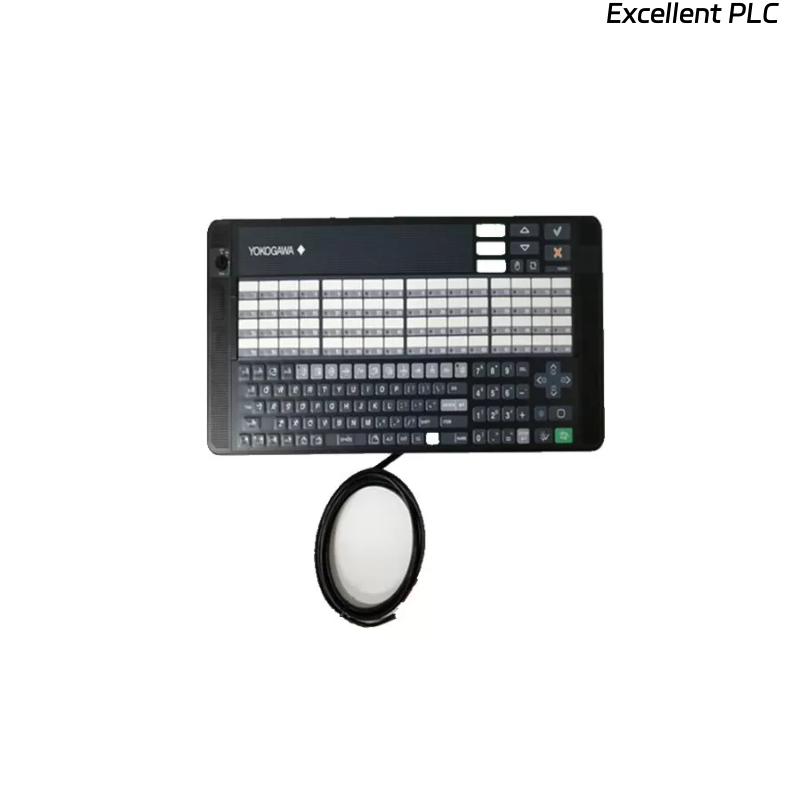
The Yokogawa AIP830-111 is a single-operator keyboard used in the CENTUM CS/VP or STARDOM control system.
It communicates with the main console or HMI through a serial or proprietary communication link, allowing operators to control process parameters directly.
When the screen repeatedly shows “Disconnected” or communication is interrupted during operation, the issue typically lies in:
-
Power or signal instability,
-
Interface cable faults, or
-
Internal board communication errors within the keyboard unit.
2. Typical Signs Observed
-
Display repeatedly flashes “Disconnected” then reconnects.
-
Operator keys momentarily freeze before restoring function.
-
Power LED remains on, but no data or control response.
-
Issue occurs more frequently when temperature or vibration changes.
3. Safety & Preparation
Before troubleshooting, make sure to:
-
Power off the unit and the connected controller.
-
Use an ESD wrist strap during inspection.
-
Record communication settings (baud rate, address, connector type).
-
Prepare a multimeter and oscilloscope for signal checks if available.
4. Step 1 — Check Power Stability
-
Measure input voltage at the AIP830-111 terminal (typically 24 V DC).
-
Voltage fluctuation beyond ±5% can cause temporary communication drop.
-
Inspect the power cable for loose crimps, aging insulation, or oxidized contacts.
-
If the power source is shared with other modules, isolate it temporarily and recheck stability.
Field note: In 30% of recorded cases, unstable 24 V DC caused random “disconnect” events even when the hardware was intact.
5. Step 2 — Communication Cable and Connector
-
Verify both ends of the communication cable are securely fastened.
-
Check for bent pins, oxidation, or partial disconnection at the plug interface.
-
Replace the cable with a known-good one for comparison.
-
For RS-232 / RS-485 versions, confirm proper termination resistance (typically 120 Ω at both ends).
-
Inspect shielding and grounding continuity — poor shielding often induces transient disconnections.
6. Step 3 — Internal Connector & Board Interface
Open the rear panel carefully and:
-
Reseat the internal flat cable connecting the communication board to the keypad or display board.
-
Clean any dust or oxidation using isopropyl alcohol.
-
Check if the connector latches are firmly locked; vibration can cause micro-disconnections.
⚙️ Tip: The AIP830-111’s internal connectors are friction-fit type — even slight looseness can trigger intermittent “disconnect” warnings.
7. Step 4 — Logic Board and Firmware Integrity
-
Inspect the main logic board for burnt marks, bulging capacitors, or overheated ICs.
-
If communication is stable for a few seconds after reboot then drops again, it may indicate firmware corruption.
-
Re-load the latest firmware or configuration file from Yokogawa service tools (if available).
-
Verify the keyboard’s software version matches the connected controller version.
8. Step 5 — Environmental Factors
Sometimes, repeated disconnects are not electronic failures but environmental influences:
-
Excessive temperature or humidity inside the control cabinet.
-
Strong electromagnetic interference (EMI) from nearby high-power devices.
-
Poor grounding continuity between cabinet and field instruments.
Keep the AIP830-111 below 50 °C and ensure shielding is properly grounded on one end only to avoid ground loops.
9. Step 6 — Hardware Replacement Test
If all diagnostics above show normal readings yet the issue persists:
-
Replace the AIP830-111 with a spare unit of the same model.
-
Reconnect all cables and test operation for at least 30 minutes under normal load.
-
If the error disappears → original keyboard hardware failure.
-
If the problem remains → trace back to the controller communication port or I/O bus module.
🧩 Maintenance Recommendations
-
Clean connectors every 6 months using electronic contact cleaner.
-
Avoid frequent plugging/unplugging of cables to reduce wear.
-
Ensure stable cabinet temperature and minimal vibration.
-
Keep firmware versions consistent across all AIP devices.
-
Maintain backup configurations and firmware in your maintenance database.
💡 Technical Summary
Root causes of repeated “Disconnected” errors in AIP830-111:
-
Power fluctuation or unstable 24 V DC input
-
Loose or oxidized communication connectors
-
Internal flat-cable connection fault
-
Firmware incompatibility or corruption
-
EMI or grounding issues in the cabinet
Consistent preventive maintenance and careful connector inspection are the most effective ways to eliminate this recurring fault.